
 資料結構
資料結構 網路
網路 關係型資料庫管理系統
 作業系統
作業系統 Java
Java MS Excel
 iOS
iOS HTML
HTML CSS
CSS Android
 Python
 C語言程式設計
 C++
C++ C#
C# MongoDB
 MySQL
MySQL Javascript
 PHP
PHP 物理學
物理學 化學
化學 生物學
生物學 數學
數學 英語
英語 經濟學
經濟學 心理學
心理學 社會學
社會學 時尚研究
時尚研究 法律研究
法律研究如何在Excel中生成或列出所有可能的排列組合?
排列組合可以定義為物件按特定順序的排列。在本文中,使用者將瞭解使用VBA程式碼生成排列組合的方法。為此,使用者需要開啟VBA程式碼編輯器,然後只需點選“確定”按鈕。最後,執行編寫的程式碼,排列組合序列將正常顯示在工作表上。請參考所有列出的步驟,以瞭解完整的方法。
示例 1:使用 VBA 程式碼在 Excel 中生成或列出所有可能的排列組合
步驟 1
瞭解在 Excel 中生成所有可能的排列組合的過程。在本例中,使用者將能夠使用 VBA 程式碼計算所有可能的排列組合。
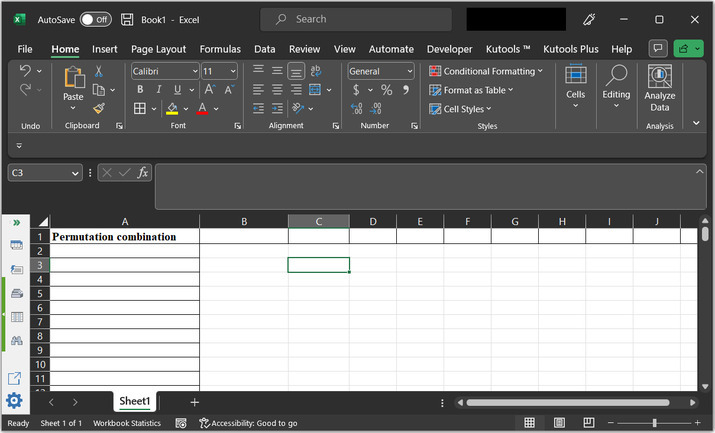
請考慮以下工作表:
步驟 2
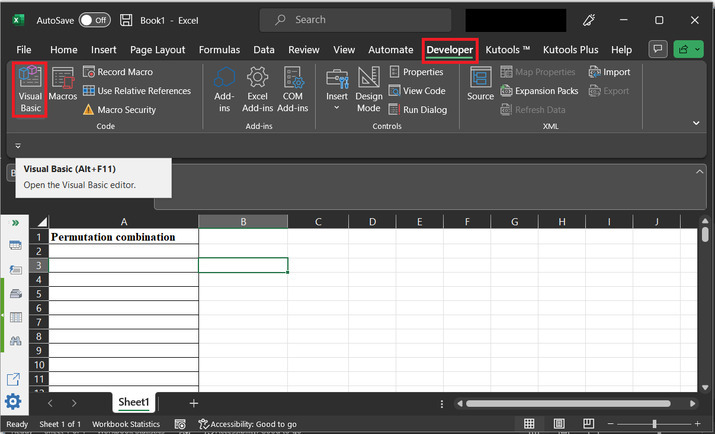
轉到“開發工具”選項卡,然後在“程式碼”部分轉到“Visual Basic”選項卡。請參考下圖以獲得正確的參考:
步驟 3
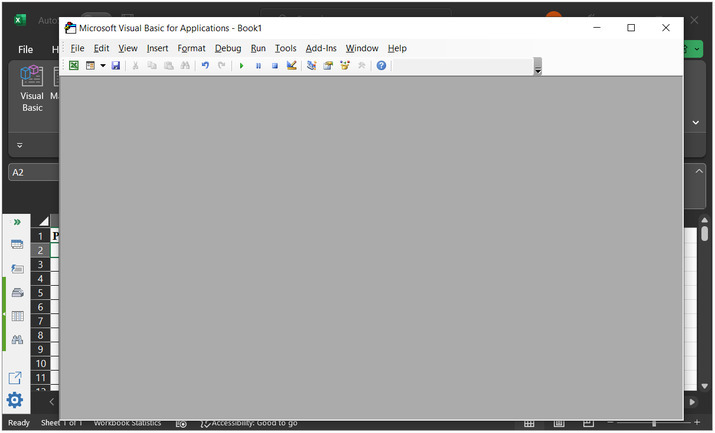
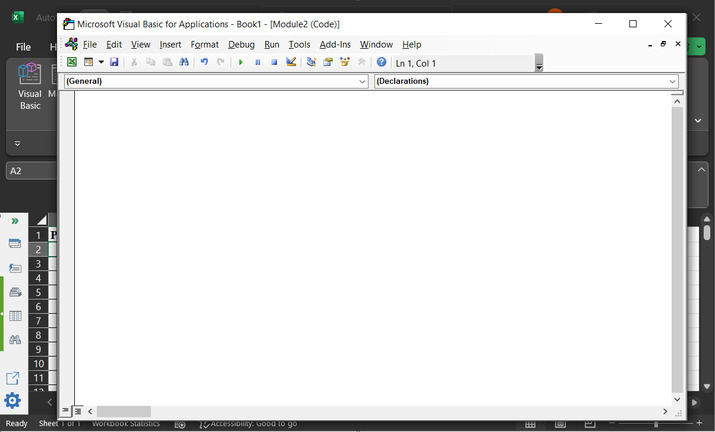
新開啟的對話方塊是“Microsoft Visual Basic for Applications”。這將開啟以下程式碼視窗:
步驟 4
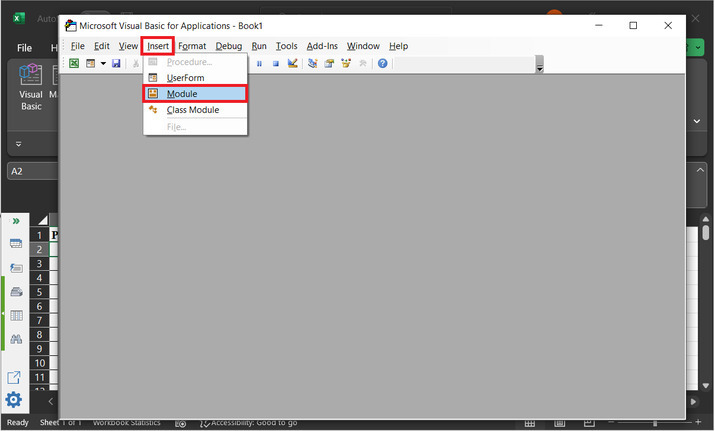
在對話方塊中,開啟“插入”選項,然後點選“模組”。請參考下圖以獲得參考
步驟 5
這將開啟一個空白程式碼區域:
步驟 6
在編輯器中鍵入以下程式碼:
' define function header
Sub Evaluating_String()
   'Declaring required variables
   Dim str_x As String
   Dim row_f As Long
   Dim sc_x As Boolean
   ' setting required parameter values
   sc_x = Application.ScreenUpdating
   Application.ScreenUpdating = False
   ' message to display for dialog box
   str_x = Application.InputBox("Enter text to permute:", "Input dialog box", , , , , , 2)
   ' if length of entered string is less than 2
      ' then exist the sub
   If Len(str_x) < 2 Then Exit Sub
      ' if len is greater than 8, then
   If Len(str_x) >= 8 Then
      ' print message for too many premutations
      MsgBox "Please eneter less than 8 word combination!!!!!", vbInformation, "Input dialog box"
      Exit Sub
   ' else block
   Else
      'clear column 1 data
      ActiveSheet.Columns(1).Clear
      'set 1 to row_f value
      row_f = 1
      ' calling GetPermutation
      Call GetPermutation("", str_x, row_f)
   End If
      Application.ScreenUpdating = sc_x
End Sub
' defining submodule
Sub GetPermutation(str_1 As String, str_2 As String, ByRef row_x As Long)
   Dim i As Integer, len_x As Integer
   ' calculating the required length
   len_x = Len(str_2)
   ' if expression
   If len_x < 2 Then
      ' calculating range data
      Range("A" & row_x) = str_1 & str_2
      row_x = row_x + 1
   ' else block
   Else
      ' for each block
      For i = 1 To len_x
         ' calling permutation
         Call GetPermutation(str_1 + Mid(str_2, i, 1), Left(str_2, i - 1) + Right(str_2, len_x - i), row_x)
      Next
   End If
End Sub
程式碼區域的快照如下所示:
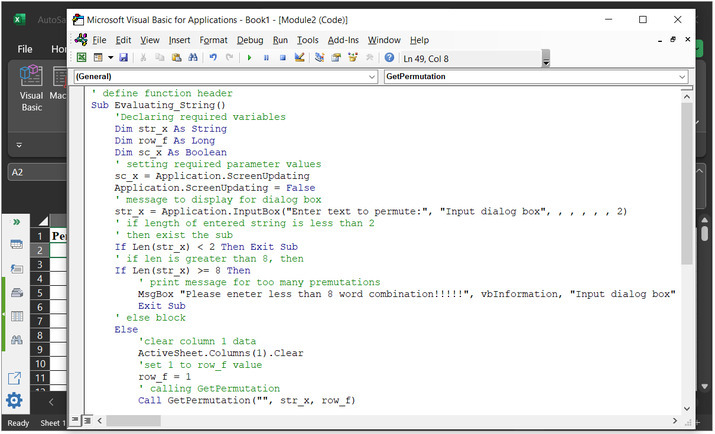
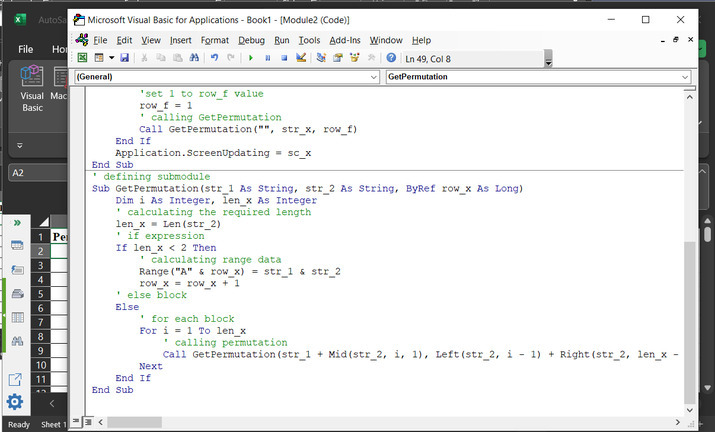
為了確保結果正確執行,請注意正確的語法和程式碼縮排。
步驟 7
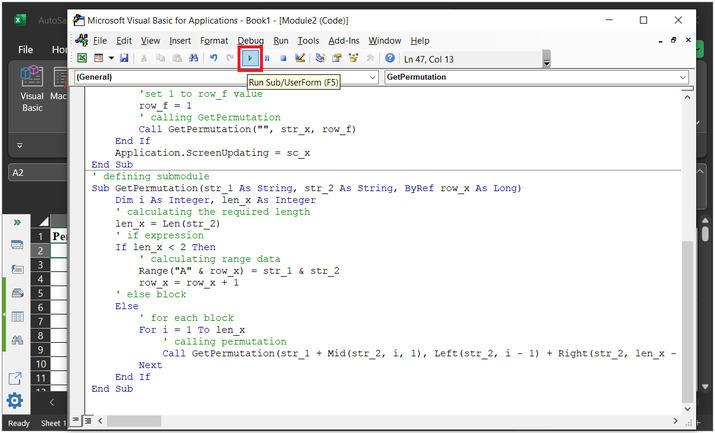
點選以下所示的“執行”按鈕:
步驟 8
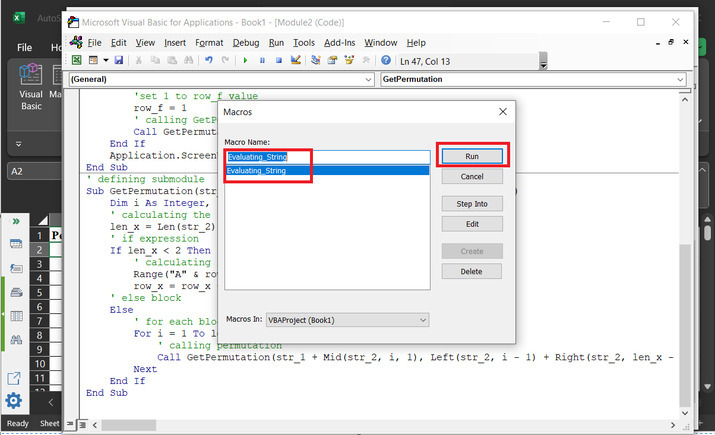
之後,一個名為“宏”的新對話方塊顯示上面宣告的模組名稱。
步驟 9
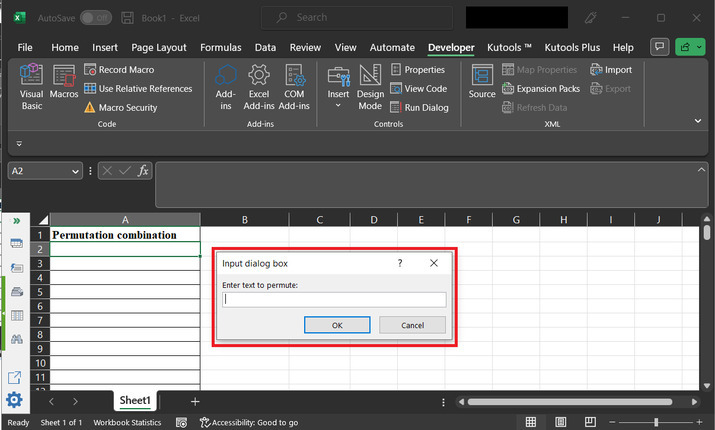
這將開啟“輸入對話方塊”,其中包含一個輸入標籤。使用者可以輸入想要建立排列組合的資料。
步驟 10
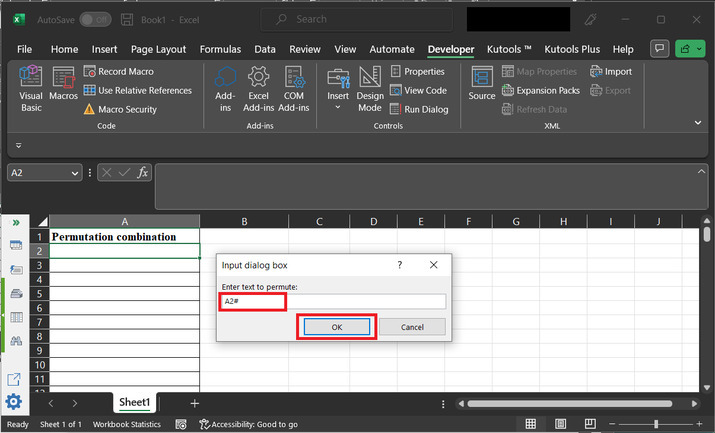
鍵入資料為“A2#”,然後點選“確定”。
步驟 11
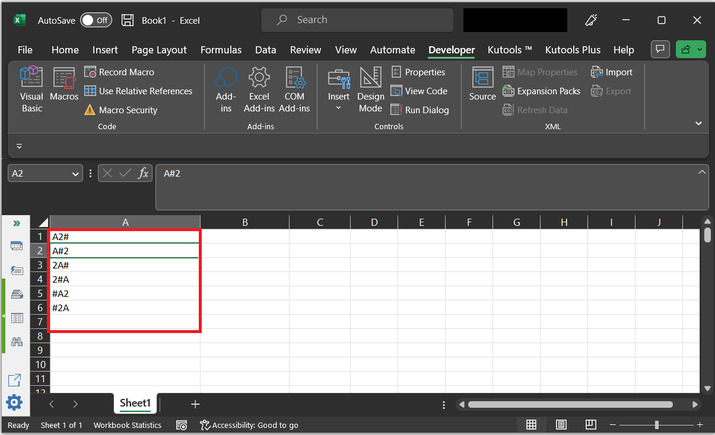
這將顯示如下所示的可能的排列組合:
結論
完成本文後,使用者將能夠使用 VBA 程式碼從提供的字串資料生成排列組合序列。使用 VBA 程式碼時唯一需要考慮的事實是使用正確的語法來執行提供的程式碼語句,並按照上述說明編寫正確的程式碼。在本例中,將 3 個字元傳遞給字串,獲得的結果數量為 $\mathrm{2^{3}\:=\:6}$。

更新於:2023年5月8日
3K+ 閱讀量

廣告