
 資料結構
資料結構 網路
網路 關係資料庫管理系統
 作業系統
作業系統 Java
Java MS Excel
 iOS
iOS HTML
HTML CSS
CSS Android
 Python
 C 程式設計
 C++
C++ C#
C# MongoDB
 MySQL
MySQL Javascript
 PHP
PHP 物理
物理 化學
化學 生物
生物 數學
數學 英語
英語 經濟學
經濟學 心理學
心理學 社會學
社會學 時尚研究
時尚研究 法律研究
法律研究如何在 iOS 中以固定的時間間隔重複執行任務
Apple 預定義了 Timer 類,該類在經過一定時間間隔後觸發,向目標物件傳送指定的訊息。
要了解更多關於 Timer 類的資訊,您可以檢視 Apple 官方文件:
https://developer.apple.com/documentation/foundation/timer
為了以固定的時間間隔重複執行任務,我們將使用 Timer 類。我們將開發一個示例應用程式,該應用程式每 5 秒列印一次“hello Tutorials Point”。
讓我們開始吧!
步驟 1 − 開啟 Xcode → 新建專案 → 單檢視應用程式 → 命名為“HelloTutotrialsPoint”
步驟 2 − 開啟 ViewController.swift 並在 ViewDidLoad() 下方編寫一個方法 doSomething()。將下面的程式碼複製貼上到您的 doSomething 方法中。
private func doSomething() {
   let timer = Timer.scheduledTimer(timeInterval: 5.0, target: self,
      selector: #selector(ViewController.hello), userInfo: nil, repeats: true)
}
步驟 3:實現/建立 hello(選擇器),如下所示,並在 ViewDidLoad() 中呼叫 doSomething()。
@objc func hello() {
   print("hello")
}
您的最終程式碼應如下所示
import UIKit
class ViewController: UIViewController, UITextFieldDelegate {
   override func viewDidLoad() {
      super.viewDidLoad()
      // Do any additional setup after loading the view, typically from a nib.
      self.doSomething()
   }
   private func doSomething() {
      let timer = Timer.scheduledTimer(timeInterval: 5.0, target: self,
      selector: #selector(ViewController.hello), userInfo: nil, repeats: true)
   }
   @objc func hello() {
      print("hello")
   }
}
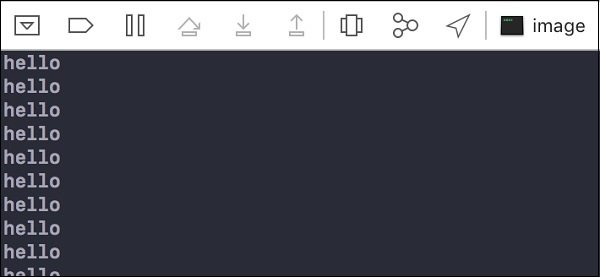
完成!執行您的應用程式並在控制檯中檢視輸出,您將看到“hello”在 5 秒的時間間隔後列印。

更新於: 2019年7月30日
240 次檢視

廣告