
 資料結構
資料結構 網路
網路 RDBMS
RDBMS 作業系統
作業系統 Java
Java MS Excel
 iOS
iOS HTML
HTML CSS
CSS Android
 Python
 C 程式設計
 C++
C++ C#
C# MongoDB
 MySQL
MySQL Javascript
 PHP
PHP 物理學
物理學 化學
化學 生物學
生物學 數學
數學 英語
英語 經濟學
經濟學 心理學
心理學 社會學
社會學 時尚研究
時尚研究 法律研究
法律研究如何在 TypeScript 中繪製正多邊形?
正多邊形,例如正方形、三角形和六邊形,是在各種應用和圖形中使用的基本形狀。以程式設計方式繪製正多邊形在 TypeScript 中非常有用,允許您動態建立幾何形狀。在本教程中,我們將探討如何透過利用基本的數學原理和 HTML5 canvas 元素在 TypeScript 中繪製正多邊形。
語法
function drawRegularPolygon(ctx: CanvasRenderingContext2D, n: number, x: number, y: number, r: number): void {
   const angle = (Math.PI * 2) / n;
   ctx.beginPath();
   ctx.moveTo(x + r, y);
   for (let i = 1; i <= n; i++) {
      const vertexX = x + r * Math.cos(i * angle);
      const vertexY = y + r * Math.sin(i * angle);
      ctx.lineTo(vertexX, vertexY);
   }
   ctx.closePath();
   ctx.stroke();
}
我們定義了 drawRegularPolygon 函式,它接收一個 CanvasRenderingContext2D 物件 (ctx)、邊數 (n)、中心點 (x, y) 和半徑 (r)。我們透過將整個圓 (2π 弧度) 除以邊數來計算每個頂點之間的角度。從第一個頂點開始,我們遍歷其餘頂點,使用三角函式 (Math.cos 和 Math.sin) 計算它們的座標。最後,我們使用 lineTo 方法連線頂點,使用 closePath 關閉路徑,並使用 stroke 描繪多邊形的輪廓。
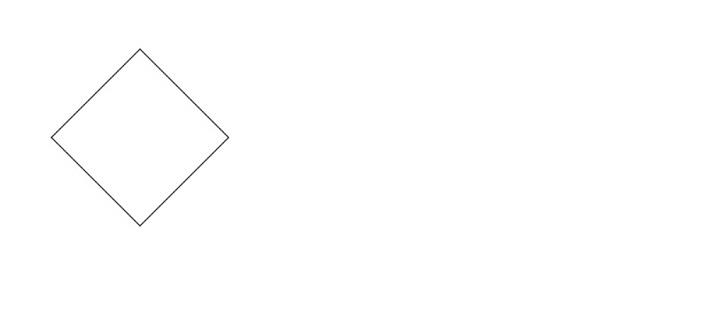
示例 1:繪製正方形
在第一個示例中,我們建立一個 HTML canvas 元素並獲取其 2D 渲染上下文 (ctx)。然後,我們呼叫 drawRegularPolygon 函式,傳入渲染上下文、邊數 (正方形為 4)、中心點 (150, 150) 和半徑 (100)。drawRegularPolygon 函式計算每個頂點的座標並使用直線連線它們,從而在畫布上繪製出一個正方形。
Index.html
<html>
   <body>
      <canvas id="myCanvas" width="400" height="300"></canvas>
   </body>
   <script src="index.ts"></script>
</html>
Index.ts
function drawRegularPolygon(ctx: CanvasRenderingContext2D, n: number, x: number, y: number, r: number): void {
   const angle = (Math.PI * 2) / n; // Calculate the angle between each vertex
   ctx.beginPath();
   ctx.moveTo(x + r, y); // Move the starting point to the first vertex
   for (let i = 1; i <= n; i++) {
      const vertexX = x + r * Math.cos(i * angle); // Calculate the x-coordinate of the current vertex
      const vertexY = y + r * Math.sin(i * angle); // Calculate the y-coordinate of the current vertex
      ctx.lineTo(vertexX, vertexY); // Connect the current vertex to the previous vertex
  }
   ctx.closePath();
   ctx.stroke(); // Draw the polygon outline
}
const canvas = document.getElementById('myCanvas') as HTMLCanvasElement;
const ctx = canvas.getContext('2d');
drawRegularPolygon(ctx, 4, 150, 150, 100);
輸出
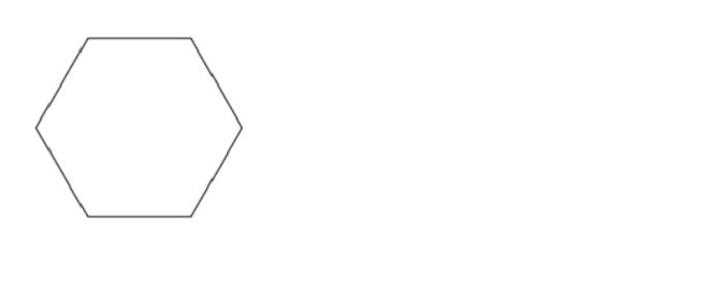
示例 2:繪製六邊形
在第二個示例中,我們使用相同的畫布和渲染上下文。這次,我們呼叫 drawRegularPolygon 函式,將邊數設定為 6 以繪製六邊形,中心點位於 (200, 200),半徑為 80 畫素。
Index.html
<html>
   <body>
      <canvas id="myCanvas" width="400" height="300"></canvas>
   </body>
   <script src="index.ts"></script>
</html>
Index.ts
function drawRegularPolygon(ctx: CanvasRenderingContext2D, n: number, x: number, y: number, r: number): void {
   const angle = (Math.PI * 2) / n; // Calculate the angle between each vertex
   ctx.beginPath();
   ctx.moveTo(x + r, y); // Move the starting point to the first vertex
   for (let i = 1; i <= n; i++) {
      const vertexX = x + r * Math.cos(i * angle); // Calculate the x-coordinate of the current vertex
      const vertexY = y + r * Math.sin(i * angle); // Calculate the y-coordinate of the current vertex
      ctx.lineTo(vertexX, vertexY); // Connect the current vertex to the previous vertex
   }
   ctx.closePath();
   ctx.stroke(); // Draw the polygon outline
}
const canvas = document.getElementById('myCanvas') as HTMLCanvasElement;
const ctx = canvas.getContext('2d');
drawRegularPolygon(ctx, 6, 100, 100, 80);
輸出
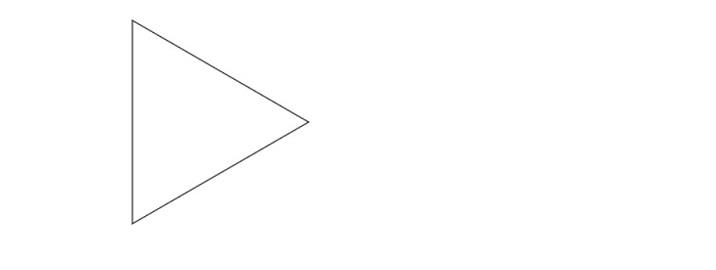
示例 3:繪製等邊三角形
在此示例中,我們將邊數指定為 3 以建立等邊三角形。中心點設定為 (250, 250),半徑設定為 120 畫素。drawRegularPolygon 函式計算每個頂點的座標並連線它們,從而在畫布上繪製出一個三角形。
Index.html
<html>
   <body>
      <canvas id="myCanvas" width="400" height="300"></canvas>
   </body>
   <script src="index.ts"></script>
</html>
Index.ts
function drawRegularPolygon(ctx: CanvasRenderingContext2D, n: number, x: number, y: number, r: number): void {
   const angle = (Math.PI * 2) / n; // Calculate the angle between each vertex
   ctx.beginPath();
   ctx.moveTo(x + r, y); // Move the starting point to the first vertex
   for (let i = 1; i <= n; i++) {
      const vertexX = x + r * Math.cos(i * angle); // Calculate the x-coordinate of the current vertex
      const vertexY = y + r * Math.sin(i * angle); // Calculate the y-coordinate of the current vertex
      ctx.lineTo(vertexX, vertexY); // Connect the current vertex to the previous vertex
   }
   ctx.closePath();
   ctx.stroke(); // Draw the polygon outline
}
const canvas = document.getElementById('myCanvas') as HTMLCanvasElement;
const ctx = canvas.getContext('2d');
drawRegularPolygon(ctx, 3, 200, 120, 120);
輸出
示例 4:繪製五邊形
在此示例中,我們將邊數指定為 5 以建立正五邊形。中心點設定為 (300, 300),半徑設定為 100 畫素。
Index.html
<html>
   <body>
      <canvas id="myCanvas" width="400" height="300"></canvas>
   </body>
   <script src="index.ts"></script>
</html>
Index.ts
function drawRegularPolygon(ctx: CanvasRenderingContext2D, n: number, x: number, y: number, r: number): void {
   const angle = (Math.PI * 2) / n; // Calculate the angle between each vertex
   ctx.beginPath();
   ctx.moveTo(x + r, y); // Move the starting point to the first vertex
   for (let i = 1; i <= n; i++) {
      const vertexX = x + r * Math.cos(i * angle); // Calculate the x-coordinate of the current vertex
      const vertexY = y + r * Math.sin(i * angle); // Calculate the y-coordinate of the current vertex
      ctx.lineTo(vertexX, vertexY); // Connect the current vertex to the previous vertex
   }
   ctx.closePath();
   ctx.stroke(); // Draw the polygon outline
}
const canvas = document.getElementById('myCanvas') as HTMLCanvasElement;
const ctx = canvas.getContext('2d');
drawRegularPolygon(ctx, 5, 150, 150, 100);
輸出

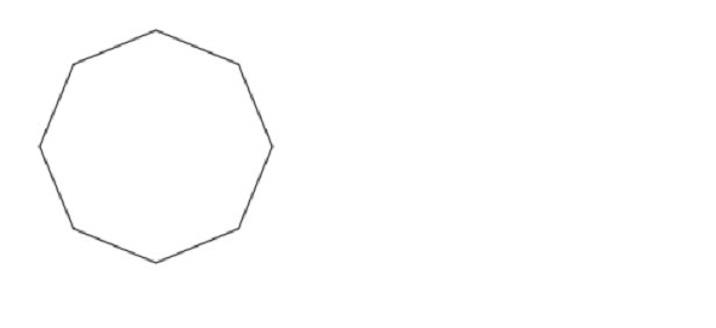
示例 5:繪製八邊形
在此示例中,我們將邊數指定為 8 以建立八邊形。中心點設定為 (400, 400),半徑設定為 80 畫素。drawRegularPolygon 函式計算每個頂點的座標並連線它們,從而在畫布上繪製出一個八邊形。
Index.html
<html>
   <body>
      <canvas id="myCanvas" width="400" height="300"></canvas>
   </body>
   <script src="index.ts"></script>
</html>
Index.ts
function drawRegularPolygon(ctx: CanvasRenderingContext2D, n: number, x: number, y: number, r: number): void {
   const angle = (Math.PI * 2) / n; // Calculate the angle between each vertex
   ctx.beginPath();
   ctx.moveTo(x + r, y); // Move the starting point to the first vertex
   for (let i = 1; i <= n; i++) {
      const vertexX = x + r * Math.cos(i * angle); // Calculate the x-coordinate of the current vertex
      const vertexY = y + r * Math.sin(i * angle); // Calculate the y-coordinate of the current vertex
      ctx.lineTo(vertexX, vertexY); // Connect the current vertex to the previous vertex
   }
   ctx.closePath();
   ctx.stroke(); // Draw the polygon outline
}
const canvas = document.getElementById('myCanvas') as HTMLCanvasElement;
const ctx = canvas.getContext('2d');
drawRegularPolygon(ctx, 8, 100, 100, 80);
輸出
結論
透過計算正多邊形頂點的座標並使用直線或路徑連線它們,可以在 TypeScript 中以程式設計方式繪製正多邊形。在本教程中,我們介紹了繪製正多邊形的基本概念,並提供了使用 TypeScript 的清晰示例。您現在可以應用這些知識來建立具有不同邊數和尺寸的各種正多邊形。

376 次瀏覽
