
 資料結構
資料結構 網路
網路 RDBMS
RDBMS 作業系統
作業系統 Java
Java MS Excel
 iOS
iOS HTML
HTML CSS
CSS Android
 Python
 C 程式設計
 C++
C++ C#
C# MongoDB
 MySQL
MySQL Javascript
 PHP
PHP 物理
物理 化學
化學 生物
生物 數學
數學 英語
英語 經濟學
經濟學 心理學
心理學 社會研究
社會研究 服裝研究
服裝研究 法律研究
法律研究在 Tkinter 畫布上如何繪製虛線?
要在 Tkinter 畫布上繪製虛線,可以使用 create_line() 方法的 dash 引數。
步驟 -
匯入 tkinter 庫並建立一個 tkinter 框架例項。
使用 geometry 方法設定框架的大小。
建立一個 Canvas 元件,並設定其 height 和 width。
接下來,使用 create_line 函式並傳遞線的座標 (x1, y1) 和 (x2, y2)。
若要獲得虛線,請使用 dash 引數 dash=(5,1),表示 5 畫素虛線後留 1 畫素間距。
可以使用 fill 和 width 引數設定虛線的顏色和寬度。
最後,執行應用程式視窗的 mainloop。
示例
# Import the library
from tkinter import *

# Create an instance of window
win = Tk()

# Set the geometry of the window
win.geometry("700x350")

C1 = Canvas(win, width=600, height=400)

# Coordinates of the line
coordinates = 100,150,550,150

# Draw a dashed vertical line, 5px dash and 1px space
C1.create_line(coordinates, dash=(5,1))
C1.pack()

win.mainloop()
輸出
它會生成以下輸出 -
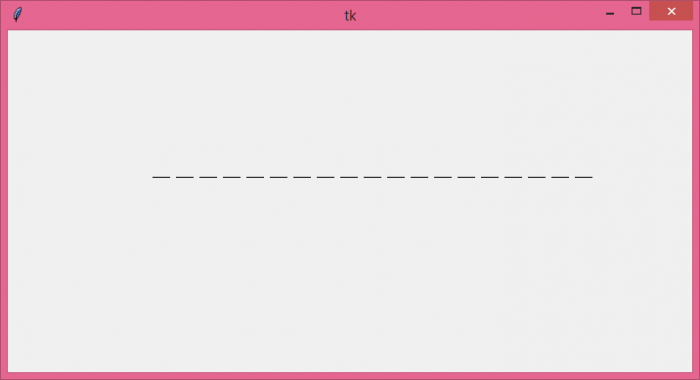
注意:虛線模式因系統而異。您可能在 Windows 和 Linux 系統上獲得不同的輸出。Windows 不支援與 Linux 相同的虛線模式。

更新日期: 26-Oct-2021
4K+ 瀏覽量

廣告