
 資料結構
資料結構 網路
網路 關係型資料庫管理系統
 作業系統
作業系統 Java
Java MS Excel
 iOS
iOS HTML
HTML CSS
CSS Android
 Python
 C 程式設計
 C++
C++ C#
C# MongoDB
 MySQL
MySQL Javascript
 PHP
PHP 物理
物理 化學
化學 生物
生物 數學
數學 英語
英語 經濟學
經濟學 心理學
心理學 社會研究
社會研究 時尚研究
時尚研究 法律研究
法律研究如何使用 Tkinter 建立閃屏?
假設我們要使用 Tkinter 建立閃屏。若要建立一個閃屏,我們會按照以下步驟進行操作 −
建立一個閃屏,在其中新增一些標籤。
使用 overrideredirect 方法,使閃屏變為無邊框。
建立主視窗的函式,該函式會在閃屏出現一段時間後出現。
現在使用 after 方法,我們可以定義主窗口出現的時間。
示例
#Importing the tkinter library
from tkinter import *

#Create an instance of tkinter frame
splash_win= Tk()

#Set the title of the window
splash_win.title("Splash Screen Example")

#Define the size of the window or frame
splash_win.geometry("700x200")

#Remove border of the splash Window

splash_win.overrideredirect(True)

#Define the label of the window
splash_label= Label(splash_win, text= "Hello World!", fg= "green",
font= ('Times New Roman', 40)).pack(pady=20)
def mainWin():
   splash_win.destroy()
   win= Tk()
   win.title("Main Window")
   win.geometry("700x200")
   win_label= Label(win, text= "Main Window", font= ('Helvetica', 25), fg= "red").pack(pady=20)

#Splash Window Timer

splash_win.after(5000, mainWin)

mainloop()
執行以上程式碼將生成輸出,並且會顯示閃屏,一段時間後,再顯示主視窗。
輸出

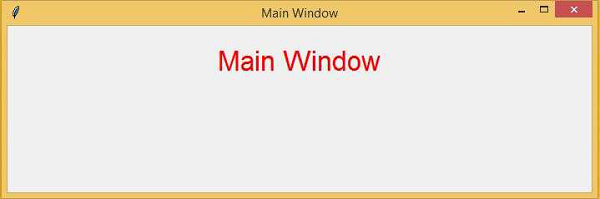

更新於:04-Mar-2021
3K+ 瀏覽量

廣告