
 資料結構
資料結構 網路
網路 RDBMS
RDBMS 作業系統
作業系統 Java
Java MS Excel
 iOS
iOS HTML
HTML CSS
CSS Android
 Python
 C 程式設計
 C++
C++ C#
C# MongoDB
 MySQL
MySQL Javascript
 PHP
PHP 物理學
物理學 化學
化學 生物學
生物學 數學
數學 英語
英語 經濟學
經濟學 心理學
心理學 社會研究
社會研究 時裝研究
時裝研究 法律研究
法律研究如何檢查 iOS 應用程式的通知狀態
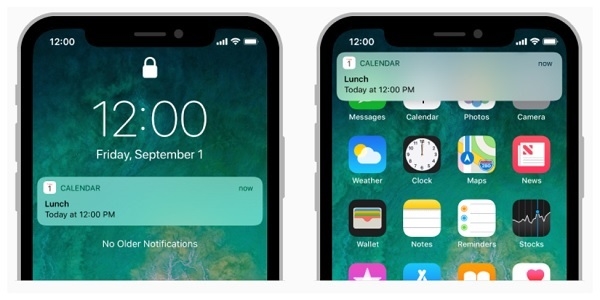
無論你的應用程式是否在使用者的裝置上執行,通知都會向用戶傳達重要資訊。
例如,一個體育應用程式可以告訴使用者,當他們的喜愛球隊得分時候。通知還可以告訴你的應用程式下載資訊並更新其介面。通知可以顯示提醒、播放聲音或給該應用程式的圖示新增徽章。
你可以在這裡https://developer.apple.com/documentation/usernotifications 更多地瞭解通知的狀態
Apple 建議使用者使用 UserNotifications 框架,那麼我們開始吧。我們將看到一個非常簡單而輕鬆的解決方案來獲取通知狀態。
步驟 1 − 首先,你需要匯入 UserNotifications 框架
import UserNotifications
步驟2 − 建立一個 UNUserNotificationCenter.current() 物件
let currentNotification = UNUserNotificationCenter.current()
步驟 3 − 檢查狀態
currentNotification.getNotificationSettings(completionHandler: { (settings) in
   if settings.authorizationStatus == .notDetermined {
      // Notification permission is yet to be been asked go for it!
   } else if settings.authorizationStatus == .denied {
      // Notification permission was denied previously, go to settings & privacy to re-enable the permission
   } else if settings.authorizationStatus == .authorized {
      // Notification permission already granted.
   }
})
最終程式碼
import UserNotifications
let currentNotification = UNUserNotificationCenter.current()
currentNotification.getNotificationSettings(completionHandler: { (settings) in
   if settings.authorizationStatus == .notDetermined {
      // Notification permission is yet to be been asked go for it!
   } else if settings.authorizationStatus == .denied {
      // Notification permission was denied previously, go to settings & privacy to re-enable the permission
   } else if settings.authorizationStatus == .authorized {
      // Notification permission already granted.
   }
})

更新日期: 2019 年 7 月 30 日
2K+ 瀏覽量

廣告