
 資料結構
資料結構 網路
網路 關係資料庫管理系統 (RDBMS)
 作業系統
作業系統 Java
Java MS Excel
 iOS
iOS HTML
HTML CSS
CSS Android
 Python
 C 語言程式設計
 C++
C++ C#
C# MongoDB
 MySQL
MySQL Javascript
 PHP
PHP 物理學
物理學 化學
化學 生物學
生物學 數學
數學 英語
英語 經濟學
經濟學 心理學
心理學 社會學
社會學 服裝設計
服裝設計 法學
法學如何在 JavaFX 中調整文字對齊方式?
您可以透過設定 wrappingWidth 屬性的值來設定使用者空間中文字的固定寬度。這樣做之後,給定的寬度將被視為使用者座標中文字的邊界,並且文字將在此給定寬度內排列。
如果您沒有為該屬性提供任何值,則預設情況下,文字中最長行的長度將被視為邊界框的寬度。
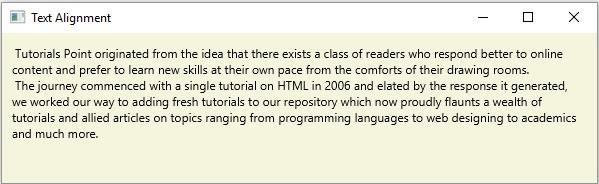
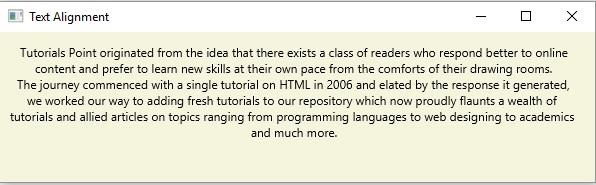
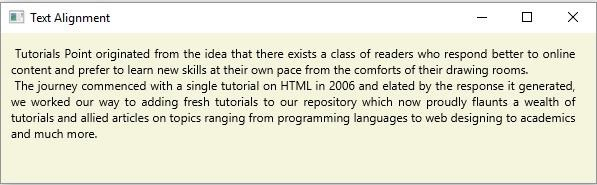
文字對齊是指文字在邊界框內的水平排列方式。您可以使用 setTextAlignment() 方法調整文字的對齊方式。此方法接受名為 *TextAlignment* 的列舉的常量之一,並相應地調整文字。此列舉提供 3 個常量:
CENTER - 將文字與邊界框的中心對齊。
JUSTIFY - 在邊界框內對齊文字。
LEFT - 將文字左對齊。
RIGHT - 將文字右對齊。
示例
import java.io.FileInputStream;
import java.io.FileNotFoundException;
import java.io.InputStream;
import java.util.Scanner;
import javafx.application.Application;
import javafx.scene.Group;
import javafx.scene.Scene;
import javafx.scene.paint.Color;
import javafx.stage.Stage;
import javafx.scene.text.Text;
import javafx.scene.text.TextAlignment;
public class TextAllignment extends Application {
   public void start(Stage stage) throws FileNotFoundException {
      //Reading the contents of a text file.
      InputStream inputStream = new FileInputStream("D:\sample.txt");
      Scanner sc = new Scanner(inputStream);
      StringBuffer sb = new StringBuffer();
      while(sc.hasNext()) {
         sb.append(" "+sc.nextLine()+"\n");
      }
      //Creating a text object
      Text text = new Text(10.0, 25.0, sb.toString());
      //Wrapping the text
      text.setWrappingWidth(565);
      //Setting the alignment
      text.setTextAlignment(TextAlignment.Right);
      //Setting the stage
      Group root = new Group(text);
      Scene scene = new Scene(root, 595, 150, Color.BEIGE);
      stage.setTitle("Text Alignment");
      stage.setScene(scene);
      stage.show();
   }
   public static void main(String args[]){
      launch(args);
   }
}
sample.txt
假設以下是 sample.txt 檔案的內容:
Tutorials Point originated from the idea that there exists a class of readers who respond better
to online content and prefer to learn new skills at their own pace from the comforts of their drawing rooms.
The journey commenced with a single tutorial on HTML in 2006 and elated by the response it generated,
we worked our way to adding fresh tutorials to our repository which now proudly flaunts a wealth of
tutorials and allied articles on topics ranging from programming languages to web designing to academics
and much more.
輸出
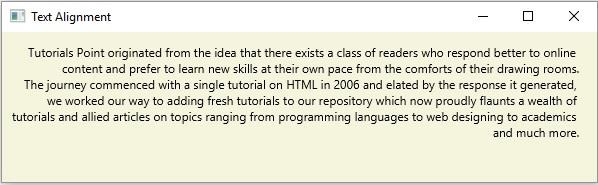
同樣,如果您更改對齊值,您將相應地獲得輸出:
左對齊 -
居中對齊 -
兩端對齊 -

更新於: 2020年4月14日
6K+ 次瀏覽

廣告