
 資料結構
資料結構 網路
網路 RDBMS
RDBMS 作業系統
作業系統 Java
Java MS Excel
 iOS
iOS HTML
HTML CSS
CSS Android
 Python
 C 程式設計
 C++
C++ C#
C# MongoDB
 MySQL
MySQL JavaScript
 PHP
PHP 物理學
物理學 化學
化學 生物學
生物學 數學
數學 英語
英語 經濟學
經濟學 心理學
心理學 社會學
社會學 時尚
時尚 法律
法律如何在 Python tkinter 中重疊小部件/框架?
在 Tkinter 應用程式中對齊和定位特定小部件有三種通用方法。假設我們想在彼此之上重疊兩個或更多小部件或框架,則可以使用 place() 幾何管理器。place() 幾何管理器的作用是將小部件排列在網格的行和列中。透過在每個小部件中提供相同的座標,我們可以肯定地重疊小部件。
示例
# Import the required libraries
from tkinter import *
from tkinter import ttk

# Create an instance of tkinter frame
win = Tk()

# Set the size of the tkinter window
win.geometry("700x350")

# Add a Frame
frame1= Frame(win, bg= "LightPink1")

# Add an optional Label widget
Label(frame1, text= "Welcome Folks!", font= ('Aerial 18 bold italic'), background= "white").pack(pady= 50)
frame1.place(x= 260, y= 50)

# Add a Button widget in second frame
ttk.Button(frame1, text= "Button").place(x= 260, y=50)
win.mainloop()
輸出
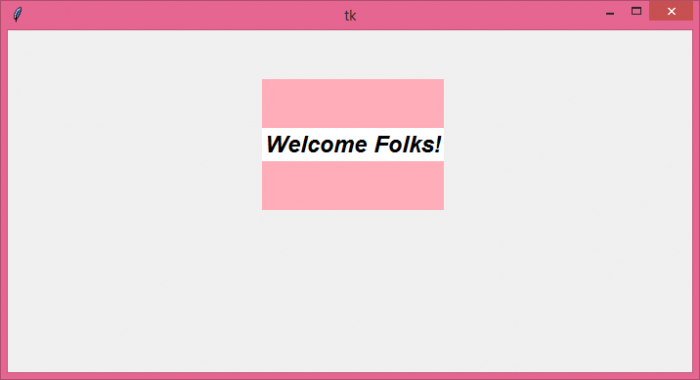
執行以上程式碼將顯示一個視窗,其中一個標籤和一個按鈕小部件位於框架內。

更新於: 2021-06-08
4K+ 瀏覽

廣告