
 資料結構
資料結構 網路
網路 RDBMS
RDBMS 作業系統
作業系統 Java
Java MS Excel
 iOS
iOS HTML
HTML CSS
CSS Android
 Python
 C 程式設計
 C++
C++ C#
C# MongoDB
 MySQL
MySQL Javascript
 PHP
PHP 物理
物理 化學
化學 生物
生物 數學
數學 英語
英語 經濟學
經濟學 心理學
心理學 社會學
社會學 時裝設計
時裝設計 法學
法學在 Tkinter 中為一組部件新增捲軸
假設你要為應用程式中的一組部件新增捲軸,那麼你可以使用 Tkinter 中的 Scrollbars 屬性。透過 Scrollbar(....options) 可以為一組部件新增捲軸。
示例
在此示例中,我們將定義一組 Listbox 部件,然後新增一個垂直捲軸以使列表可滾動。
#Import the required library
from tkinter import *

#Create an instance of tkinter frame or window
win = Tk()

#Define the geometry
win.geometry("750x400")

#Create a listbox
listbox= Listbox(win)
listbox.pack(side =LEFT, fill = BOTH)

#Create a Scrollbar
scrollbar = Scrollbar(win)
scrollbar.pack(side = RIGHT, fill = BOTH)

#Insert Values in listbox
for i in range(150):
   listbox.insert(END, i)

listbox.config(yscrollcommand = scrollbar.set)
scrollbar.config(command = listbox.yview)
win.mainloop()
輸出
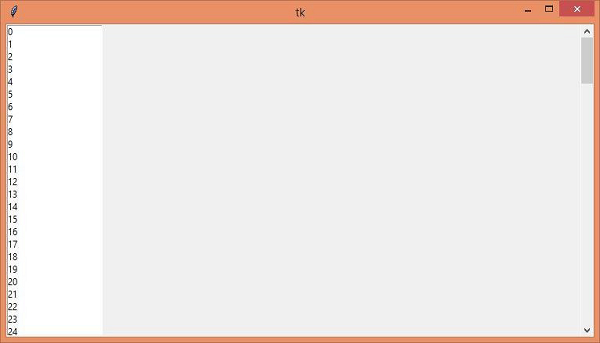
執行以上程式碼將顯示一個視窗,其中包含 1-150 範圍內的數字列表。數字列表與一個垂直捲軸進行了繫結,該捲軸使列表可以進行垂直滾動。

更新時間: 2021-4-15
632 次瀏覽

廣告