
 資料結構
資料結構 網路
網路 RDBMS
RDBMS 作業系統
作業系統 Java
Java MS Excel
 iOS
iOS HTML
HTML CSS
CSS Android
 Python
 C 程式設計
 C++
C++ C#
C# MongoDB
 MySQL
MySQL Javascript
 PHP
PHP 物理
物理 化學
化學 生物
生物 數學
數學 英語
英語 經濟
經濟 心理學
心理學 社會學
社會學 時尚研究
時尚研究 法律研究
法律研究如何使用硒 Webdriver 驗證網頁上的錯誤訊息?
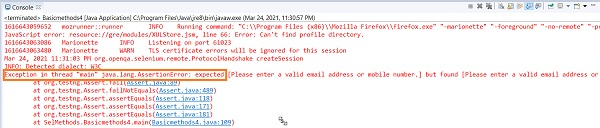
我們可以使用 Selenium 驅動程式和斷言來驗證網頁上的錯誤訊息。如果實際值和預期值不匹配,就會丟擲斷言錯誤。
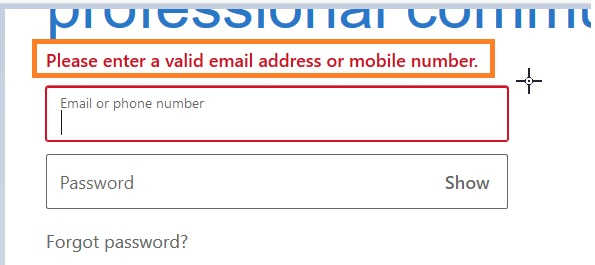
我們嘗試來驗證高亮顯示的錯誤訊息。
示例
import org.openqa.selenium.By;
import org.openqa.selenium.WebDriver;
import org.openqa.selenium.WebElement;
import org.openqa.selenium.firefox.FirefoxDriver;
import java.util.concurrent.TimeUnit;
import org.testng.Assert;
public class VerifyErrorMsg{
   public static void main(String[] args) {
      System.setProperty("webdriver.gecko.driver",
         "C:\Users\ghs6kor\Desktop\Java\geckodriver.exe");
      WebDriver driver = new FirefoxDriver();
      //implicit wait
      driver.manage().timeouts().implicitlyWait(5, TimeUnit.SECONDS);
      //URL launch
      driver.get("https://www.linkedin.com/");
      // identify element
      WebElement l = driver.findElement(By.id("session_key"));
      l.sendKeys("abc");
      WebElement t = driver.findElement(By.className("sign-in-form__submit-button"));
      t.click();
      //expected error text
      String exp = "Please enter a valid email address or mobile number.";
      //identify actual error message
      WebElement m = driver.findElement(By.className("alert-content"));
      String act = m.getText();
      System.out.println("Error message is: "+ act);
      //verify error message with Assertion
      Assert.assertEquals(exp, act);
      driver.quit();
   }
}
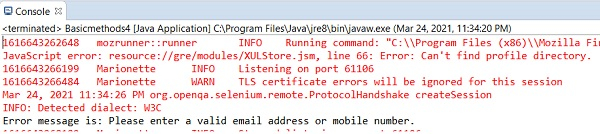
輸出

更新於:07-Apr-2021
8K+ 次訪問

廣告