
 資料結構
資料結構 網路
網路 RDBMS
RDBMS 作業系統
作業系統 Java
Java MS Excel
 iOS
iOS HTML
HTML CSS
CSS Android
 Python
 C 程式設計
 C++
C++ C#
C# MongoDB
 MySQL
MySQL Javascript
 PHP
PHP 物理
物理 化學
化學 生物
生物 數學
數學 英語
英語 經濟學
經濟學 心理學
心理學 社會科學
社會科學 時尚研究
時尚研究 法律研究
法律研究解釋 JavaScript 中的 import “as” 和 Export “as” 構造。
import as 允許我們在不同的名稱下匯入命名模組。
export as 允許我們在不同的名稱下匯出命名模組。
以下是 Javascript import as 和 export as 構造的程式碼 −
示例
<!DOCTYPE html>
<html lang="en">
<head>
<meta charset="UTF-8" />
<meta name="viewport" content="width=device-width, initial-scale=1.0" />
<title>Document</title>
<style>
   body {
      font-family: "Segoe UI", Tahoma, Geneva, Verdana, sans-serif;
   }
   .result {
      font-size: 18px;
      font-weight: 500;
      color: rebeccapurple;
   }
</style>
</head>
<body>
<h1>Import as and Export as in JavaScript</h1>
<div class="result"></div>
<button class="Btn">CLICK HERE</button>
<h3>Click on the above button to execute the imported function</h3>
<script src="script.js" type="module"></script>
</body>
</html>
script.js
import {test,tellTime as showTime} from "./sample.js";
let resultEle = document.querySelector('.result');
document.querySelector('.Btn').addEventListener('click',()=>{
   resultEle.innerHTML+=test();
   resultEle.innerHTML+=showTime();
})
sample.js
function testImport() {
   return "Module testImport has been imported" + "";
}
function tellTime() {
   return new Date();
}
export { testImport as test, tellTime };
輸出
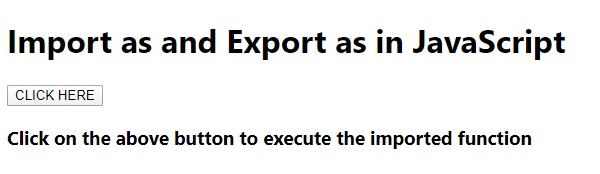
上面的程式碼將生成以下輸出 −
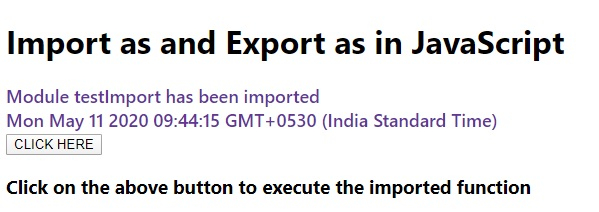
點選“點選這裡”按鈕後 −

更新於: 2020 年 7 月 17 日
155 瀏覽

廣告