
 資料結構
資料結構 網路
網路 RDBMS
RDBMS 作業系統
作業系統 Java
Java MS Excel
 iOS
iOS HTML
HTML CSS
CSS Android
 Python
 C 程式設計
 C++
C++ C#
C# MongoDB
 MySQL
MySQL Javascript
 PHP
PHP 物理學
物理學 化學
化學 生物
生物 數學
數學 英語
英語 經濟學
經濟學 心理學
心理學 社會學
社會學 時裝設計
時裝設計 法律
法律Node.js 中的資料塊
Node.js 或任何其他語言中的資料塊可定義為客戶端傳送給所有伺服器的資料片段。伺服器生成這些塊的資料流並形成緩衝流。此緩衝流然後轉換為有意義的資料。
語法
request.on('eventName', [callback] )引數
下面介紹了這些引數:-
eventName − 是將觸發的事件的名稱。
callback − 如果發生任何錯誤,則此回撥函式將處理該錯誤。
示例
建立一個名為 "index.js" 的檔案並複製以下程式碼片段。在建立檔案後,使用命令 "node index.js" 來執行此程式碼。
// Data Chunk Example in Node

// Importing the http module
const http = require('http');

// Creating a server
const server = http.createServer((req, res) => {
   const url = req.url;
   const method = req.method;

   if (url === '/') {
      // Defining the HTML page
      res.write('<html>');
      res.write('<head><title>Enter Message</title><head>');
      res.write(`<body><form action="/message" method="POST">
      <input type="text" name="message"></input>
      <button type="submit">Send</button></form></body></html>`);
      res.write('</html>');
      return res.end();
   }

   // POST Request for sending data
   if (url === '/message' && method === 'POST') {
      const body = [];

      req.on('data', (chunk) => {

         // Saving the chunk data at server
         body.push(chunk);
         console.log(body)
      });
      req.on('end', () => {
         // Parsing the chunk data in buffer
         const parsedBody = Buffer.concat(body).toString();
         const message = parsedBody.split('=')[1];

         // Printing the data
         console.log(message);
      });

      res.statusCode = 302;
      res.setHeader('Location', '/');
      return res.end();
   }
});

// Starting the server
server.listen(3000);
輸出
C:\home
ode>> node index.js
[ <Buffer 6d 65 73 73 61 67 65 3d 57 65 6c 63 6f 6d 65 2b 74 6f 2b 54 75 74 6f 72 69 61 6c 73 2b 50 6f 69 6e 74 2b 25 32 31 25 32 31 25 32 31> ]
Welcome+to+Tutorials+Point+%21%21%21
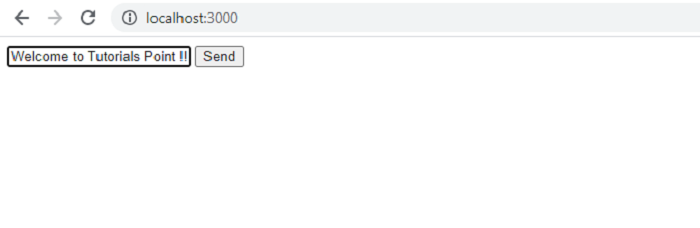

更新時間: 18-Aug-2021
4K+ 瀏覽量

廣告