
 資料結構
資料結構 網路
網路 關係資料庫管理系統 (RDBMS)
 作業系統
作業系統 Java
Java MS Excel
 iOS
iOS HTML
HTML CSS
CSS Android
 Python
 C 語言程式設計
 C++
C++ C#
C# MongoDB
 MySQL
MySQL Javascript
 PHP
PHP 物理學
物理學 化學
化學 生物學
生物學 數學
數學 英語
英語 經濟學
經濟學 心理學
心理學 社會學
社會學 服裝學
服裝學 法學
法學使用 PowerShell 的 Azure DSC 節點配置
什麼是 Azure State DSC?
Azure State DSC 就是 Azure VM 的 DSC(所需狀態配置),可以從 Azure 自動化帳戶進行配置。對於 DSC,有兩種方法:推送和拉取配置,但 Azure 預設使用拉取伺服器,該伺服器不斷輪詢目標節點並將配置傳送到節點。
Azure DSC 本身就是一個很大的主題,在本文中,我們將嘗試使用 PowerShell 進行以下配置。
編寫/上傳節點配置檔案。
編譯節點配置。
將已編譯的節點配置附加到節點。
先決條件
Azure 訂閱
Azure 自動化帳戶
配置檔案(我們將在本文中建立)。
PowerShell AZ 模組。
Azure DSC 位置
您可以在 Azure 自動化帳戶中找到 Azure DSC。在 Azure 的搜尋欄中,搜尋自動化帳戶,如果尚未建立,則先建立一個新的自動化帳戶,因為它是 Azure DSC 的先決條件。
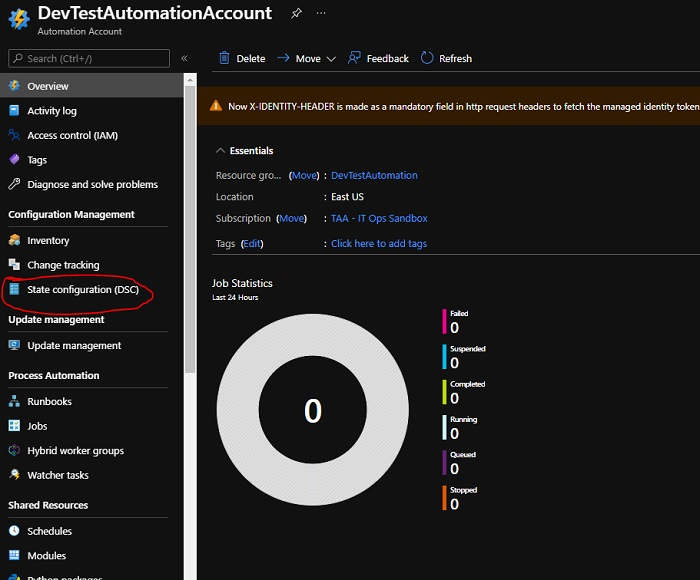
進入 Azure 自動化帳戶後,檢查**狀態配置 (DSC)**,本文就是關於這個的。
要應用的節點配置
我們必須將以下配置應用於節點。
檔名 - **StartWinRMService.ps1**(確保此檔名與配置名稱相同)。
Configuration StartWinRMService{
   Node Localhost{
      Service WinrmStart{
         Name = 'winrm'
         State = 'Running'
         StartupType = 'Automatic'
      }
   }
}
應用節點配置步驟
上傳節點配置
要上傳我們從 Azure 自動化帳戶手動執行的節點配置,我們將為此使用以下命令。
示例
$AutomationAccount = 'DevTestAutomation'
$AutomationAccount = 'DevTestAutomationAccount'
$AutomationRG = 'DevTestAutomation'
$SourceFile = "C:\Temp\StartWinRMService.ps1"

Import-AzAutomationDscConfiguration `
   -SourcePath $SourceFile `
   -AutomationAccountName $AutomationAccount `
   -ResourceGroupName $AutomationRG `
   -Published -Force -Verbose
輸出
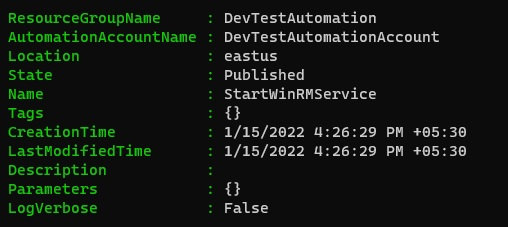
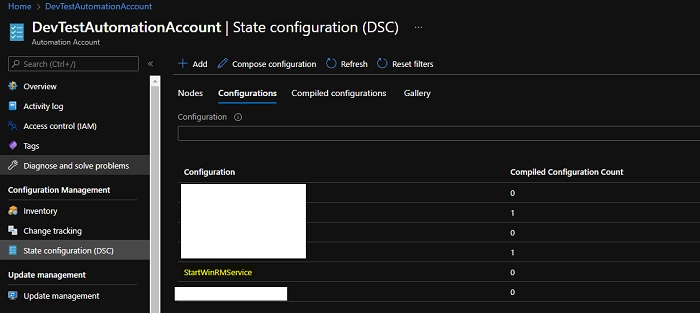
從 Azure 門戶**(DSC -> 配置)**,
編譯配置
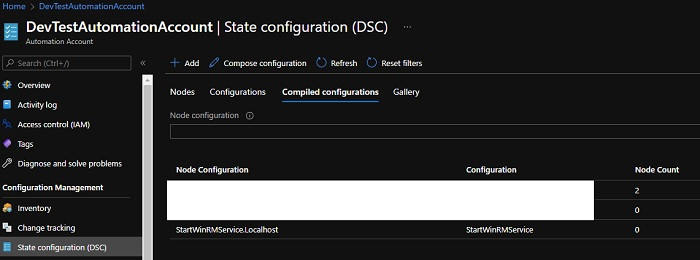
要在 Azure 節點上執行配置,我們需要編譯生成 MOF 檔案“**ConfigurationName.LocalHost**”的配置,在本例中為“**StartWinRMService.LocalHost**”。要使用 PowerShell 編譯配置,我們可以使用**Start-AzAutomationDscCompilationJob** 命令。
示例
Start-AzAutomationDscCompilationJob `
   -ConfigurationName StartWinRMService `
   -AutomationAccountName $AutomationAccount `
   -ResourceGroupName $AutomationRG -Verbose
輸出
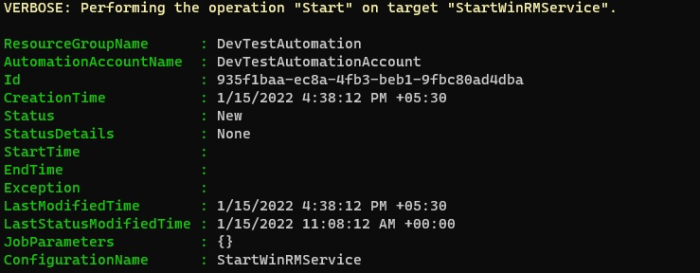
從 Azure 門戶**(DSC -> 已編譯的配置)**,
應用配置
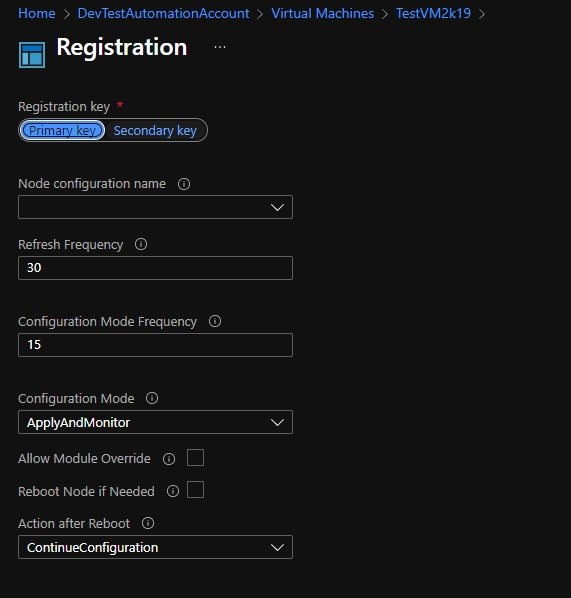
上傳並編譯節點配置後,我們可以透過註冊它們來開始應用單個或多個節點。從 Azure 門戶,您可以應用於單個節點,但使用 PowerShell,您可以使用迴圈並將配置應用於多個節點。
從 Azure 門戶**(DSC -> 節點 -> 新增)**,
要使用 PowerShell 註冊節點,
$vm = Get-AzVM -Name TestVM2k19
Register-AzAutomationDscNode `
   -AzureVMName $vm.Name `
   -AzureVMLocation $vm.Location `
   -NodeConfigurationName "StartWinRMService.LocalHost" `
   -ConfigurationMode ApplyAndAutocorrect `
   -AutomationAccountName $AutomationAccount `
   -ResourceGroupName $AutomationRG -Verbose
PS - 在上面的命令中,我們使用的是已編譯的節點配置名稱,並且我們在這裡應用了 ApplyAndAutoCorrect。還有其他兩種配置模式**(ApplyOnly 和 ApplyAndMonitor)**,您可以應用,您可以在下面找到詳細資訊。
https://docs.microsoft.com/en-us/powershell/dsc/managing-nodes/metaConfig?view=dsc-1.1
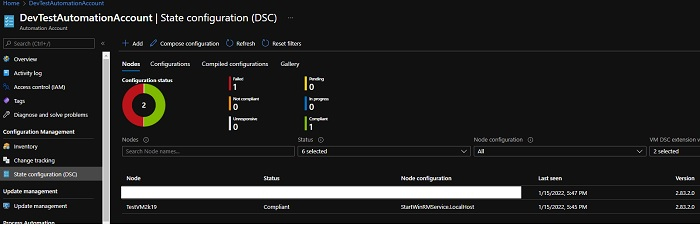
如果您的配置正確,並且您從門戶檢查您的節點配置時,節點應顯示為符合。

500 次檢視
