
 資料結構
資料結構 網路
網路 RDBMS
RDBMS 作業系統
作業系統 Java
Java MS Excel
 iOS
iOS HTML
HTML CSS
CSS Android
 Python
 C 程式設計
 C++
C++ C#
C# MongoDB
 MySQL
MySQL Javascript
 PHP
PHP 物理
物理 化學
化學 生物
生物 數學
數學 英語
英語 經濟
經濟 心理學
心理學 社會研究
社會研究 時尚研究
時尚研究 法律研究
法律研究將影像從 MIME 儲存庫新增到 SAP Adobe 表單
注意,事先必須從系統將影像上傳到 MIME。
執行事務 SE78 → 上傳 (F5)。
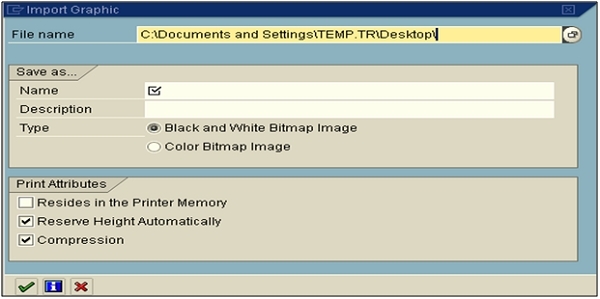
您必須在介面中宣告 2 個變數 - 型別的字串和 xstring 的全域性資料,您需要如下更改資料宣告 -
data: gv_bmp_watermark type xstring.
constants: gc_url_watermark type string
value '/BC/PUBLIC/MyImages/watermark100.bmp'.
需要在程式碼初始化下新增以下內容。
//* Read Images
data: lr_api type ref to if_mr_api.
lr_api = cl_mime_repository_api=>get_api( ).
lr_api->get( exporting i_url = gc_url_watermark
             importing e_content = gv_bmp_watermark).
您還需要稍微更改上下文節點,如下所示 -
Name: WATERMARK
Graphic Type: GRAPHIC CONTENT
Field: GV_BMP_WATERMARK
MIME Type: 'image/bmp'
有關詳細資訊,請參閱以下 lin -
https://archive.sap.com/discussions/thread/3519383
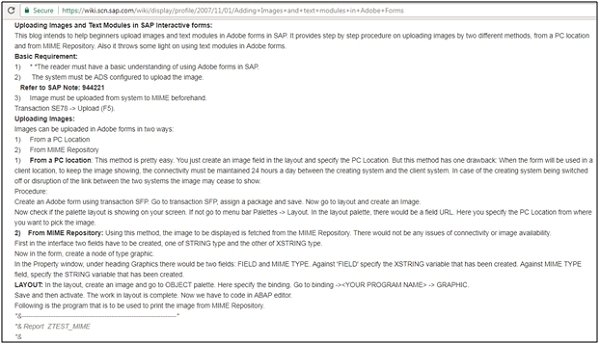
https://wiki.scn.sap.com/wiki/display/profile/2007/11/01/Adding+Images+and+text+modules+in+Adobe+Forms

更新日期: 2020-02-14
2K+ 瀏覽量

廣告