
 資料結構
資料結構 網路
網路 RDBMS
RDBMS 作業系統
作業系統 Java
Java MS Excel
 iOS
iOS HTML
HTML CSS
CSS Android
 Python
 C 程式設計
 C++
C++ C#
C# MongoDB
 MySQL
MySQL Javascript
 PHP
PHP 物理學
物理學 化學
化學 生物學
生物學 數學
數學 英語
英語 經濟學
經濟學 心理學
心理學 社會研究
社會研究 時尚研究
時尚研究 法律研究
法律研究WebElement clear() 對文字框有何作用?
藉助 Selenium webdriver,我們能夠清除文字框中的內容。這透過clear()方法實現。此方法清除編輯框,並讓該欄位生效。
首先,我們需要藉助 id、class、name、xpath 或 css 等定位器中的一種對元素進行識別,然後應用sendKeys()方法在其內部輸入一些文字。之後我們需要應用 clear() 方法。為檢查編輯框是否已清除,我們將採用 getAttribute() 方法,並將value 引數作為該方法的一個引數傳遞。應用 clear() 之後,我們將獲得空白值。
我們考慮下方輸入框,先在其中輸入一些文字 - Selenium,再應用 clear() 方法。最後透過get_attribute()獲取值。
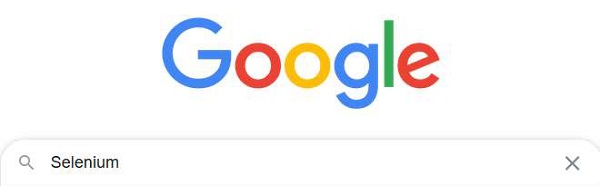
示例
import org.openqa.selenium.By;
import org.openqa.selenium.WebDriver;
import org.openqa.selenium.WebElement;
import org.openqa.selenium.chrome.ChromeDriver;
import java.util.concurrent.TimeUnit;

public class ClearEditBox{
   public static void main(String[] args) {
System.setProperty("webdriver.chrome.driver","C:\Users\ghs6kor\Desktop\Java\chromedriver.exe");
      WebDriver driver = new ChromeDriver();
      driver.manage().timeouts().implicitlyWait(5, TimeUnit.SECONDS);
      driver.get("https://www.google.com/");
      // identify element
      WebElement p=driver.findElement(By.name("q"));
      //enter text with sendKeys() then apply clear()
      p.sendKeys("Selenium");
      //getAttribute() to obtain value
      String s= p.getAttribute("value");
      System.out.println("Value before clear : " + s);
      p.clear();
      String n= p.getAttribute("value");
      System.out.println("Value after clear : " + n);
      driver.close();
   }
}
輸出
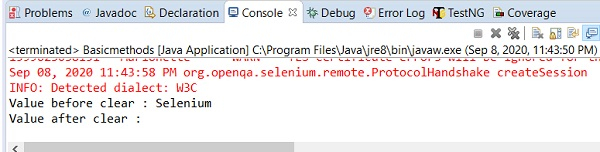

更新時間:2020 年 9 月 18 日
2 千多次瀏覽

廣告