
 資料結構
資料結構 網路
網路 RDBMS
RDBMS 作業系統
作業系統 Java
Java MS Excel
 iOS
iOS HTML
HTML CSS
CSS Android
 Python
 C 程式設計
 C++
C++ C#
C# MongoDB
 MySQL
MySQL Javascript
 PHP
PHP 物理學
物理學 化學
化學 生物學
生物學 數學
數學 英語
英語 經濟學
經濟學 心理學
心理學 社會學
社會學 服裝設計
服裝設計 法律研究
法律研究JavaScript 中的 lastIndex 屬性
在本教程中,我們將學習 JavaScript 中的 lastIndex 屬性。此外,我們還將學習如何使用它來管理字串中的匹配項。
lastIndex 屬性是 JavaScript 中正則表示式物件的一個屬性。它表示下一次搜尋將在傳遞給正則表示式的字串中開始的索引,或者簡單來說,在字串中開始下一次匹配的索引。當使用帶有 exec()、compile() 等方法的正則表示式物件時,lastIndex 屬性會自動更新為上次匹配後的索引。然後,它最終允許我們在字串中執行後續搜尋,從上次匹配結束的地方繼續。
讓我們藉助一些示例來理解上述概念。
示例 1
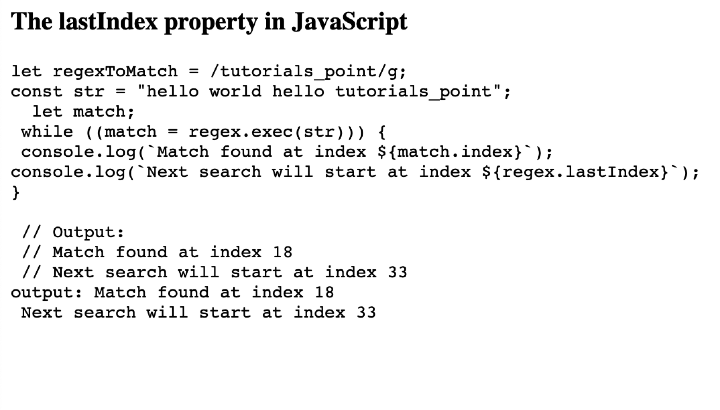
為了匹配整個字串中的“tutorials_point”一詞,我們將在這個示例中使用語法 /tutorials_point/g 建立一個正則表示式模式。然後,我們將使用帶有 exec() 方法的 while 迴圈查詢所有匹配項。在每次迭代中,我們將匹配項的索引和 lastIndex 的值記錄到瀏覽器控制檯。
檔名:index.html
<html lang="en">
<head>
   <title>The lastIndex property in JavaScript</title>
</head>
<body>
   <h3>The lastIndex property in JavaScript</h3>
   <pre id="code" class=”code”></pre>

   <script>
      const code = document.getElementById("code");

      const regex = /tutorials_point/g;
      const str = "hello world hello tutorials_point";

      let match;
      while ((match = regex.exec(str))) {
         console.log(`Match found at index ${match.index}`);
         console.log(`Next search will start at index ${regex.lastIndex}`);
      }

      code.innerHTML = `let regexToMatch = /tutorials_point/g;
      const str = "hello world hello tutorials_point";
      let match;
      while ((match = regex.exec(str))) {
         console.log(\`Match found at index \${match.index}\`);
         console.log(\`Next search will start at index \${regex.lastIndex}\`);
      } <br> <br> // Output: <br> // Match found at index 18 <br> // Next search will start at index 33 <br>`

      code.innerHTML += `output: Match found at index 18 <br> Next search will start at index 33`;
   </script>
</body>
</html>
輸出
示例 2
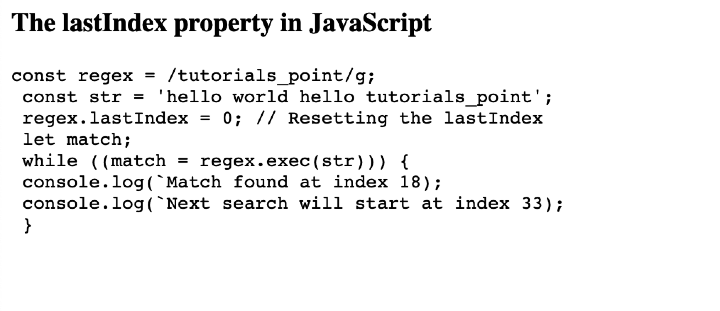
在這個示例中,在迴圈開始之前,將手動將正則表示式物件的 lastIndex 屬性設定為 0。透過這樣做,可以保證搜尋將從字串的開頭開始,而獨立於任何先前的匹配項或 lastIndex 可能儲存的任何值。
檔名:index.html
<html lang="en">
<head>
   <title>The lastIndex property in JavaScript</title>
</head>
<body>
   <h3>The lastIndex property in JavaScript</h3>
   <pre id="code"></pre>

   <script>
      const code = document.getElementById("code");

      const regex = /tutorials_point/g;
      const str = "hello world hello tutorials_point";

      regex.lastIndex = 0; // Resetting the lastIndex

      let match;
      while ((match = regex.exec(str))) {
         console.log(`Match found at index ${match.index}`);
         console.log(`Next search will start at index ${regex.lastIndex}`);
      }

      code.innerHTML = `const regex = /tutorials_point/g; <br> const str = 'hello world hello tutorials_point'; <br> regex.lastIndex = 0; // Resetting the lastIndex <br> let match; <br> while ((match = regex.exec(str))) { <br> console.log(\`Match found at index 18); <br> console.log(\`Next search will start at index 33); <br> } `;
   </script>
</body>
</html>
輸出
示例 3
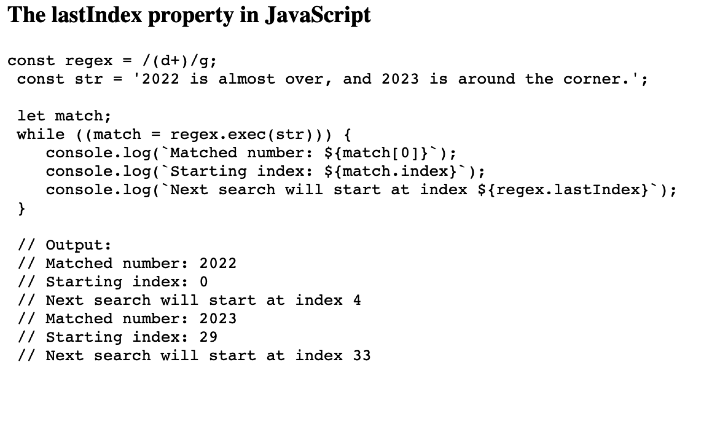
為了匹配任何數字字串,我們將為本示例構建一個正則表示式模式 (d+)。為了構建捕獲組,或匹配和捕獲字串中包含的一個或多個數字,(d+) 模式用括號括起來。我們將使用“g”標誌執行全域性搜尋。這允許我們找到字串中所有數字的出現。
檔名:index.html
<html lang="en">
<head>
   <title>The lastIndex property in JavaScript</title>
</head>
<body>
   <h3>The lastIndex property in JavaScript</h3>
   <pre id="code"></pre>

   <script>
      const code = document.getElementById("code");

      const regex = /(\d+)/g;
      const str = "2022 is almost over, and 2023 is around the corner.";

      let match;
      while ((match = regex.exec(str))) {
         console.log(`Matched number: ${match[0]}`);
         console.log(`Starting index: ${match.index}`);
         console.log(`Next search will start at index ${regex.lastIndex}`);
      }

      code.innerHTML = `const regex = /(\d+)/g; <br> const str = '2022 is almost over, and 2023 is around the corner.'; <br> <br> let match; <br> while ((match = regex.exec(str))) { <br>    console.log(\`Matched number: \${match[0]}\`); <br>    console.log(\`Starting index: \${match.index}\`); <br>    console.log(\`Next search will start at index \${regex.lastIndex}\`); <br> } <br> <br> // Output: <br> // Matched number: 2022 <br> // Starting index: 0 <br> // Next search will start at index 4 <br> // Matched number: 2023 <br> // Starting index: 29 <br> // Next search will start at index 33`;
   </script>
</body>
</html>
輸出
結論
JavaScript 正則表示式物件中的 lastIndex 屬性允許我們管理字串中的匹配項,並提供從哪裡開始連續輪次中字串搜尋的索引。它跟蹤下一次搜尋將從哪裡開始的索引,並允許我們有效地執行連續搜尋。我們學習了 JavaScript 正則表示式匹配中 lastIndex 的概念,並查看了一些解釋相同內容的示例。

60 次檢視
