
 資料結構
資料結構 網路
網路 關係型資料庫管理系統
 作業系統
作業系統 Java
Java MS Excel
 iOS
iOS HTML
HTML CSS
CSS 安卓
安卓 Python
 C 語言程式設計
 C++
C++ C#
C# MongoDB
 MySQL
MySQL Javascript
 PHP
PHP 物理學
物理學 化學
化學 生物
生物 數學
數學 英語
英語 經濟學
經濟學 心理學
心理學 社會研究
社會研究 時尚研究
時尚研究 法律研究
法律研究使用 OpenCV 對影像執行開操作
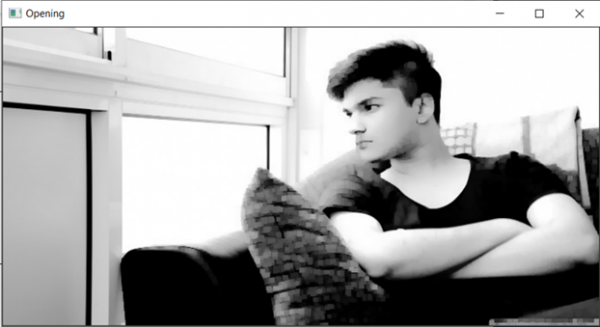
本教程將對影像執行開操作。開操作會刪掉影像前景中的小物體,並將它們置於背景中。這種技術還可以用於在影像中查詢特定的形狀。開操作可以稱為蝕刻後跟膨脹。用於此任務的函式是 cv2.morphologyEx(image, cv2.MORPH_OPEN, kernel)。
原始影像

演算法
Step 1: Import cv2 and numpy.
Step 2: Read the image.
Step 3: Define the kernel.
Step 4: Pass the image and kernel to the cv2.morphologyex() function.
Step 4: Display the output.
示例程式碼
import cv2
import numpy as np

image = cv2.imread('testimage.jpg')
kernel = np.ones((5,5), np.uint8)

image = cv2.morphologyEx(image, cv2.MORPH_OPEN, kernel)
cv2.imshow('Opening', image)
輸出

更新日期:2021-03-17
537 次瀏覽

廣告