
 資料結構
資料結構 網路
網路 關係型資料庫管理系統
 作業系統
作業系統 Java
Java MS Excel
 iOS
iOS HTML
HTML CSS
CSS Android
 Python
 C 程式設計
 C++
C++ C#
C# MongoDB
 MySQL
MySQL Javascript
 PHP
PHP 物理
物理 化學
化學 生物
生物 數學
數學 英語
英語 經濟學
經濟學 心理學
心理學 社會學
社會學 時尚學
時尚學 法律研究
法律研究jQuery :button 選擇器
jQuery :button 選擇器用於選擇具有按鈕和輸入元素以及按鈕型別的元素。
示例
現在讓我們來看一個實現 :button 選擇器的示例 −
<!DOCTYPE html>
<html>
<head>
<script src="https://ajax.googleapis.com/ajax/libs/jquery/3.4.1/jquery.min.js"></script>
<script>
   $(document).ready(function(){
      $(":button").css("border-width", "5px");
   });
</script>
</head>
<body>
<form action="">
Username: <input type="text" name="uname"><br>
Password: <input type="password" name="passwd"><br>
<button type="button">Demo Button</button>
<input type="submit" value="Submit"><br>
</form>
</body>
</html>
輸出
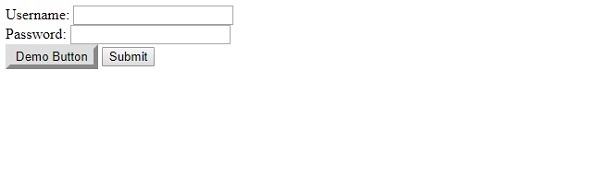
這將產生以下輸出。使用 :button 選擇器更改“演示按鈕”的邊框 −
示例
現在讓我們來看另一個示例 −
<!DOCTYPE html>
<html>
<head>
<style>
   .one {
      color: white;
      background-color: gray;
      font-size: 16px;
      border: 2px yellow dashed;
   }
</style>
<script src="https://ajax.googleapis.com/ajax/libs/jquery/3.4.1/jquery.min.js"></script>
<script>
   $(document).ready(function(){
      $(":button").addClass( "one" );
   });
</script>
</head>
<body>
<form action="">
ID: <input type="text" name="id"><br>
Rank: <input type="text" name="rank"><br>
<button type="button">Demo Button</button>
<input type="submit" value="Submit"><br>
</form>
</body>
</html>
輸出
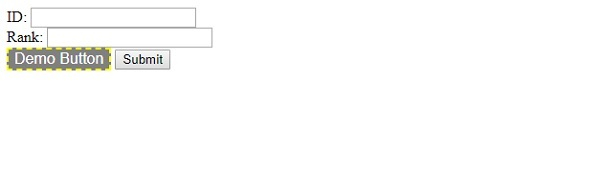
這將產生以下輸出 −

更新於: 05-11-2019
422 次瀏覽

廣告