
 資料結構
資料結構 網路
網路 RDBMS
RDBMS 作業系統
作業系統 Java
Java MS Excel
 iOS
iOS HTML
HTML CSS
CSS Android
 Python
 C 程式設計
 C++
C++ C#
C# MongoDB
 MySQL
MySQL Javascript
 PHP
PHP 物理
物理 化學
化學 生物
生物 數學
數學 英語
英語 經濟學
經濟學 心理學
心理學 社會科學
社會科學 時尚研究
時尚研究 法律研究
法律研究JavaScript 建立提交按鈕進行表單提交和另一個按鈕來清除輸入
使用 input type=”submit”來提交表單,再使用另一個 input type=”button”來在點選時清除輸入,如下面的程式碼所示 −
示例
<!DOCTYPE html>
<html lang="en">
<head>
<meta charset="UTF-8">
<meta name="viewport" content="width=device-width, initialscale=
1.0">
<title>Document</title>
<link rel="stylesheet" href="//code.jquery.com/ui/1.12.1/themes/base/jquery-ui.css">
<script src="https://code.jquery.com/jquery-1.12.4.js"></script>
<script src="https://code.jquery.com/ui/1.12.1/jquery-ui.js"></script>
<link rel="stylesheet" href="https://cdnjs.cloudflare.com/ajax/libs/fontawesome/4.7.0/css/font-awesome.min.css">
</head>
<style>
</style>
<body>
<label>StudentName:
<input type="text" id="txtName" />
</label>
<br>
<button type="submit">Submit</button>
<button type=" button" value="delete"
onclick="deleteSomething()">Delete</button>
<script>
   function deleteSomething(secondValue) {
      alert("I am going to clear text box data only...");
      document.getElementById("txtName").value = "";
   }
</script>
</body>
</html>
要執行上述程式,儲存檔名“anyName.html(index.html)”,在 VS Code 編輯器中右鍵單擊該檔案。在 VS Code 編輯器中選擇“Open with Live Server”選項。
輸出
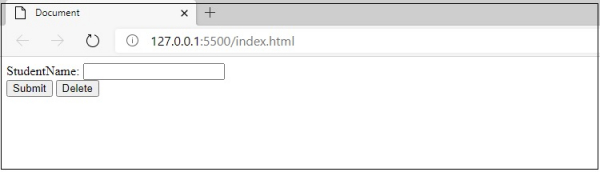
這將生成以下輸出 −
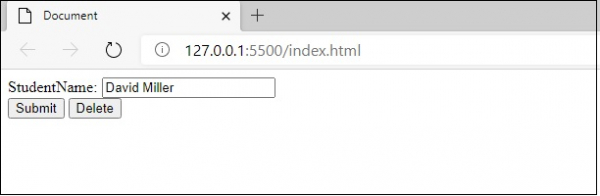
現在,我準備在文字框中輸入一些值 −
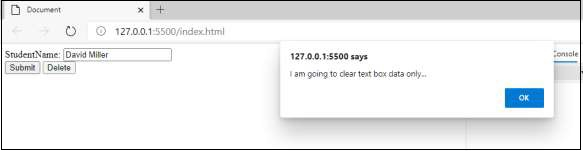
現在,我準備單擊“刪除”按鈕。單擊後,您將收到一條警報訊息 −
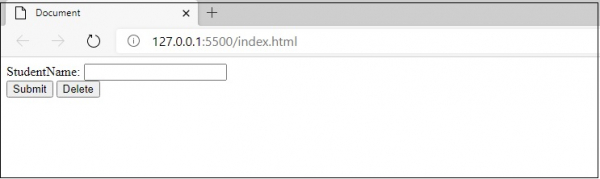
單擊“確定”按鈕後,您將獲得以下輸出 −

更新於: 01-Sep-2020
1 千次瀏覽

廣告