
 資料結構
資料結構 網路
網路 RDBMS
RDBMS 作業系統
作業系統 Java
Java MS Excel
 iOS
iOS HTML
HTML CSS
CSS Android
 Python
 C 程式設計
 C++
C++ C#
C# MongoDB
 MySQL
MySQL Javascript
 PHP
PHP 物理
物理 化學
化學 生物
生物 數學
數學 英語
英語 經濟學
經濟學 心理學
心理學 社會科學
社會科學 時裝研究
時裝研究 法律研究
法律研究JavaScript array.keys() 方法
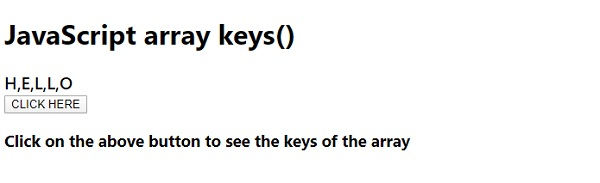
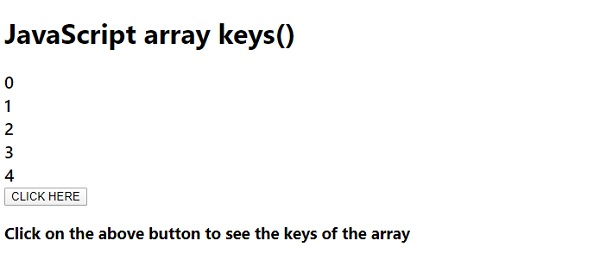
JavaScript array.keys() 建立一個數組迭代器物件,其中只包含一個數組的鍵
下面是 array.keys() 方法的程式碼 −
示例
<!DOCTYPE html>
<html lang="en">
<head>
<meta charset="UTF-8" />
<meta name="viewport" content="width=device-width, initial-scale=1.0" />
<title>Document</title>
<style>
   body {
      font-family: "Segoe UI", Tahoma, Geneva, Verdana, sans-serif;
   }
   .sample {
      font-size: 20px;
      font-weight: 500;
   }
</style>
</head>
<body>
<h1>JavaScript array keys()</h1>
<div class="sample"></div>
<button class="Btn">CLICK HERE</button>
<h3>
Click on the above button to see the keys of the array
</h3>
<script>
   let fillEle = document.querySelector(".sample");
   let arr = ["H", "E", "L", "L", "O"];
   fillEle.innerHTML = arr;
   arr = arr.keys();
   document.querySelector(".Btn").addEventListener("click", () => {
      fillEle.innerHTML = "";
      for (let x of arr) {
         fillEle.innerHTML += x + "<br>";
      }
   });
</script>
</body>
</html>
輸出
單擊“點選此處”按鈕 −

更新於: 2020 年 5 月 8 日
115 次瀏覽

廣告