
 資料結構
資料結構 網路
網路 關係型資料庫管理系統
 作業系統
作業系統 Java
Java MS Excel
 iOS
iOS HTML
HTML CSS
CSS Android
 Python
 C 程式設計
 C++
C++ C#
C# MongoDB
 MySQL
MySQL Javascript
 PHP
PHP 物理
物理 化學
化學 生物
生物 數學
數學 英語
英語 經濟學
經濟學 心理學
心理學 社會研究
社會研究 時尚研究
時尚研究 法律研究
法律研究HTML 標籤
HTML 4 中的 <u> 元素用於給網頁上的文字加下劃線,但 HTML5 將 <u> 重新定義為顯示不同於普通文字的文字。
現在讓我們看一個實現 <u> 標籤的示例−
示例
<!DOCTYPE html>
<html>
<body>
<h2>Shortcut Keys</h2>
<p>Use the following <u>shortcut</u> keys:</p>
<p><strong>Cut</strong>: <tt>CTRL</tt>+<tt>X</tt></p>
<p><strong>Copy</strong>: <tt>CTRL</tt>+<tt>C</tt></p>
<p><strong>Paste</strong>: <kbd>CTRL</tt>+<tt>V</tt></p>
<p><strong>Undo</strong>: <tt>CTRL</tt>+<tt>Z</tt></p>
</body>
</html>
輸出
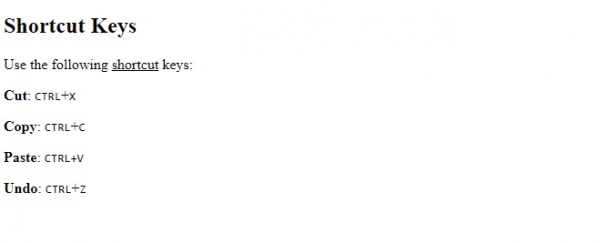
在上面的示例中,我們使用了 <ul> 標籤來顯示不同於預設普通文字的文字−
<p>Use the following <u>shortcut</u> keys:</p>
<p><strong>Cut</strong>: <tt>CTRL</tt>+<tt>X</tt></p>

更新日期:2019 年 7 月 30 日
29 次瀏覽

廣告