
 資料結構
資料結構 網路
網路 RDBMS
RDBMS 作業系統
作業系統 Java
Java MS Excel
 iOS
iOS HTML
HTML CSS
CSS Android
 Python
 C 程式設計
 C++
C++ C#
C# MongoDB
 MySQL
MySQL Javascript
 PHP
PHP 物理
物理 化學
化學 生物
生物 數學
數學 英語
英語 經濟學
經濟學 心理學
心理學 社會學
社會學 時尚
時尚 法律
法律HTML DOM Window parent 屬性
HTML DOM Window parent 屬性返回對子視窗父視窗的引用。
語法
以下是語法 −
返回父視窗引用
window.parent
例項
我們來看看 HTML DOM Window parent 屬性的例項 −
<!DOCTYPE html>
<html>
<head>
<title>HTML DOM Window parent</title>
<style>
   * {
      padding: 2px;
      margin:5px;
   }
   form {
      width:70%;
      margin: 0 auto;
      text-align: center;
   }
   input[type="button"] {
      border-radius: 10px;
</style>
</head>
<body>
   <form>
      <fieldset>
         <legend>HTML-DOM-Window-parent</legend>
         <input id="urlSelect" type="url" placeholder="Type URL here..."><br>
         <input type="button" value="Go To" onclick="openWindow()">
         <input type="button" value="Close" onclick="closeWindow()">
         <input type="button" value="Restore" onclick="restoreWindow()">
         <div id="divDisplay"></div>
      </fieldset>
   </form>
   <script>
      var urlSelect = document.getElementById("urlSelect");
      var winSource;
      function openWindow() {
         browseWindow = window.open(urlSelect.value, "browseWindow", "width=400, height=200");
         winSource = urlSelect.value;
         parent.document.getElementById("divDisplay").textContent = "Child Window Active";
      }
      function closeWindow(){
         if(browseWindow){
            browseWindow.close();
            parent.document.getElementById("divDisplay").textContent = "Child Window Closed";
         }
      }
      function restoreWindow(){
         if(browseWindow.closed){
            browseWindow = window.open(winSource, "browseWindow", "width=400, height=200");
            parent.document.getElementById("divDisplay").textContent = "Child Window Restored";
         }
      }
   </script>
</body>
</html>
輸出
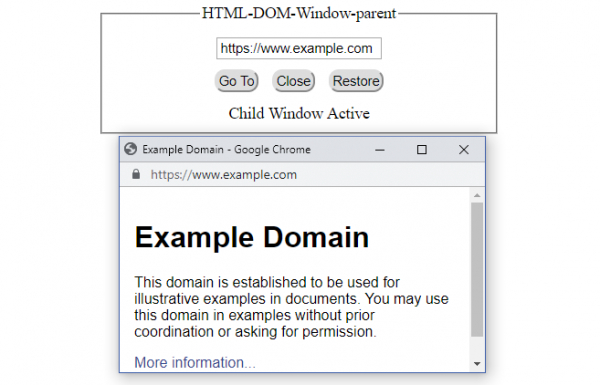
如果 URL 欄設定了“開啟”按鈕,請單擊 −
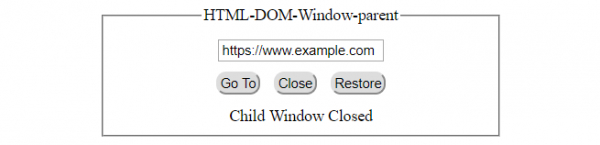
單擊“關閉”按鈕 −
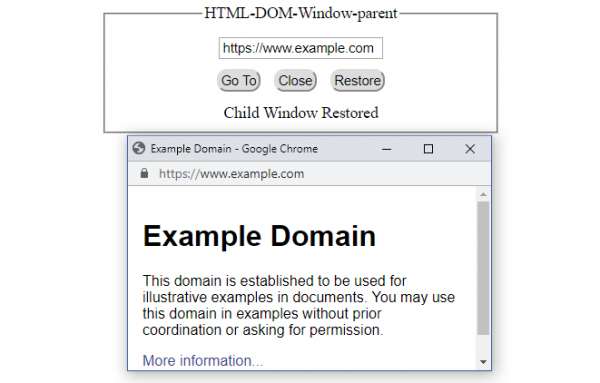
單擊“還原”按鈕 −

更新於:2021 年 12 月 21 日
699 次瀏覽

廣告