
 資料結構
資料結構 網路
網路 RDBMS
RDBMS 作業系統
作業系統 Java
Java MS Excel
 iOS
iOS HTML
HTML CSS
CSS 安卓
安卓 Python
 C 程式設計
 C++
C++ C#
C# MongoDB
 MySQL
MySQL Javascript
 PHP
PHP 物理
物理 化學
化學 生物
生物 數學
數學 英語
英語 經濟學
經濟學 心理學
心理學 社會學
社會學 時尚研究
時尚研究 法學
法學HTML 視窗 innerHeight 屬性
HTML Window innerHeight 屬性返回 HTML 文件中視窗內容區域的高度。
語法
以下是語法:-
window.innerHeight
讓我們看一個 HTML Window innerHeight 屬性的示例:
示例
<!DOCTYPE html>
<html>
<style>
   body {
      color: #000;
      height: 100vh;
      background-color: #8BC6EC;
      background-image: linear-gradient(135deg, #8BC6EC 0%, #9599E2 100%);
      text-align: center;
   }
   .btn {
      background: #db133a;
      border: none;
      height: 2rem;
      border-radius: 2px;
      width: 40%;
      display: block;
      color: #fff;
      outline: none;
      cursor: pointer;
      margin: 1rem auto;
   }
   .show {
      font-size: 1.2rem;
   }
</style>
<body>
<h1>HTML Window innerHeight Property</h1>
<button onclick="display()" class="btn">Show window inner height</button>
<div class="show"></div>
<script>
   function display() {
      document.querySelector('.show').innerHTML = 'Window inner height is: ' + window.innerHeight + "px";
   }
</script>
</body>
</html>
輸出
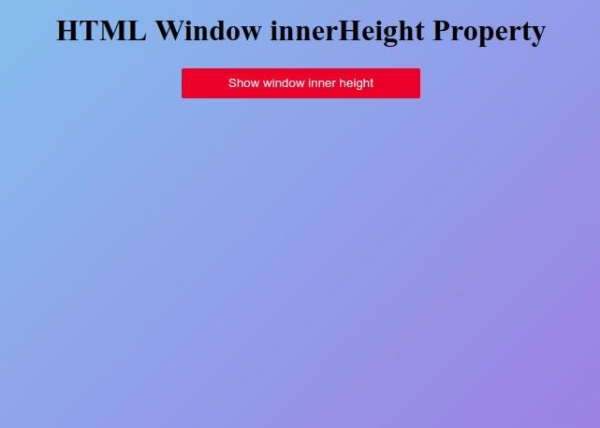
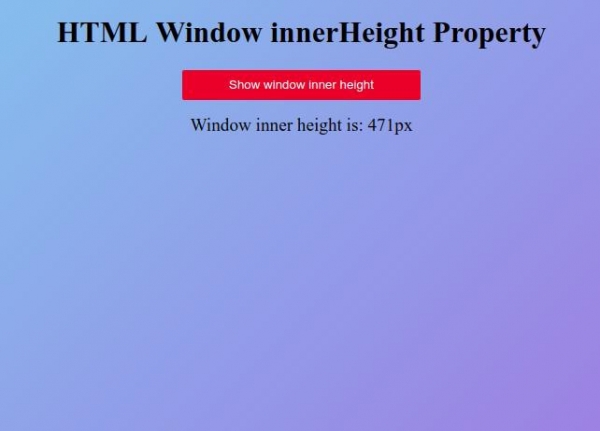
點選“顯示視窗內部高度”按鈕,顯示內容區域的內部高度

更新於:01-Oct-2019
174 次瀏覽

廣告