
 資料結構
資料結構 網路
網路 RDBMS
RDBMS 作業系統
作業系統 Java
Java MS Excel
 iOS
iOS HTML
HTML CSS
CSS Android
 Python
 C 程式設計
 C++
C++ C#
C# MongoDB
 MySQL
MySQL Javascript
 PHP
PHP 物理
物理 化學
化學 生物
生物 數學
數學 英語
英語 經濟
經濟 心理學
心理學 社會學
社會學 時尚研究
時尚研究 法學
法學HTML DOM 表格 createTFoot() 方法
HTML DOM 表格 createTFoot() 方法生成一個空的 <tfoot> 元素並將其新增到 HTML 文件的表格中。
語法
以下是語法 −
object.createTFoot()
我們來看一個 HTML DOM 表格 createTFoot() 方法的示例 −
示例
<!DOCTYPE html>
<html>
<style>
   body {
      color: #000;
      background: lightblue;
      height: 100vh;
      text-align: center;
   }
   table {
      margin: 2rem auto;
   }
   caption {
      color: #db133a;
   }
   .btn {
      background: #db133a;
      border: none;
      height: 2rem;
      border-radius: 2px;
      width: 40%;
      display: block;
      color: #fff;
      outline: none;
      cursor: pointer;
      margin: 1rem auto;
   }
   .show {
      font-size: 1.2rem;
   }
</style>
<body>
<h1>DOM Table createTFoot() Method Demo</h1>
<table border="2">
<tr>
<td>Name</td>
<td>Roll No.</td>
</tr>
<tr>
<td>John</td>
<td>071717</td>
</tr>
<tr>
<td>Jane</td>
<td>031717</td>
</tr>
</table>
<button onclick="create()" class="btn">Create Footer</button>
<script>
   function create() {
      var tableFooter = document.querySelector('table').createTFoot();
      tableFooter.innerHTML = "This is table footer";
   }
</script>
</body>
</html>
輸出
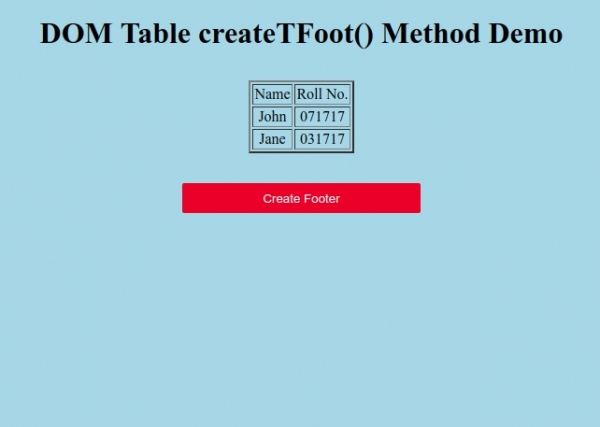
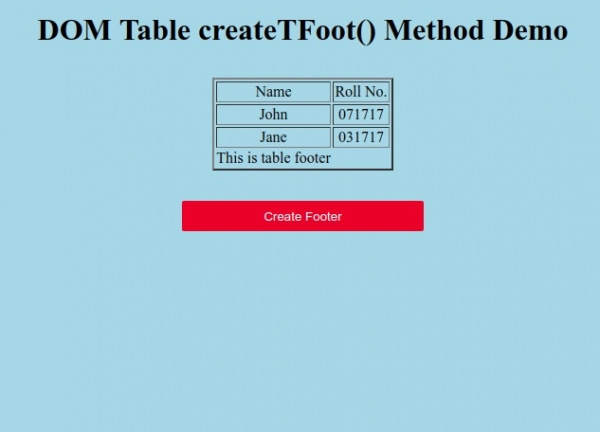
單擊“建立頁尾”按鈕為表格建立頁尾。

更新時間: 19-9 月-2019
64 次瀏覽

廣告