
 資料結構
資料結構 網路
網路 RDBMS
RDBMS 作業系統
作業系統 Java
Java MS Excel
 iOS
iOS HTML
HTML CSS
CSS Android
 Python
 C 程式設計
 C++
C++ C#
C# MongoDB
 MySQL
MySQL Javascript
 PHP
PHP 物理
物理 化學
化學 生物
生物 數學
數學 英語
英語 經濟
經濟 心理學
心理學 社會學
社會學 時尚研究
時尚研究 法律研究
法律研究HTML DOM Meter max 屬性
<meter> 元素的 Meter low 屬性返回/設定與 max 屬性對應的數字。將此屬性與 high、min 和 low 屬性結合使用以獲得更好的結果。
語法
以下是語法 -
- 返回 max 屬性的值
meterElementObject.max
- 設定 max 屬性的值
meterElementObject.max = number
示例
讓我們看一個 Meter max 屬性的示例 -
<!DOCTYPE html>
<html>
<head>
<title>Meter max</title>
<style>
   form {
      width:70%;
      margin: 0 auto;
      text-align: center;
   }
   * {
      padding: 2px;
      margin:5px;
   }
   input[type="button"] {
      border-radius: 10px;
   }
</style>
</head>
<body>
<form>
<fieldset>
<legend>Meter-max</legend>
<label for="paulaLifeSource">Paula's Health Risk: </label>
<meter id="paulaLifeSource" max="100" min="0" high="80" low="60" value="70"></meter>
<input type="button" onclick="lifeSource()" value="Medi Kit">
<div id="divDisplay"></div>
</fieldset>
</form>
<script>
   var divDisplay = document.getElementById("divDisplay");
   divDisplay.textContent = 'Life Source at '+paulaLifeSource.value+'/'+paulaLifeSource.max;
   function lifeSource(){
      var paulaLifeSource = document.getElementById("paulaLifeSource");
      var Immunity = paulaLifeSource.max;
      paulaLifeSource.max = 80;
      divDisplay.textContent = 'Life Decreased to '+paulaLifeSource.max+' from '+Immunity;
   }
</script>
</body>
</html>
輸出
這將產生以下輸出 -
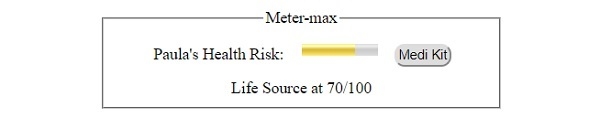
點選 “Medi Kit” 按鈕之前 -
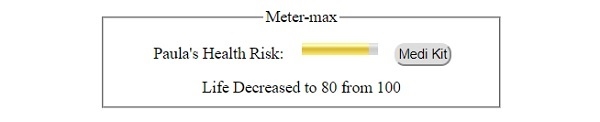
點選 “Medi Kit” 按鈕後 -

釋出於: 2019 年 8 月 1 日
75 次瀏覽

廣告