
 資料結構
資料結構 網路
網路 RDBMS
RDBMS 作業系統
作業系統 Java
Java MS Excel
 iOS
iOS HTML
HTML CSS
CSS Android
 Python
 C 程式設計
 C++
C++ C#
C# MongoDB
 MySQL
MySQL Javascript
 PHP
PHP 物理
物理 化學
化學 生物
生物 數學
數學 英語
英語 經濟學
經濟學 心理學
心理學 社會研究
社會研究 時尚研究
時尚研究 法律研究
法律研究HTML DOM Input Week min 屬性
HTML DOM Input Week min 屬性返回/設定 Input Week 的 min 屬性。
語法
以下是語法 −
- 返回字串值
inputWeekObject.min
- 將 min 設定為字串值
inputWeekObject.min = YYYY-Www
字串值
此處,“YYYY-Www”可以是以下格式 −
| stringValue | 詳細資訊 |
|---|---|
| YYYY | 它定義了年份 (例如:1990) |
| W | 它是年份和週數的分隔符 |
| WW | 它定義了週數 (例如:07) |
示例
讓我們看看 Input Week min 屬性的一個示例 −
<!DOCTYPE html>
<html>
<head>
<title>Input Week min</title>
<style>
   form {
      width:70%;
      margin: 0 auto;
      text-align: center;
   }
   * {
      padding: 2px;
      margin:5px;
   }
   input[type="button"] {
      border-radius: 10px;
   }
</style>
</head>
<body>
<form>
<fieldset>
<legend>Week-min</legend>
<label for="WeekSelect">Vacation Week:
<input type="week" id="WeekSelect" value="2019-W45" min="2020-W05">
</label>
<input type="button" onclick="getMinimum()" value="Go on a vacation">
<div id="divDisplay"></div>
</fieldset>
</form>
<script>
   var divDisplay = document.getElementById("divDisplay");
   var inputWeek = document.getElementById("WeekSelect");
   function getMinimum() {
      divDisplay.textContent = 'You can go on a vacation after: Week: '+inputWeek.min.split("-W")[1]+' ,'+inputWeek.min.split("-W")[0]
   }
</script>
</body>
</html>
輸出
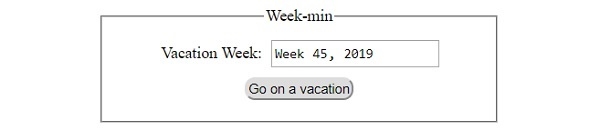
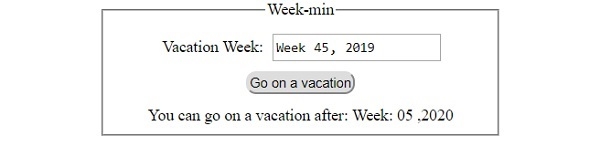
它將產生以下輸出 −
在點選 ‘開始度假’ 按鈕之前 −
點選 ‘開始度假’ 按鈕之後 −

更新於: 30-Jul-2019
85 檢視

廣告