
 資料結構
資料結構 網路
網路 RDBMS
RDBMS 作業系統
作業系統 Java
Java MS Excel
 iOS
iOS HTML
HTML CSS
CSS Android
 Python
 C 語言程式設計
 C++
C++ C#
C# MongoDB
 MySQL
MySQL Javascript
 PHP
PHP 物理學
物理學 化學
化學 生物學
生物學 數學
數學 英語
英語 經濟學
經濟學 心理學
心理學 社會學
社會學 服裝設計
服裝設計 法律研究
法律研究HTML DOM Input 密碼輸入框 placeholder 屬性
HTML DOM Input 密碼輸入框 placeholder 屬性用於設定或返回 input 密碼欄位的 placeholder 屬性值。placeholder 屬性用於透過在使用者輸入任何內容之前在輸入欄位內顯示文字,為網頁使用者提供有關輸入元素的提示。預設情況下,placeholder 文字為灰色,並且與 value 屬性不同,不會提交到表單。
語法
以下是語法:-
設定 placeholder 屬性:-
passwordObject.placeholder = text
這裡,text 表示 placeholder 文字,為使用者指定有關密碼欄位的提示。
示例
讓我們來看一個 input 密碼輸入框 placeholder 屬性的示例:-
<!DOCTYPE html>
<html>
<body>
<h1>password placeholder property</h1>
Password: <input type="password" id="PASS1" placeholder="....">
<p>Change the placeholder text of the above field by clicking the below button</p>
<button onclick="changeHolder()">CHANGE</button>
<script>
   function changeHolder() {
      document.getElementById("PASS1").placeholder = "Enter your password here..";
   }
</script>
</body>
</html>
輸出
這將產生以下輸出:-
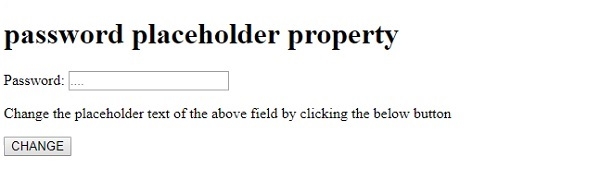
點選“更改”按鈕:-
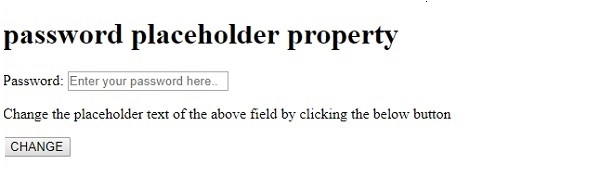
在上面的示例中:-
我們首先建立了一個 id 為“PASS1”且 placeholder 屬性值設定為“……”的 input 密碼欄位。
Password: <input type="password" id="PASS1" placeholder="....">
然後,我們建立了一個名為“更改”的按鈕,當用戶點選它時,將執行 changeHolder() 方法:-
<button onclick="changeHolder()">CHANGE</button>
changeHolder() 使用 getElementById() 方法獲取型別為密碼的 input 元素。然後,它將其 placeholder 屬性值設定為“在此輸入您的密碼”,這會反映在密碼欄位中:-
function changeHolder() {
   document.getElementById("PASS1").placeholder = "Enter your password here..";
}

更新於: 2019年8月22日
319 次檢視

廣告