
 資料結構
資料結構 網路
網路 關係型資料庫管理系統
 作業系統
作業系統 Java
Java MS Excel
 iOS
iOS HTML
HTML CSS
CSS Android
 Python
 C 程式設計
 C++
C++ C#
C# MongoDB
 MySQL
MySQL Javascript
 PHP
PHP 物理
物理 化學
化學 生物
生物 數學
數學 英語
英語 經濟學
經濟學 心理學
心理學 社會學
社會學 服裝學
服裝學 法律學
法律學HTML DOM Input Number readOnly 屬性
HTML DOM input number readOnly 屬性會在 HTML 文件中返回並修改數字輸入框是隻讀還是可寫。
語法
以下是語法 −
返回 readOnly
object.readOnly
修改 readOnly
object.readOnly = true | false
示例
我們來看看數字輸入的 readOnly 屬性示例 −
<!DOCTYPE html>
<html>
<head>
<style>
   html{
      height:100%;
   }
   body{
      text-align:center;
      color:#fff;
      background: linear-gradient(62deg, #FBAB7E 0%, #F7CE68 100%) center/cover no-repeat;
      height:100%;
   }
   p{
      font-weight:700;
      font-size:1.1rem;
   }
   input{
      display:block;
      width:35%;
      border:2px solid #fff;
      background-color:transparent;
      color:#fff;
      font-weight:bold;
      padding:8px;
      margin:1rem auto;
      outline:none;
   }
   .btn{
      background:#0197F6;
      border:none;
      height:2rem;
      border-radius:2px;
      width:35%;
      margin:2rem auto;
      display:block;
      color:#fff;
      outline:none;
      cursor:pointer;
   }
</style>
</head>
<body>
<h1>DOM Input number readOnly property Demo</h1>
<p>Hi, Select your day of birth?</p>
<input type="number" class="numberInput">
<button onclick="rFunction()" class="btn">Read Only</button>
<button onclick="rWFunction()" class="btn">Read & Write</button>
   <script>
      function rFunction() {
         var monthInput = document.querySelector(".numberInput");
         monthInput.readOnly =true;
      }
      function rWFunction(){
         var monthInput = document.querySelector(".numberInput");
         monthInput.readOnly =false;
      }
   </script>
</body>
</html>
輸出
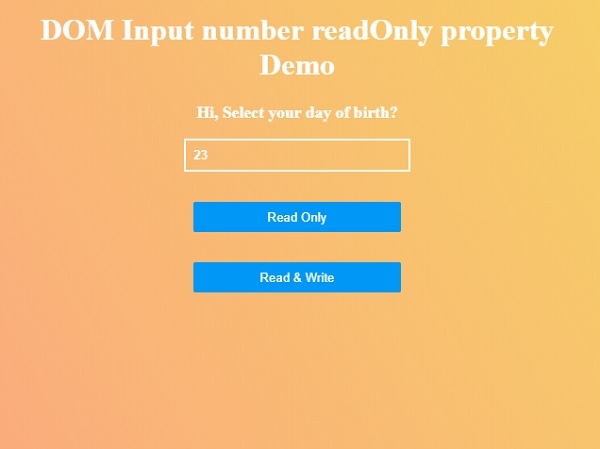
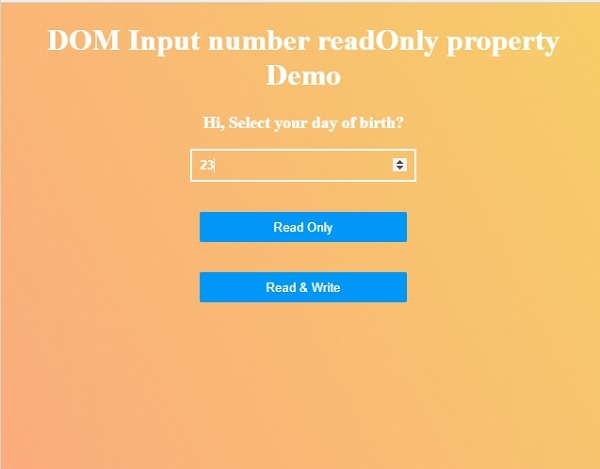
將產生如下輸出 −

點選“只讀”然後點選“讀寫”按鈕來了解 readOnly 屬性如何工作。

更新於: 01-7 月-2020
123 檢視

廣告