
 資料結構
資料結構 網路
網路 RDBMS
RDBMS 作業系統
作業系統 Java
Java MS Excel
 iOS
iOS HTML
HTML CSS
CSS Android
 Python
 C 程式設計
 C++
C++ C#
C# MongoDB
 MySQL
MySQL Javascript
 PHP
PHP 物理學
物理學 化學
化學 生物學
生物學 數學
數學 英語
英語 經濟學
經濟學 心理學
心理學 社會學
社會學 時尚研究
時尚研究 法學研究
法學研究如何關閉 HTML 表單元素中的拼寫檢查(語法更正)?
要關閉表單元素的拼寫檢查,程式碼如下 −
示例
<!DOCTYPE html>
<html>
<head>
<h1>Disabling Spellcheck Example</h1>
<form>
<p>Your Name:</p>
<input type="text" name="fname" spellcheck="false">
<p>About Yourself</p>
<textarea name="about you" spellcheck="true"></textarea><br>
<input type="submit">
</form>
<h2>Type wrong spelling in the above input field to see spellcheck in action</h2>
</body>
</html>
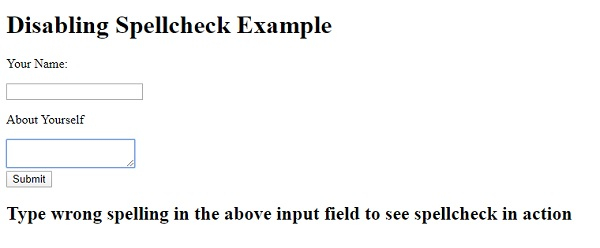
輸出
上述程式碼將產生以下輸出 −
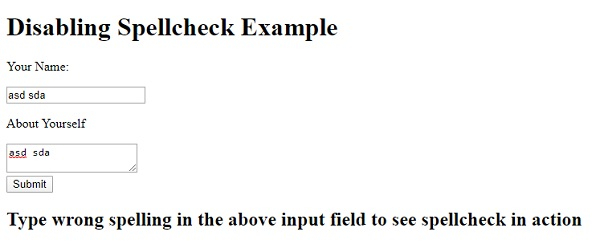
在輸入欄位中輸入內容 −

更新日期:2020 年 5 月 6 日
121 人檢視

廣告