
 資料結構
資料結構 網路
網路 關係型資料庫管理系統
 作業系統
作業系統 Java
Java MS Excel
 iOS
iOS HTML
HTML CSS
CSS Android
 Python
 C 程式設計
 C++
C++ C#
C# MongoDB
 MySQL
MySQL Javascript
 PHP
PHP 物理學
物理學 化學
化學 生物
生物 數學
數學 英語
英語 經濟學
經濟學 心理學
心理學 社會學
社會學 時裝研究
時裝研究 法律研究
法律研究如何在 Tkinter 中使用按鈕設定“Entry”小部件的文字/值/內容?
Tkinter Entry 小部件用於顯示單行文字。使用 Tkinter Entry 小部件,我們可以透過觸發按鈕來設定其值或內容。它主要有兩種操作:insert 和 delete。
使用 Tkinter Button 小部件,我們將設定 Entry 小部件的內容。
示例
#Import the required libraries
from tkinter import *

#Create an instance of tkinter frame
win= Tk()

#Define a function to change the value
def change_text(txt):
   text.delete(0,END)
   text.insert(0,txt)

#Set the geometry of frame
win.geometry("600x250")

#Create an Entry Widget
text= Entry(win)
text.pack()

#Create a button to change/set the content
btn= Button(win,text="Set", command=lambda:change_text("My New Text"))
btn.pack(pady=20)
win.mainloop()
輸出
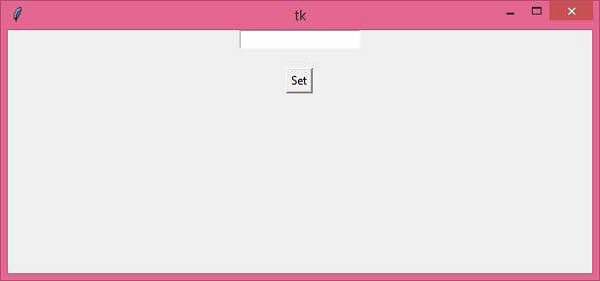
執行該程式碼將顯示一個視窗,其中包含一個按鈕,該按鈕可以設定輸入小部件的值或文字。
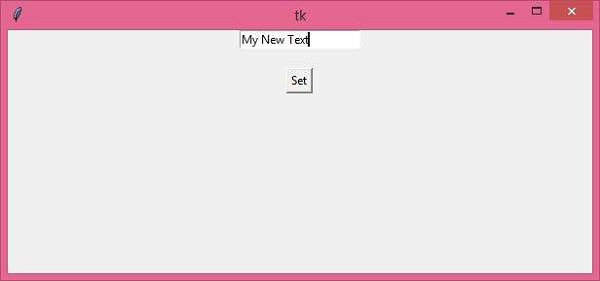
現在點選“設定”按鈕為 Entry 小部件設定新值。

更新日期:26-3-2021
8K+ 瀏覽量

廣告