
 資料結構
資料結構 網路
網路 RDBMS
RDBMS 作業系統
作業系統 Java
Java MS Excel
 iOS
iOS HTML
HTML CSS
CSS Android
 Python
 C 程式設計
 C++
C++ C#
C# MongoDB
 MySQL
MySQL Javascript
 PHP
PHP 物理
物理 化學
化學 生物
生物 數學
數學 英語
英語 經濟學
經濟學 心理學
心理學 社會學
社會學 時尚研究
時尚研究 法律研究
法律研究如何限制 Java 中 JPasswordField 內部數字的位數?\n
JPasswordField 是JTextField 的子類,在 JPasswordField 中輸入的每個字元都可以替換為回顯 字元。這允許為密碼輸入機密資訊。JPasswordField 的重要方法是getPassword()、getText()、getAccessibleContext()等。預設情況下,我們可以在 JPasswordField 中輸入任意數量的數字。如果我們希望透過實現DocumentFilter 類 來限制使用者輸入的數字,並且需要覆蓋replace() 方法。
語法
public void replace(DocumentFilter.FilterBypass fb, int offset, int length, String text, AttributeSet attrs) throws BadLocationException
示例
import java.awt.*;
import java.awt.*;
import javax.swing.*;
import javax.swing.text.*;
public class JPasswordFieldDigitLimitTest extends JFrame {
   private JPasswordField passwordField;
   private JPanel panel;
   public JPasswordFieldDigitLimitTest() {
      panel = new JPanel();
      ((FlowLayout) panel.getLayout()).setHgap(2);
      panel.add(new JLabel("Enter Pin: "));
      passwordField = new JPasswordField(4);
      PlainDocument document = (PlainDocument) passwordField.getDocument();
      document.setDocumentFilter(new DocumentFilter() {
         @Override
         public void replace(DocumentFilter.FilterBypass fb, int offset, int length, String text, AttributeSet attrs) throws BadLocationException {
            String string = fb.getDocument().getText(0, fb.getDocument().getLength()) + text;
               if (string.length() <= 4) {
                  super.replace(fb, offset, length, text, attrs);
               }
         }
      });
      panel.add(passwordField);
      add(panel);
      setSize(400, 300);
      setDefaultCloseOperation(EXIT_ON_CLOSE);
      setLocationRelativeTo(null);
      setVisible(true);
   }
   public static void main(String[] args) {
      new JPasswordFieldDigitLimitTest();
   }
}
輸出
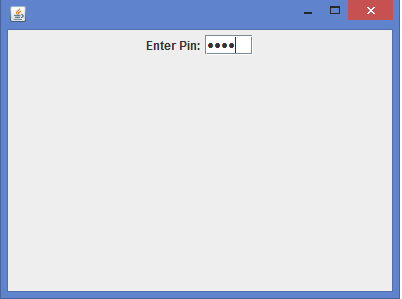

更新於: 12-Feb-2020
348 次瀏覽

廣告