
 資料結構
資料結構 網路
網路 RDBMS
RDBMS 作業系統
作業系統 Java
Java MS Excel
 iOS
iOS HTML
HTML CSS
CSS Android
 Python
 C 程式設計
 C++
C++ C#
C# MongoDB
 MySQL
MySQL Javascript
 PHP
PHP 物理
物理 化學
化學 生物
生物 數學
數學 英語
英語 經濟學
經濟學 心理學
心理學 社會學
社會學 時尚研究
時尚研究 法律研究
法律研究如何在 JavaScript 中在影像上傳之前預覽它?
要在 JavaScript 中上傳影像,請使用 FileReader()。以下是 JavaScript 程式碼 -
示例
<!DOCTYPE html>
<html lang="en">
<head>
<meta charset="UTF-8">
<meta name="viewport" content="width=device-width, initial-scale=1.0">
<title>Document</title>
<link rel="stylesheet" href="//code.jquery.com/ui/1.12.1/themes/base/jquery-ui.css">
<script src="https://code.jquery.com/jquery-1.12.4.js"></script>
<script src="https://code.jquery.com/ui/1.12.1/jquery-ui.js"></script>
</head>
<body>
<form runat="server">
<input type='file' id="yourImage" />
<img id="chooseImage" src="#" alt="image" />
</form>
<script>
   function readImage(fileInput) {
      if (fileInput.files && fileInput.files[0]) {
         var takingInputFile = new FileReader();
         takingInputFile.onload = function(event) {
            $('#chooseImage').attr('src', event.target.result);
         }
         takingInputFile.readAsDataURL(fileInput.files[0]);
      }
   }
   $("#yourImage").change(function() {
      readImage(this);
   });
</script>
</body>
</html>
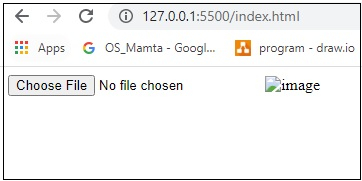
要執行以上程式,請儲存檔名 anyName.html(index.html) 並右鍵單擊檔案,然後選擇 使用 VS 程式碼編輯器中的即時伺服器開啟。
輸出

更新於:2020-07-16
176 檢視次數

廣告