
 資料結構
資料結構 網路
網路 關係型資料庫管理系統
 作業系統
作業系統 Java
Java MS Excel
 iOS
iOS HTML
HTML CSS
CSS Android
 Python
 C 程式設計
 C++
C++ C#
C# MongoDB
 MySQL
MySQL Javascript
 PHP
PHP 物理學
物理學 化學
化學 生物學
生物學 數學
數學 英語
英語 經濟學
經濟學 心理學
心理學 社會學
社會學 時尚研究
時尚研究 法律研究
法律研究如何對多個 div 的內部/外部單擊事件建立條件 - JavaScript?
你可以對點選事件使用事件監聽器。
示例
以下是程式碼 −
<!DOCTYPE html>
<html lang="en">
<head>
   <meta charset="UTF-8">
   <meta name="viewport" content="width=device-width, initial-scale=1.0">
   <title>Document</title>
</head>
<link rel="stylesheet" href="//code.jquery.com/ui/1.12.1/themes/base/jquery-ui.css">
<script src="https://code.jquery.com/jquery-1.12.4.js"></script>
<script src="https://code.jquery.com/ui/1.12.1/jquery-ui.js"></script>
<link href="https://maxcdn.bootstrapcdn.com/bootstrap/4.5.2/css/bootstrap.min.css" rel="stylesheet" />
<body>
   <div class="divDemo">
      First Division
   </div>
   <div class="divDemo">
      Second Division
  </div>
</body>
<script>
   document.addEventListener('click', callEventFuncion)
   function callEventFuncion(event) {
      var div = document.querySelectorAll('.divDemo');
      var titleResult = document.querySelectorAll('.my-title');
      var result = Array.apply(0, div).find((v) => v.contains(event.target));
      if (result) {
         console.log(" Incrementing Division Selection");
      }
      else {
         console.log("Incrementing Element Only OutSide of DIV");
      }
   }
</script>
</html>
要執行上述程式,請儲存檔名“anyName.html(index.html)”。在 Visual Studio 程式碼編輯器中右擊檔案並選擇“使用 Live Server 開啟”選項。
輸出
這會在控制檯生成以下輸出 −
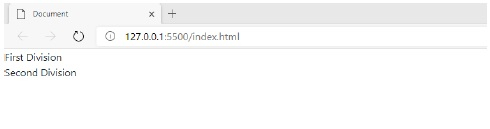
每當我們點選除號時,除號部分會遞增,否則除號外部分會遞增。
案例 1
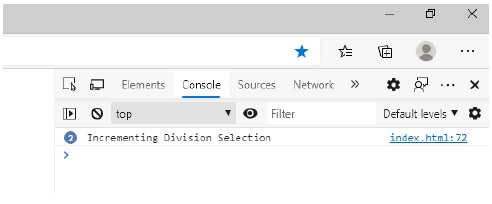
當用戶點選 div 部分時。在這裡,我點選了 div 部分兩次。快照如下 −
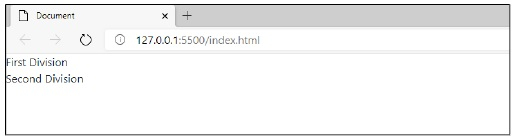
控制檯中的輸出 −
案例 2
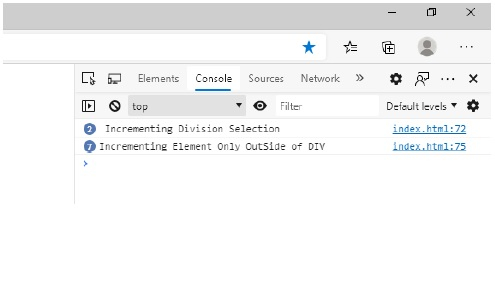
現在,我點選 div 部分外部七次。快照如下 −
這會在控制檯輸出以下內容 −

更新日期: 09-11-2020
916 次瀏覽

廣告