
 資料結構
資料結構 網路
網路 關係資料庫管理系統 (RDBMS)
 作業系統
作業系統 Java
Java MS Excel
 iOS
iOS HTML
HTML CSS
CSS Android
 Python
 C語言程式設計
 C++
C++ C#
C# MongoDB
 MySQL
MySQL Javascript
 PHP
PHP 物理學
物理學 化學
化學 生物學
生物學 數學
數學 英語
英語 經濟學
經濟學 心理學
心理學 社會學
社會學 服裝學
服裝學 法學
法學使用Tasksel在Linux中安裝LAMP
LAMP棧是一組使用Linux作為作業系統的開源軟體。LAMP是Linux,Apache,MySQL和PHP的首字母縮寫。它用於設定Web開發環境。在這裡,我們將學習如何使用**tasksel**在Ubuntu上安裝LAMP棧。在閱讀本文之前,我們假設您已經瞭解Linux的工作方式及其終端。安裝LAMP需要主機上的root許可權。
安裝過程
要安裝**Tasksel**,請使用以下命令:
$ sudo apt-get install tasksel
示例輸出應如下所示:
Reading package lists... Done
Building dependency tree
Reading state information... Done
The following additional packages will be installed:
   tasksel-data
The following NEW packages will be installed:
   tasksel tasksel-data
0 upgraded, 2 newly installed, 0 to remove and 245 not upgraded.
Need to get 40.6 kB of archives.
After this operation, 369 kB of additional disk space will be used.
Do you want to continue? [Y/n] y
Get:1 http://in.archive.ubuntu.com/ubuntu xenial/main amd64 tasksel-data all 3.34ubuntu3 [8,082 B]
Get:2 http://in.archive.ubuntu.com/ubuntu xenial/main amd64 tasksel all 3.34ubuntu3 [32.5 kB]
Fetched 40.6 kB in 0s (72.3 kB/s)
...............................................................................
要獲取有關**tasksel**的更多資訊,請使用以下命令:電影《指環王》(2017)
$ tasksel --help
示例輸出應如下所示:
Usage:
tasksel install ...
tasksel remove ...
tasksel [options]
      -t, --test test mode; don't really do anything
         --new-install automatically install some tasks
         --list-tasks list tasks that would be displayed and exit
         --task-packages list available packages in a task
         --task-desc returns the description of a task
要安裝LAMP,請使用以下命令:
$ sudo tasksel --new-install
示例輸出應如下所示:
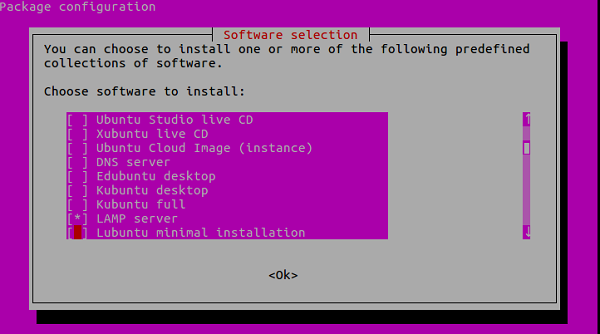
選擇LAMP伺服器並單擊“確定”按鈕。
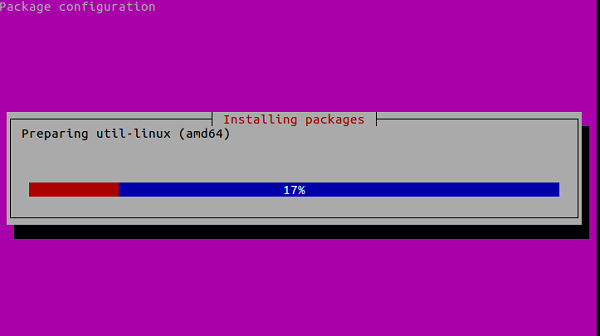
安裝LAMP時,系統會要求輸入SQL密碼。輸入所需的密碼並單擊“確定”按鈕。安裝完成後,它將關閉任務並返回到Linux終端。
要驗證LAMP的安裝,請開啟您喜歡的瀏覽器並輸入以下URL。
https:///
示例輸出應如下所示:
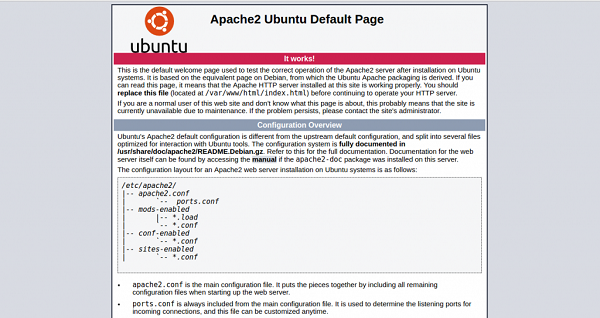
在本文中,我們學習瞭如何使用tasksel安裝LAMP,我們還將提供更多基於Linux的技巧和提示。繼續關注!

更新於:2020年1月23日
732 次瀏覽

廣告