
 資料結構
資料結構 網路
網路 關係型資料庫管理系統 (RDBMS)
 作業系統
作業系統 Java
Java MS Excel
 iOS
iOS HTML
HTML CSS
CSS Android
 Python
 C語言程式設計
 C++
C++ C#
C# MongoDB
 MySQL
MySQL Javascript
 PHP
PHP 物理學
物理學 化學
化學 生物學
生物學 數學
數學 英語
英語 經濟學
經濟學 心理學
心理學 社會學
社會學 服裝設計
服裝設計 法學
法學如何在Ubuntu上安裝Guake下拉式終端
Guake 是一個適用於 GNOME 和其他桌面的下拉式終端。它旨在提供一個快速訪問終端,只需按下簡單的按鍵即可在螢幕上顯示/隱藏。它的視窗樣式基於 FPS 遊戲,目標之一是易於使用。Guake 主要用 Python 編寫,一小部分用 C 編寫。本文介紹如何在 Ubuntu 上安裝Guake 終端。
特性
- 輕量級終端
- 簡單、易用且優雅
- 終端與 GUI 的平滑整合
- 在您呼叫時出現,並在您完成操作後(預設使用預定義的熱鍵 F12)消失
- 支援 Compiz 透明度
- 支援多標籤
- 支援多種調色盤
- 只需點選檔名即可快速在您喜歡的文字編輯器中開啟(支援行號)
- 可自定義的熱鍵,用於標籤訪問、重組、背景透明度、字型大小等。
- 極高的可配置性
- 在 Guake 啟動時執行 bash 指令碼配置 Guake 啟動
- 支援多顯示器(在指定的顯示器上開啟,在滑鼠所在的顯示器上開啟)
- 儲存終端內容到檔案
- 在瀏覽器中開啟 URL
安裝 Guake
要安裝 Guake 終端,請使用以下命令:
# sudo apt-get install guake
示例輸出應如下所示:
Reading package lists... Done
Building dependency tree
Reading state information... Done
The following additional packages will be installed:
libglade2-0 libkeybinder0 libvte-common libvte9 python-cairo python-dbus
python-gconf python-gi python-glade2 python-gobject-2 python-gtk2
python-keybinder python-notify python-vte python-xdg
Suggested packages:
python-dbus-doc python-dbus-dbg python-gnome2-doc python-gi-cairo
python-gtk2-doc python-gobject-2-dbg
The following NEW packages will be installed:
guake libglade2-0 libkeybinder0 libvte-common libvte9 python-cairo
python-dbus python-gconf python-gi python-glade2 python-gobject-2
python-gtk2 python-keybinder python-notify python-vte python-xdg
0 upgraded, 16 newly installed, 0 to remove and 2 not upgraded.
Need to get 1,794 kB of archives.
After this operation, 9,716 kB of additional disk space will be used.
Do you want to continue? [Y/n] y
Get:1 http://in.archive.ubuntu.com/ubuntu xenial/main amd64 libglade2-0 amd64 1:2.6.4-2 [44.6 kB]
Get:2 http://in.archive.ubuntu.com/ubuntu xenial/main amd64 python-dbus amd64 1.2.0-3 [83.5 kB]
Get:3 http://in.archive.ubuntu.com/ubuntu xenial/main amd64 python-gobject-2 amd64 2.28.6-12ubuntu1 [181 kB]
Get:4 http://in.archive.ubuntu.com/ubuntu xenial/universe amd64 python-gconf amd64 2.28.1+dfsg-1.1 [22.3 kB]
......................................................................
要開啟 Guake,請使用以下命令:
$ guake
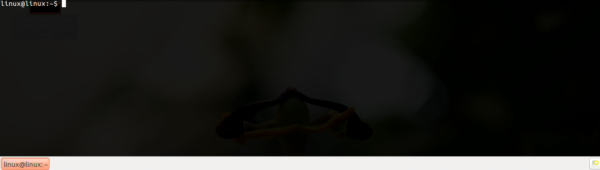
啟動後,使用 F12(預設)在您的 Gnome 桌面上下拉和捲起終端。Guake 的輸出如下所示:
透過應用程式選單執行或執行以下命令來執行 Guake 首選項。
$ guake --preferences
示例輸出應如下所示:

滾動屬性應如下所示:

外觀屬性 - 使用外觀屬性,您可以修改文字和背景顏色以及調整透明度,如下所示:

要獲取有關 Guake 的更多資訊,請使用以下命令:
$ guake -help
示例輸出應如下所示:
Options:
-h, --help                                 show this help message and exit
-f, --fullscreen                           Put Guake in fullscreen mode
-t, --toggle-visibility                    Toggles the visibility of the terminal window
--show                                     Shows Guake main window
--hide                                     Hides Guake main window
-p, --preferences                          Shows Guake preference window
-a, --about                                Shows Guake's about info
-n NEW_TAB, --new-tab=NEW_TAB              Add a new tab (with current directory set to NEW_TAB)
-s SELECT_TAB, --select-tab=SELECT_TAB     Select a tab (SELECT_TAB is the index of the tab)
-g, --selected-tab                         Return the selected tab index.
-e COMMAND, --execute-command=COMMAND      Execute an arbitrary command in the selected tab.
-i TAB_INDEX, --tab-index=TAB_INDEX        Specify the tab to rename. Default is 0.
--bgcolor=BGCOLOR                          Set the hexadecimal (#rrggbb) background color of the selected tab.
--fgcolor=FGCOLOR                          Set the hexadecimal (#rrggbb) foreground color of the
selected tab.
--rename-tab=TITLE                         Rename the specified tab. Reset to default if TITLE is a
single dash "-".
-r TITLE, --rename-current-tab=TITLE       Rename the current tab. Reset to default if TITLE is a single dash "-".
-q, --quit                                 Says to Guake go away =(
-u, --no-startup-script                    Do not execute the start up script
閱讀完本文後,您將能夠了解如何在 Ubuntu 上安裝 Guake(下拉式終端)。在我們的下一篇文章中,我們將提供更多基於 Linux 的技巧和提示。敬請關注!

更新於:2019年10月18日
瀏覽量:585

廣告