
 資料結構
資料結構 網路
網路 關係型資料庫管理系統
 作業系統
作業系統 Java
Java MS Excel
 iOS
iOS HTML
HTML CSS
CSS Android
 Python
 C 程式設計
 C++
C++ C#
C# MongoDB
 MySQL
MySQL Javascript
 PHP
PHP 物理學
物理學 化學
化學 生物學
生物學 數學
數學 英語
英語 經濟學
經濟學 心理學
心理學 社會學
社會學 時尚學
時尚學 法律學
法律學如何處理 ReactNative 中的錯誤“文字字串必須在元件中呈現”?
在開發你的應用時,可能會遇到上述錯誤。以下是會產生錯誤的程式碼 −
示例
import React from "react";
import { Image , Text, View, StyleSheet } from "react-native";
export default class App extends React.Component {
   render() {
      return (
         <View style={styles.container}>
            <Image
               style={styles.stretch}
               source={{
                  uri:
               'https://pbs.twimg.com/profile_images/486929358120964097/gNLINY67_400x400.png ',
               }}
            />
         </View>
      );
   }
}
const styles = StyleSheet.create({
   container: {
      paddingTop: 50,
      paddingLeft: 50,
   },
   stretch: {
      width: 200,
      height: 200,
      resizeMode: 'stretch',
   },
});
螢幕上顯示的錯誤如下 −
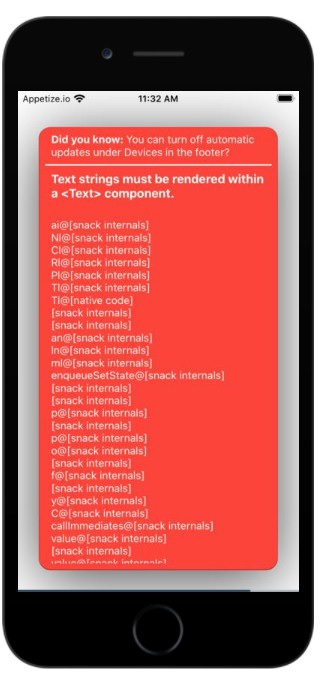
出現錯誤的原因如下。確保在應用中編碼時避免以下錯誤。
產生錯誤的第一個原因是由於縮排不當。每個元件都必須正確縮排。子元素在父元件內正確縮排。
第二個原因是每個元件末尾留有空格。從螢幕末尾移除空格並重新編譯。它會正常工作。從其他來源複製貼上程式碼時請小心。在大多數情況下,會遇到此錯誤。
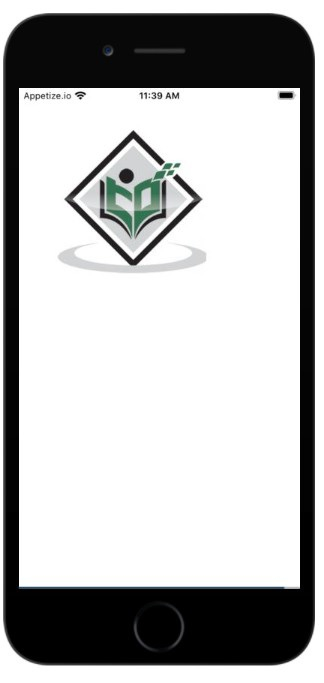
現在更正程式碼並再次檢視輸出。
示例
import React from "react";
import { Image , Text, View, StyleSheet } from "react-native";
export default class App extends React.Component {
   render() {
      return (
         <View style={styles.container}>
            <Image style={styles.stretch} source={{uri:
               'https://pbs.twimg.com/profile_images/486929358120964097/gNLINY67_400x400.png
         '}} />
         </View>
      );
   }
}
const styles = StyleSheet.create({
   container: {
      paddingTop: 50,
      paddingLeft: 50,
   },
   stretch: {
      width: 200,
      height: 200,
      resizeMode: 'stretch',
   }
});
輸出

更新於:2021 年 7 月 1 日
6000+ 次瀏覽

廣告