
 資料結構
資料結構 網路
網路 RDBMS
RDBMS 作業系統
作業系統 Java
Java MS Excel
 iOS
iOS HTML
HTML CSS
CSS Android
 Python
 C 程式設計
 C++
C++ C#
C# MongoDB
 MySQL
MySQL Javascript
 PHP
PHP 物理
物理 化學
化學 生物
生物 數學
數學 英語
英語 經濟
經濟 心理學
心理學 社會學
社會學 服飾學
服飾學 法學
法學如何在 Java 中處理 JComboBox 的操作事件?
以下是處理 JComboBox 操作事件的 Java 示例
示例
import java.awt.BorderLayout;
import java.awt.event.ActionEvent;
import java.awt.event.ActionListener;
import javax.swing.JButton;
import javax.swing.JComboBox;
import javax.swing.JFrame;
public class SwingDemo {
   public static void main(String[] args) throws Exception {
      JFrame frame = new JFrame();
      frame.setDefaultCloseOperation(JFrame.EXIT_ON_CLOSE);
      JComboBox<String> combo = new JComboBox<>(new String[] { "One","Two", "Three","Four","Five", "Six" });
      JButton add = new JButton("Add");
      add.addActionListener(new ActionListener() {
         @Override
         public void actionPerformed(ActionEvent e) {
            combo.addItem("New");
         }
      });
      frame.add(combo);
      frame.add(add, BorderLayout.NORTH);
      frame.setSize(500, 100);
      frame.setVisible(true);
   }
}
輸出
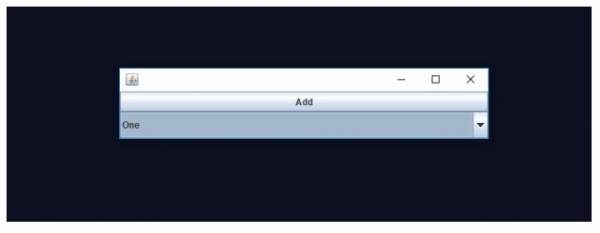
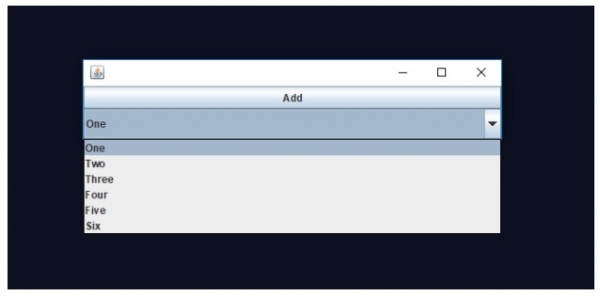
現在,我們有以下專案
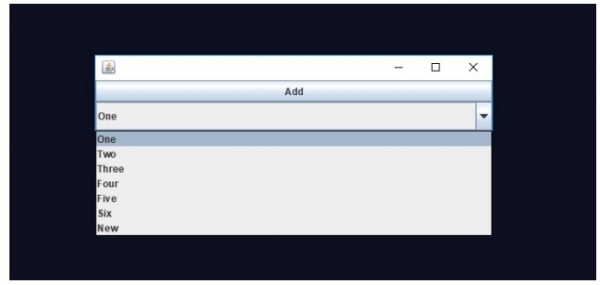
現在,點選上面的“新增”,以在執行時新增新的專案。點選後,新的專案將顯示在底部,如以下螢幕截圖所示

更新時間: 2019-07-30
699 次瀏覽

廣告