
 資料結構
資料結構 網路
網路 RDBMS
RDBMS 作業系統
作業系統 Java
Java MS Excel
 iOS
iOS HTML
HTML CSS
CSS 安卓
安卓 Python
 C 程式設計
 C++
C++ C#
C# MongoDB
 MySQL
MySQL Javascript
 PHP
PHP 物理學
物理學 化學
化學 生物學
生物學 數學
數學 英語
英語 經濟學
經濟學 心理學
心理學 社會研究
社會研究 時尚研究
時尚研究 法律研究
法律研究如何在 Mac OSX 上使用 Selenium WebDriver 來讓 Firefox 正常工作?
我們可以在 Mac OS 上讓 Firefox 與 Selenium WebDriver 協同工作。對於版本高於 47 的 Firefox,需要使用 geckodriver.exe 檔案。只有在建立 FirefoxDriver 類的物件後,我們才能啟動瀏覽器。
語法
WebDriver driver=new FirefoxDriver();
訪問連結 − https://selenium.programming.tw/downloads/,轉到瀏覽器部分。點選 Firefox 下方的文件連結。

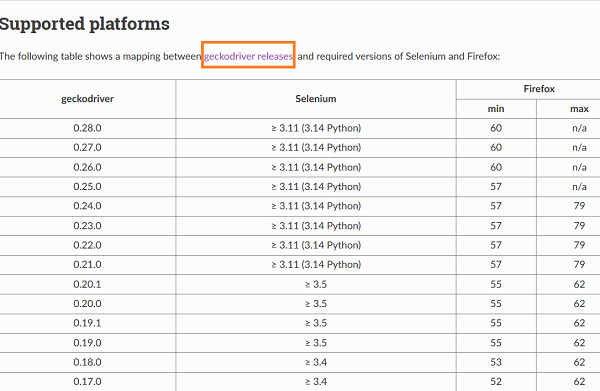
在“受支援的平臺”頁面中,單擊 geckodriver 版本 連結。
然後單擊對應於 Mac OS 的連結。
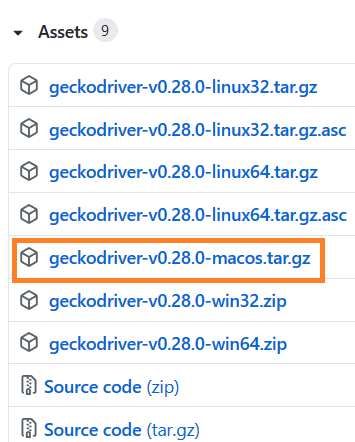
下載後,提取檔案並將 geckodriver.exe 檔案儲存到 /usr/local/bin 位置。與 Windows 中一樣,我們無需在 Mac 中配置檔案的任何路徑。
示例
import org.openqa.selenium.By;
import org.openqa.selenium.WebDriver;
import org.openqa.selenium.WebElement;
import org.openqa.selenium.firefox.FirefoxDriver;
import java.util.concurrent.TimeUnit;
public class FirefoxOnMac{
   public static void main(String[] args) {
      WebDriver driver = new FirefoxDriver();
      driver.manage().timeouts().implicitlyWait(4, TimeUnit.SECONDS);
      driver.get("https://tutorialspoint.tw/index.htm");
      driver.quit();
   }
}

更新於: 2021-02-01
4 千次點選

廣告