
 資料結構
資料結構 網路
網路 關係型資料庫管理系統
 作業系統
作業系統 Java
Java MS Excel
 iOS
iOS HTML
HTML CSS
CSS Android
 Python
 C 程式設計
 C++
C++ C#
C# MongoDB
 MySQL
MySQL Javascript
 PHP
PHP 物理
物理 化學
化學 生物
生物 數學
數學 英語
英語 經濟學
經濟學 心理學
心理學 社會學
社會學 時尚研究
時尚研究 法律研究
法律研究如何使用 JavaScript 找出輸入欄位中 CapsLock 是否開啟?
為了找出如何使用 JavaScript 讓輸入欄位中 CapsLock 開啟,程式碼如下 −
示例
<!DOCTYPE html>
<html>
<head>
<style>
   #textBox {
      display: none;
      color: red;
   }
</style>
<body>
<h1>Detecting Caps Lock Example</h1>
<input class="inputfield" value="Some textBox.." />
<h2>Press caps lock in the above input field to check warning</h2>
<h2 class="textBox">WARNING! Caps lock is ON.</h2>
<script>
   var input = document.querySelector(".inputfield");
   var textBox = document.querySelector(".textBox");
   input.addEventListener("keyup", event => {
      if (event.getModifierState("CapsLock")) {
         textBox.style.display = "block";
      } else {
         textBox.style.display = "none";
      }
   });
</script>
</body>
</html>
輸出
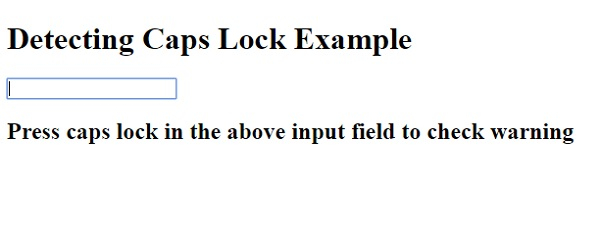
以上程式碼將產生以下輸出 −
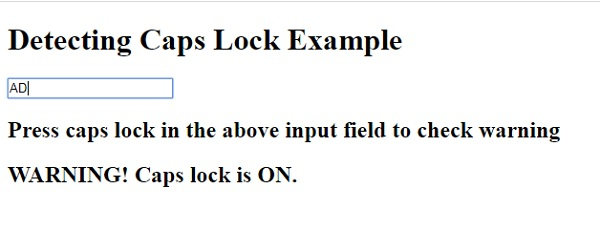
在 CapsLock 開啟的情況下在輸入欄位中鍵入內容 −

更新日期: 06-May-2020
151 瀏覽量

廣告