
 資料結構
資料結構 網路
網路 RDBMS
RDBMS 作業系統
作業系統 Java
Java MS Excel
 iOS
iOS HTML
HTML CSS
CSS Android
 Python
 C 程式設計
 C++
C++ C#
C# MongoDB
 MySQL
MySQL Javascript
 PHP
PHP 物理
物理 化學
化學 生物
生物 數學
數學 英語
英語 經濟學
經濟學 心理學
心理學 社會學
社會學 時尚研究
時尚研究 法律研究
法律研究如何在 HTML5 中繪製動態動畫?
HTML 擁有可以用來繪製動態動畫的 div 和 button 元素。使用 Web 技術生成互動式和視覺圖形的能力在 HTML5 中被稱為動態動畫。HTML5 包含許多複雜的工具,使開發人員能夠透過結合 HTML、CSS 和 JavaScript 來構建動態且響應式的動畫。動畫從簡單的狀態轉換擴充套件到複雜的互動式模型和遊戲。在 HTML5 中實現動畫的主要優勢之一是它與平臺無關,可以在各種平臺上執行,包括桌面和移動裝置。因此,HTML5 為 Web 開發人員提供了一個強大的工具,可以為使用者建立引人入勝且動態的 Web 體驗。
視覺表示
語法
<button></button>
button 是 HTML 元素,用於定義可點選區域。
<div></div>
div 名稱指定 HTML 中的 div 元素。它在 HTML 文件中建立 div 或特定部分。
使用的屬性
圓形中使用的屬性如下:
width - 定義 div 元素的寬度。
height - 定義高度元素的寬度。
background-color - 設定 div 元素的背景顏色。
animation - 此屬性定義用於動態動畫的特定元素的移動方向。
border-radius - 定義 div 元素角的圓角。
box-shadow - 為按鈕元素定義陰影,看起來像使用者互動。
示例 1
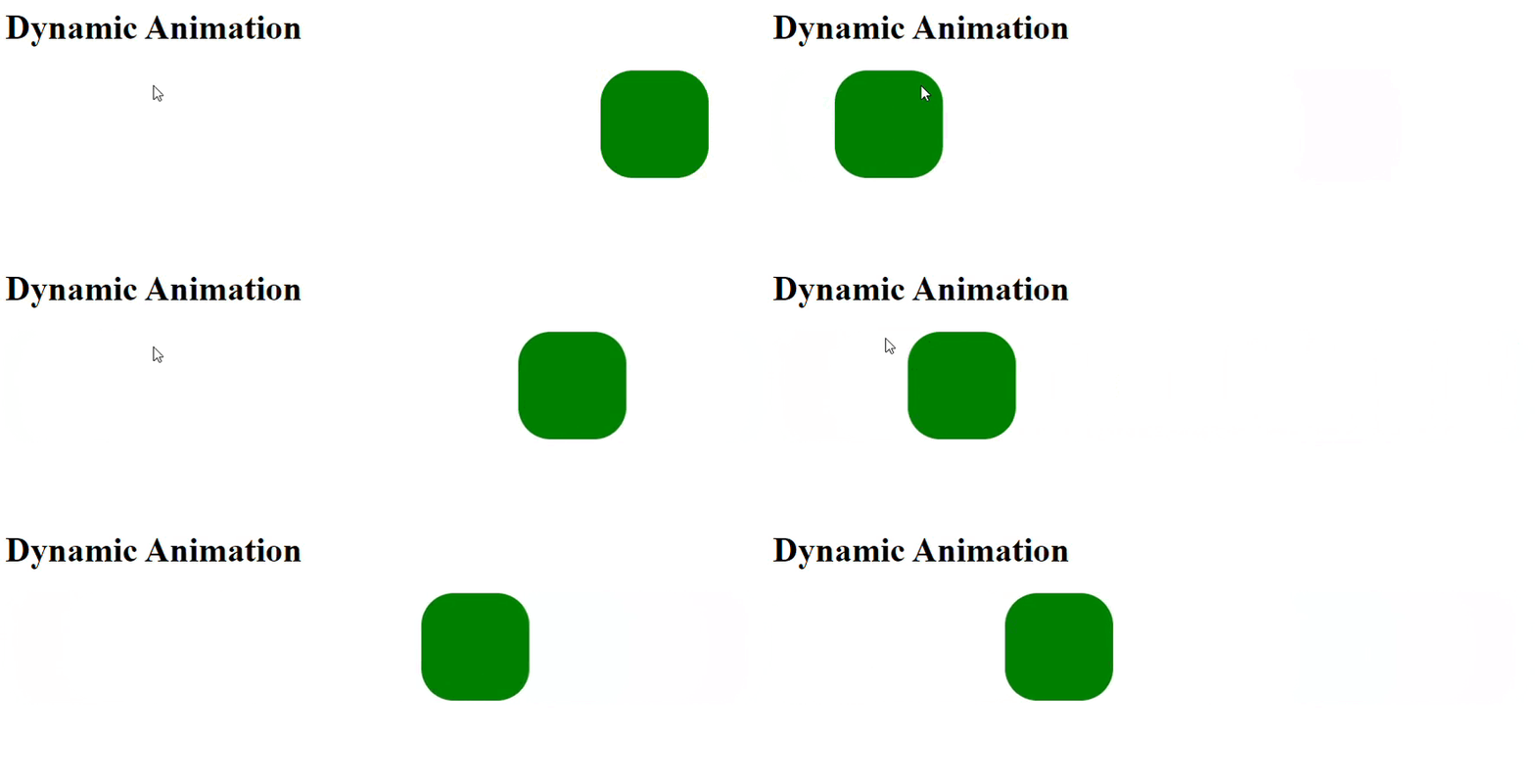
在下面的示例中,我們將建立 div 元素來設定框,並使用內聯 CSS 透過 border-radius 屬性使框呈現良好的形狀。為了建立動態動畫,它使用名為 animation 的屬性來設定框在水平模式下的無限運動。接下來,它使用內部 CSS 中的 @keyframe move 來控制動畫的運動。
<!DOCTYPE html>
<html>
<head>
   <title>Dynamic Animation in HTML and CSS</title>
   <style>
      @keyframes move {
         0% {
            transform: translateX(0);
         }
         50% {
            transform: translateX(600px);
         }
         100% {
            transform: translateX(0);
         }
      }
   </style>
</head>
<body>
   <h1>Dynamic Animation</h1>
   <div style="width: 100px; height: 100px; background-color: red;
      animation: move 2s ease-in-out infinite; border-radius:30px;">
   </div>
</body>
</html>
示例 2
在下面的示例中,我們將建立 button 元素以在游標移到其上時顯示動態動畫。將使用 h1 元素來表示程式資訊。為了建立動態動畫,它將使用元素選擇器,即 button,並且為了使其更具動態性,它將使用懸停及其內部 CSS。
<!DOCTYPE html>
<html>
<title>Online HTML Editor</title>
<head>
   <style>
      button{
         box-shadow: 0 0 5px cyan,0 0 25px;
      }
      button:hover{
         box-shadow: 0 0 5px cyan, 0 0 25px cyan, 0 0 50px cyan, 0 0 100px cyan, 0 0 200px cyan;
      }
   </style>
</head>
<body>
   <center>
      <h1>Dynamic animation on button</h1>
      <button>Click Here</button>
   </center>
</body>
</html>
結論
我們討論了 box-shadow 和 animation 屬性在 HTML5 中繪製動態動畫中的應用。HTML5 是一套強大的工具,用於在網頁上呈現互動式動畫。以上輸出顯示了 div 和 button 元素的動態動畫。

279 次瀏覽
