
 資料結構
資料結構 網路
網路 RDBMS
RDBMS 作業系統
作業系統 Java
Java MS Excel
 iOS
iOS HTML
HTML CSS
CSS Android
 Python
 C 程式設計
 C++
C++ C#
C# MongoDB
 MySQL
MySQL Javascript
 PHP
PHP 物理
物理 化學
化學 生物
生物 數學
數學 英語
英語 經濟學
經濟學 心理學
心理學 社會研究
社會研究 時尚研究
時尚研究 法律研究
法律研究如何用 Tkinter 中的 Label 建立超連結?
Tkinter 標籤小部件通常用於顯示文字或圖片。在此示例中,我們將瞭解如何在應用程式中的標籤小部件上新增超連結。
為新增超連結,我們可以將標籤文字與一個按鈕繫結,以便單擊它。**open_new(url)** 方法用於定義用於開啟網頁瀏覽器以遵循連結的功能。**open_new(url)** 方法在 Python 中的 **webbrowser** 模組中定義,可以用 **'import webbrowser'** 在筆記本中匯入它。
示例
#Import the required libraries
from tkinter import *
import webbrowser

#Create an instance of tkinter frame
win = Tk()
win.geometry("750x250")

#Define a callback function
def callback(url):
   webbrowser.open_new_tab(url)

#Create a Label to display the link
link = Label(win, text="www.tutorialspoint.com",font=('Helveticabold', 15), fg="blue", cursor="hand2")
link.pack()
link.bind("<Button-1>", lambda e:
callback("https://tutorialspoint.tw"))

win.mainloop()
輸出
執行以上程式碼將顯示含有 URL 的標籤文字。
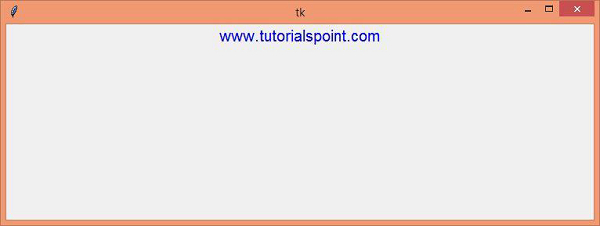
顯示的視窗將顯示一個超連結,單擊後將使用者重定向到網站:www.tutorialspoint.com

更新: 13-Jul-2021
8 千個+ 瀏覽

廣告