
 資料結構
資料結構 網路
網路 關係型資料庫管理系統
 作業系統
作業系統 Java
Java MS Excel
 iOS
iOS HTML
HTML CSS
CSS Android
 Python
 C 語言程式設計
 C++
C++ C#
C# MongoDB
 MySQL
MySQL Javascript
 PHP
PHP 物理學
物理學 化學
化學 生物學
生物學 數學
數學 英語
英語 經濟學
經濟學 心理學
心理學 社會學
社會學 時尚研究
時尚研究 法律研究
法律研究如何使用 HTML、CSS 和 JavaScript 建立顏色拾取器?
我們可以在 Javascript 中輕鬆地在調色盤上建立一個簡單的顏色拾取器。顏色拾取器上的主要顏色是 **RGB**,即 **紅、綠和藍**。透過混合這些顏色,我們可以形成任何我們想要的顏色。
在本文中,我們將學習如何從使用者那裡獲取 RGB 值,並使用 CSS 中的 RGB 顏色屬性來形成不同的顏色。RGB 的顏色強度範圍從 0 到 255,其中 0 是最低強度,255 是最高強度。
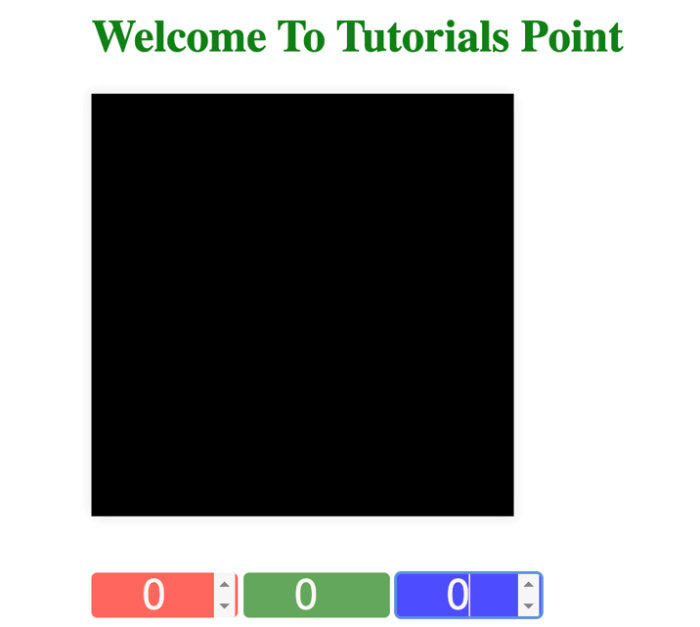
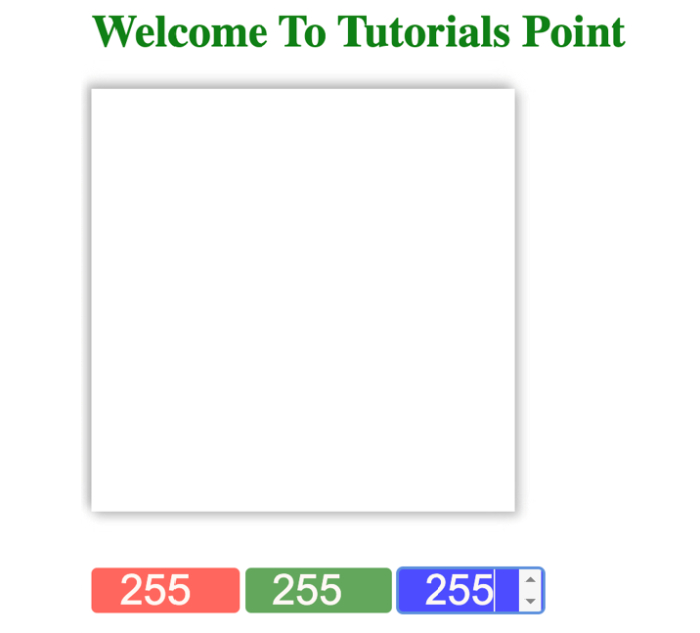
當所有 3 種顏色的強度都為 255 時,它形成白色。當所有 3 種顏色的強度都為 0 時,形成黑色。
示例 1
在下面的示例中,我們使用基本的 **HTML、CSS 和 JavaScript** 建立了一個顏色拾取器。
# index.html
<!DOCTYPE html>
<html lang="en">
<head>
   <meta charset="UTF-8">
   <meta http-equiv="X-UA-Compatible" content="IE=edge">
   <meta name="viewport" content="width=device-width, initial-scale=1.0">
   <link rel="stylesheet" href="styles.css">
   <link href="https://fonts.googleapis.com/css2?family=Itim&display=swap"rel="stylesheet">
</head>
<body>
   <h1 style="color: green;">
      Welcome To Tutorials Point
   </h1>
   <div class="neumorphism-3"></div>
   <div class="input">
      <input type="number" id="red">
      <input type="number" id="green">
      <input type="number" id="blue">
   </div>
   <script src="script.js"></script>
</body>
</html>
# styles.css
.neumorphism-3 {
   width: 320px;
   height: 300px;
   box-shadow: -3px -3px 7px #e9e9e9a9,
      3px 3px 7px #e9e9e9a9;
}
.neumorphism-3:hover {
   top: 30px;
   box-shadow: -3px -3px 7px #999999a9,
      -3px -3px 12px #e9e9e9a9,
      3px 3px 7px #999999a9,
      -3px -3px 12px #e9e9e9a9;
   animation: uplift 0.1s 1 linear;
}
.neumorphism-3:not( :hover) {
   animation: downlift 0.1s 1 linear;
   top: 40px;
}
div.input {
   top: 450px;
   left: 550px;
}
div.input input {
   height: 30px;
   width: 100px;
   font-size: 30px;
   color: seashell;
   text-align: center;
   opacity: 0.7;
   border: none;
   border-radius: 4px;
}
#red {
   margin-top: 40px;
   background-color: red;
}
#green {
   background-color: green;
}
#blue {
   background-color: blue;
}
# script.js
let red = document.getElementById('red');
let green = document.getElementById('green');
let blue = document.getElementById('blue');
let box = document.querySelector('div.neumorphism-3');
let r = 0, g = 0, b = 0;
red.addEventListener("keyup", function (event) {
   r = red.value;
   if (!r)
      r = 0;
   box.style.backgroundColor = `rgb(${r}, ${g}, ${b})`;
});
green.addEventListener("keyup", function (event) {
   g = green.value;
   if (!g)
      g = 0;
   box.style.backgroundColor = `rgb(${r}, ${g}, ${b})`;
});
blue.addEventListener("keyup", function (event) {
   b = blue.value;
   if (!b)
      b = 0;
   box.style.backgroundColor = `rgb(${r}, ${g}, ${b})`;
});
輸出
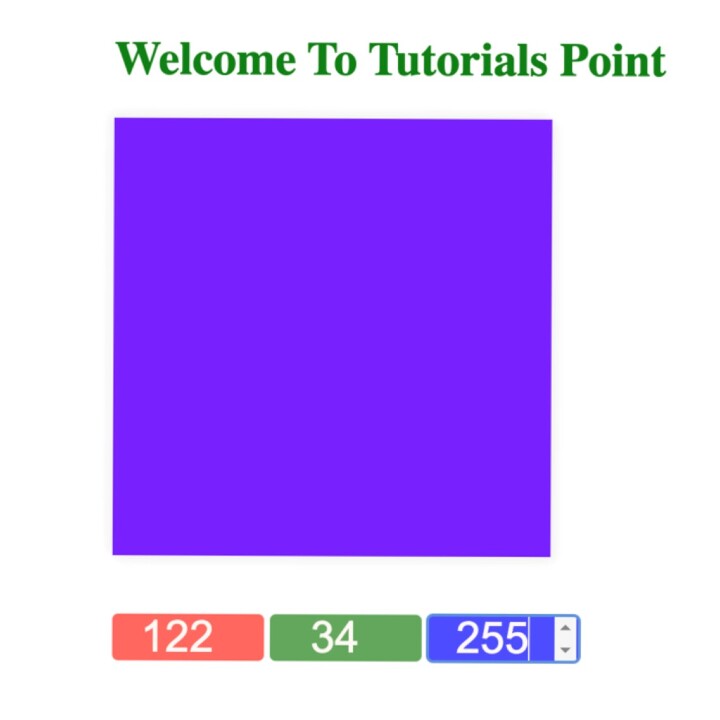
在成功執行上述程式碼後,它將生成一個顏色拾取器。它顯示了一個矩形顏色面板和三個輸入框,分別用於紅色、綠色和藍色。您輸入 RGB 的特定值,相應的顏色將顯示在顏色面板中。
當 RGB 為 0,0,0 時
當 RGB 為 255,255,255 時

更新於: 2024-02-29
2K+ 次瀏覽

廣告