
 資料結構
資料結構 網路
網路 RDBMS
RDBMS 作業系統
作業系統 Java
Java MS Excel
 iOS
iOS HTML
HTML CSS
CSS Android
 Python
 C 語言程式設計
 C++
C++ C#
C# MongoDB
 MySQL
MySQL Javascript
 PHP
PHP 物理
物理 化學
化學 生物
生物 數學
數學 英語
英語 經濟
經濟 心理學
心理學 社會學
社會學 時尚研究
時尚研究 法律研究
法律研究如何用 JavaScript 檢測複選框是否被選中?
要使用 JavaScript 檢查複選框是否被選中,程式碼如下 −
示例
<!DOCTYPE html>
<html>
<head>
<h1>Displaying textBox when a checkbox is checked</h1>
Checkbox: <input type="checkbox" class="check" onclick="checkFunction()" />
<h2 class="textBox" style="display:none">Checkbox is checked!!!</h2>
<script>
   document.querySelector(".check").addEventListener("click", checkFunction);
   function checkFunction() {
      var checkBox = document.querySelector(".check");
      var textBox = document.querySelector(".textBox");
      if (checkBox.checked == true) {
         textBox.style.display = "block";
      } else {
         textBox.style.display = "none";
      }
   }
</script>
</body>
</html>
輸出
這將產生以下輸出 −
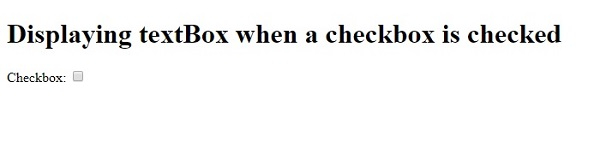
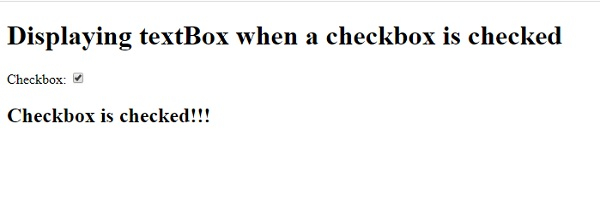
點選複選框後 −

更新日期:06-5-2020
810 次瀏覽

廣告