
 資料結構
資料結構 網路
網路 RDBMS
RDBMS 作業系統
作業系統 Java
Java MS Excel
 iOS
iOS HTML
HTML CSS
CSS Android
 Python
 C 程式設計
 C++
C++ C#
C# MongoDB
 MySQL
MySQL Javascript
 PHP
PHP 物理
物理 化學
化學 生物
生物 數學
數學 英語
英語 經濟學
經濟學 心理學
心理學 社會學
社會學 時尚研究
時尚研究 法學
法學如何使用 PHP 中的 imageantialias() 函式檢查是否使用了抗鋸齒功能?
imageantialias() 是 PHP 中的一個內建函式,用於檢查是否使用了抗鋸齒功能。它激活了快速繪製的具有抗鋸齒的線和線框多邊形的方法。它僅適用於真彩色影像,並且不支援阿爾法元件。
語法
bool imageantialias($image, $enabled)
引數
imageantialias() 採用兩個引數:<$span>image 和 $enabled。
$image − $image 引數是 GdImage 物件和影像建立函式 imagecreatetruecolor 返回的影像資源。
$enabled − $enabled 引數用於檢查抗鋸齒是啟用還是停用
返回值
如果成功,imageantialias() 返回 True,如果失敗,返回 False。
示例 1
<?php
   // Setup an anti-aliased image and a normal image
   $img = imagecreatetruecolor(700, 300);
   $normal = imagecreatetruecolor(700, 300);

   // Switch antialiasing on for one image
   imageantialias($img, true);

   // Allocate colors
   $blue = imagecolorallocate($normal, 0, 0, 255);
   $blue_aa = imagecolorallocate($img, 0, 0, 255);

   // Draw two lines, one with AA enabled
   imageline($normal, 0, 0, 400, 200, $blue);
   imageline($img, 0, 0, 400, 200, $blue_aa);

   // Merge the two images side by side for output (AA: left, Normal: Right)
   imagecopymerge($img, $normal, 400, 0, 0, 0, 400, 200, 200);

   // Output image
   header('Content-type: image/png');
   imagepng($img);
   imagedestroy($img);
   imagedestroy($normal);
?>
輸出
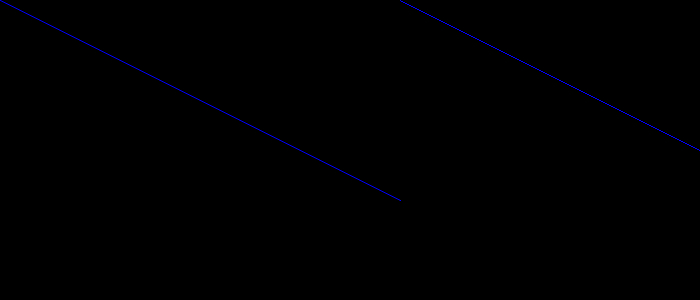

更新於: 09-Aug-2021
115 次觀看

廣告