
 資料結構
資料結構 網路
網路 關係資料庫管理系統 (RDBMS)
 作業系統
作業系統 Java
Java MS Excel
 iOS
iOS HTML
HTML CSS
CSS Android
 Python
 C語言程式設計
 C++
C++ C#
C# MongoDB
 MySQL
MySQL Javascript
 PHP
PHP 物理學
物理學 化學
化學 生物學
生物學 數學
數學 英語
英語 經濟學
經濟學 心理學
心理學 社會學
社會學 服裝設計
服裝設計 法律研究
法律研究如何在Swift中更改UIButton的字型?
在Swift中,更改按鈕字型非常簡單。您可以使用按鈕的titleLabel屬性,該屬性屬於UILabel類。此屬性提供另一個名為font的屬性來應用所需的字型。讓我們看看一些更改字型的示例。
我們將遵循以下步驟來更改按鈕的字型 −
步驟1 − 最初,我們將進行基本的按鈕建立和自定義設定。
步驟2 − 在此步驟中,我們將更改系統字型的大小和粗細。
步驟3 − 在此步驟中,我們將自定義字型應用於按鈕。
基本設定
在下面的示例中,我們首先建立一個按鈕。之後,我們自定義按鈕以使其看起來更好。在最後一步中,我們將向按鈕新增一些必要的約束。
import UIKit
class TestController: UIViewController {
   private let loginButton = UIButton()
   override func viewDidLoad() {
      super.viewDidLoad()
      initialSetup()
   }
   private func initialSetup() {
      // basic setup
      view.backgroundColor = .white
      navigationItem.title = "UIButton"

      // button customization
      loginButton.backgroundColor = UIColor.gray
      loginButton.setTitle("Login", for: .normal)
      loginButton.setTitleColor(.white, for: .normal)
      loginButton.layer.cornerRadius = 8
      loginButton.clipsToBounds = true


      // adding the constraints to button
      view.addSubview(loginButton)
      loginButton.translatesAutoresizingMaskIntoConstraints = false
      loginButton.centerYAnchor.constraint(equalTo: view.centerYAnchor).isActive = true
      loginButton.centerXAnchor.constraint(equalTo: view.centerXAnchor).isActive = true
      loginButton.heightAnchor.constraint(equalToConstant: 50).isActive = true
      loginButton.widthAnchor.constraint(equalToConstant: 280).isActive = true
   }
}
輸出
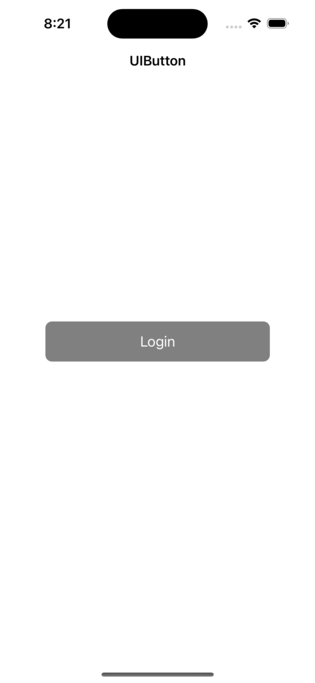
在上面的輸出中,您可以看到未更改字型大小或樣式的按鈕的預設外觀。
在真實的iOS應用程式中,您可能需要更改字型大小和樣式。讓我們看看如何在下一步中實現它。
更改按鈕的系統字型
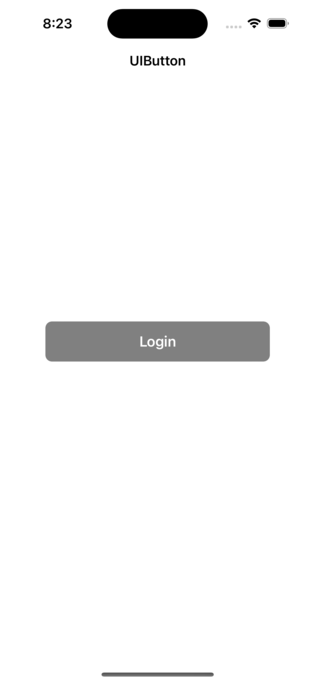
我們將透過向其新增以下程式碼來更改上述示例中的字型大小和字型粗細。
loginButton.titleLabel?.font = UIFont.systemFont(ofSize: 18, weight: .semibold)
輸出
將自定義字型應用於按鈕
loginButton.titleLabel?.font = UIFont.init(name: "AmericanTypewriter", size: 18)
輸出
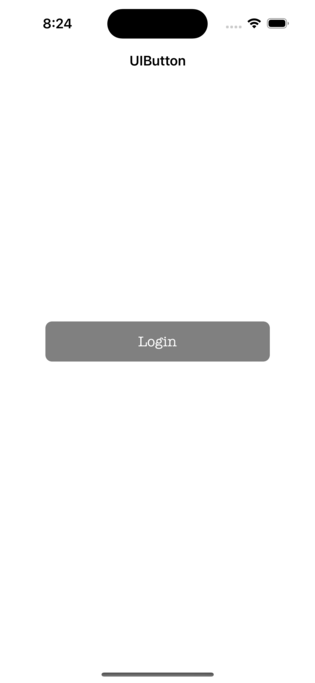
您應該注意,在程式碼中使用該字型之前,需要在專案中擁有字型檔案。此外,新增字型檔案後,還需要新增“Info.plist”檔案。
結論
總而言之,我們可以將具有不同粗細的系統字型應用於按鈕。此外,如果您想應用自定義字型,您可以傳遞字型的名稱和大小。通常,我們使用按鈕的titleLabel屬性來更改字型。

更新於:2023年2月28日
9000+ 次瀏覽

廣告