
 資料結構
資料結構 網路
網路 RDBMS
RDBMS 作業系統
作業系統 Java
Java MS Excel
 iOS
iOS HTML
HTML CSS
CSS 安卓
安卓 Python
 C 程式設計
 C++
C++ C#
C# MongoDB
 MySQL
MySQL Javascript
 PHP
PHP 物理
物理 化學
化學 生物
生物 數學
數學 英語
英語 經濟學
經濟學 心理學
心理學 社會研究
社會研究 時尚研究
時尚研究 法律研究
法律研究如何使用 Selenium WebDriver 以 Java 語言對 Gmail 登入流程實現自動化?
我們可以在 Java 中使用 Selenium Webdriver 對 Gmail 登入流程進行自動化。要執行此任務,首先我們必須啟動 Gmail 登入頁面,然後使用 findElement 方法找到電子郵件、密碼和其他元素,再對它們執行操作。
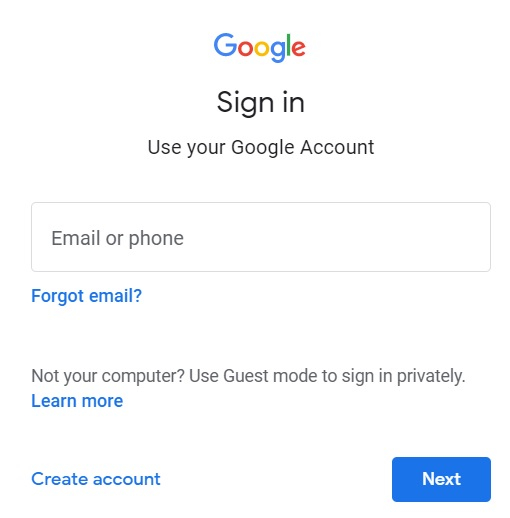
讓我們來看看 Gmail 登入頁面 −
程式碼實現
import org.openqa.selenium.WebDriver;
import org.openqa.selenium.WebElement;
import org.openqa.selenium.firefox.FirefoxDriver;
import java.util.concurrent.TimeUnit;
import org.openqa.selenium.By;
public class GmailLogin{
   public static void main(String[] args) {
      System.setProperty("webdriver.gecko.driver",
      "C:\Users\ghs6kor\Desktop\Java\geckodriver.exe");
      WebDriver driver = new FirefoxDriver();
      //implicit wait
      driver.manage().timeouts().implicitlyWait(5, TimeUnit.SECONDS);
      //URL launch
      driver.get("https://#/signin");
      //identify email
      WebElement l = driver
      .findElement(By.name("identifier"));
      l.sendKeys("abc@gmail.com");
      WebElement b = driver
      .findElement(By.className("VfPpkd-LgbsSe"));
      b.click();
      //identify password
      WebElement p = driver
      .findElement(By.name("password"));
      p.sendKeys("123456");
      b.click();
      //close browser
      driver.close();
   }
}

更新於: 25-Jun-2021
14K+ 瀏覽

廣告