
 資料結構
資料結構 網路
網路 關係資料庫管理系統
 作業系統
作業系統 Java
Java MS Excel
 iOS
iOS HTML
HTML CSS
CSS Android
 Python
 C 程式設計
 C++
C++ C#
C# MongoDB
 MySQL
MySQL Javascript
 PHP
PHP 物理學
物理學 化學
化學 生物學
生物學 數學
數學 英語
英語 經濟學
經濟學 心理學
心理學 社會學
社會學 時尚研究
時尚研究 法律研究
法律研究如何在 MATLAB 中新增 EditField 元件?
MATLAB 允許我們建立圖形使用者介面 (GUI) 應用程式,而無需具備編碼的專業知識。它具有一個內建的元件庫,其中包含各種 GUI 元件,例如按鈕、編輯欄位、數值編輯欄位、超連結等等。在本教程中,我將解釋**如何在 MATLAB 中建立 EditField 元件**。
什麼是 MATLAB 中的 EditField 元件?
在 MATLAB 中,**EditField 元件**是一個圖形使用者介面 (GUI) 元件,用於允許使用者輸入和編輯文字或數字。EditField 元件是用於在 MATLAB 中構建 GUI 應用程式的基本 GUI 元件之一。
在 MATLAB 中建立 EditField 元件的方法
我們可以使用以下兩種方法中的任何一種
MATLAB App Designer
'uieditfield()' 函式
現在讓我們討論所有這些在 MATLAB 中建立 Edit Field 元件的方法以及示例。
使用 MATLAB App Designer 建立 EditField 元件
MATLAB App Designer 是 MATLAB 中一個內建的環境,它提供了一個 GUI 介面,可以透過拖放元件來建立 GUI 應用程式。
以下是使用 MATLAB 中的 App Designer 建立 EditField 的分步過程
**步驟 (1)** – 開啟 MATLAB 並啟動 App Designer。
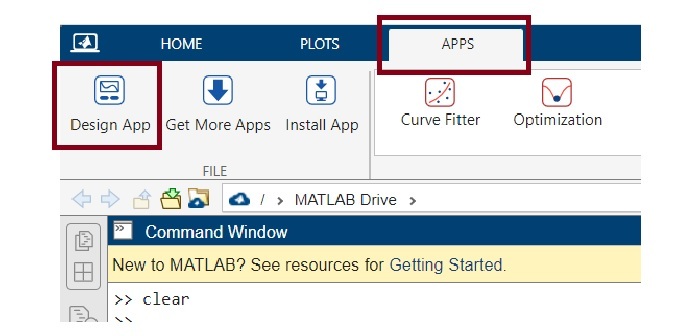
**步驟 (2)** – 建立一個空白應用程式。
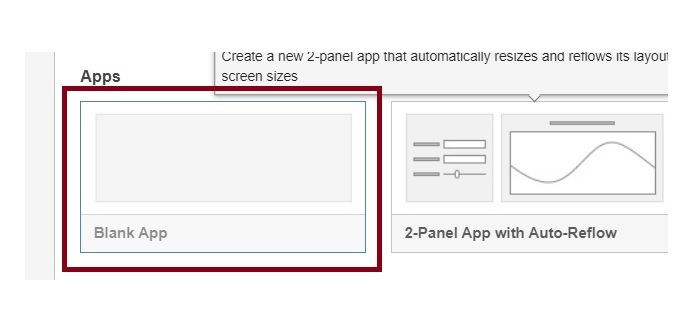
**步驟 (3)** – 建立空白應用程式後,您的電腦螢幕將如下所示。
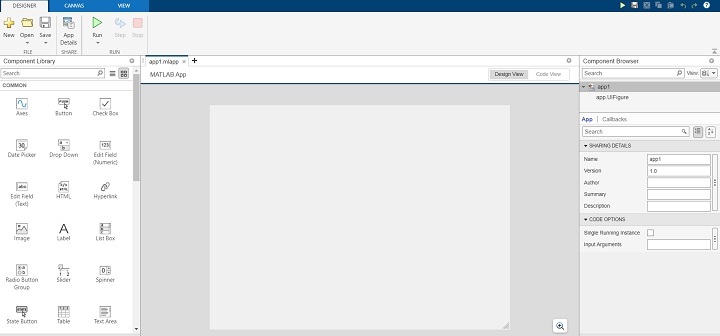
**步驟 (4)** – 現在,您可以從元件庫中拖放 EditField 元件。您可以根據需要選擇數值編輯欄位或文字編輯欄位。
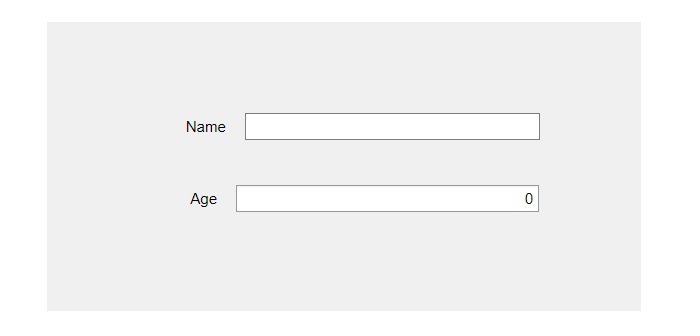
**步驟 (5)** – 在此步驟中,調整元件大小並將其放置在畫布上的所需位置。
**步驟 (6)** - 透過更改右側窗格中給出的屬性來自定義 EditField 元件。
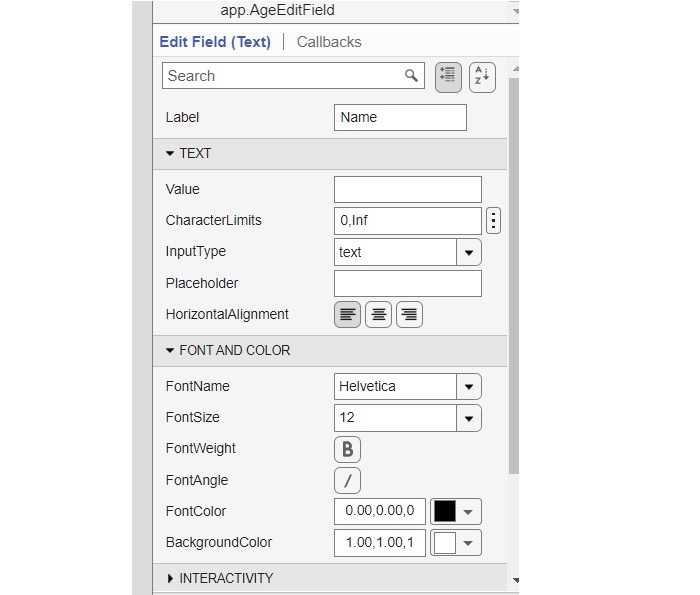
MATLAB 程式碼
我們在上述步驟中建立的上述 EditField 元件的 MATLAB 程式碼如下所示
classdef app1 < matlab.apps.AppBase

    % Properties that correspond to app components
    properties (Access = public)
        UIFigure            matlab.ui.Figure
        NameEditField       matlab.ui.control.EditField
        NameEditFieldLabel  matlab.ui.control.Label
        AgeEditField        matlab.ui.control.NumericEditField
        AgeEditFieldLabel   matlab.ui.control.Label
    end

    % Component initialization
    methods (Access = private)

        % Create UIFigure and components
        function createComponents(app)

            % Create UIFigure and hide until all components are created
            app.UIFigure = uifigure('Visible', 'off');
            app.UIFigure.Position = [100 100 640 480];
            app.UIFigure.Name = 'MATLAB App';

            % Create AgeEditFieldLabel
            app.AgeEditFieldLabel = uilabel(app.UIFigure);
            app.AgeEditFieldLabel.HorizontalAlignment = 'right';
            app.AgeEditFieldLabel.Position = [155 230 26 22];
            app.AgeEditFieldLabel.Text = 'Age';

            % Create AgeEditField
            app.AgeEditField = uieditfield(app.UIFigure, 'numeric');
            app.AgeEditField.Position = [196 230 243 22];

            % Create NameEditFieldLabel
            app.NameEditFieldLabel = uilabel(app.UIFigure);
            app.NameEditFieldLabel.HorizontalAlignment = 'right';
            app.NameEditFieldLabel.Position = [151 288 37 22];
            app.NameEditFieldLabel.Text = 'Name';

            % Create NameEditField
            app.NameEditField = uieditfield(app.UIFigure, 'text');
            app.NameEditField.Position = [203 288 236 22];

            % Show the figure after all components are created
            app.UIFigure.Visible = 'on';
        end
    end

    % App creation and deletion
    methods (Access = public)

        % Construct app
        function app = app1

            % Create UIFigure and components
            createComponents(app)

            % Register the app with App Designer
            registerApp(app, app.UIFigure)

            if nargout == 0
                clear app
            end
        end

        % Code that executes before app deletion
        function delete(app)

            % Delete UIFigure when app is deleted
            delete(app.UIFigure)
        end
    end
end
這就是我們如何使用 App Designer 工具輕鬆地在 MATLAB 應用程式中新增 EditField 元件(文字或數值)。
現在,讓我們討論另一種使用 'uieditfield' 函式建立 EditField 的方法。
使用 'uieditfield' 函式建立 EditField 元件
在 MATLAB 中,有一個內建函式 'uieditfield' 允許我們建立 EditField 元件。此函式根據用例具有不同的語法。'uieditfield' 函式的常用語法如下所示
e = uieditfield
e = uieditfield(style)
e = uieditfield(parent)
e = uieditfield(parent,style)
e = uieditfield(___,Name,Value)
讓我們詳細討論每個語法。
建立具有預設屬性的 EditField 元件
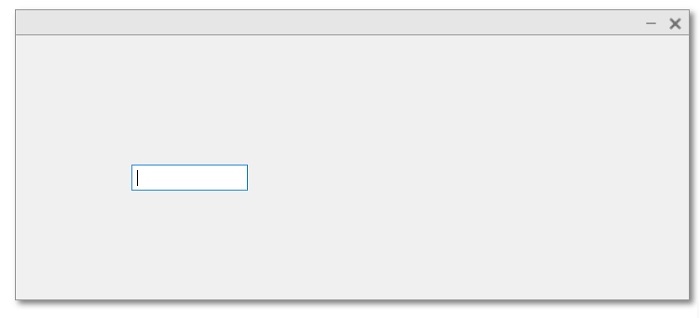
我們使用 'uieditfield' 函式的以下語法來建立具有預設屬性的 EditField 元件。
e = uieditfield();
示例
請考慮以下示例以瞭解此語法的實現。
% MATLAB code to create an EditField with default properties
e = uieditfield();
輸出
建立具有指定樣式的 EditField 元件
建立具有指定樣式的 EditField 元件
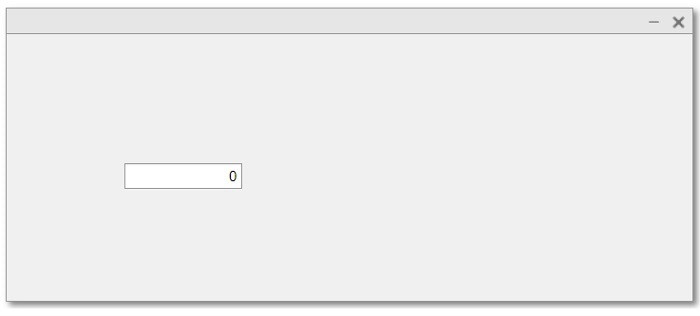
e = uieditfield(style);
示例
以下示例說明了此語法的實現
% MATLAB program to create an EditField component with specified style
% Create a numeric edit field
en = uieditfield('numeric');
輸出
在指定的父容器內建立 EditField 元件
'uieditfield' 函式的以下語法用於在指定的父容器內建立 EditField 元件。
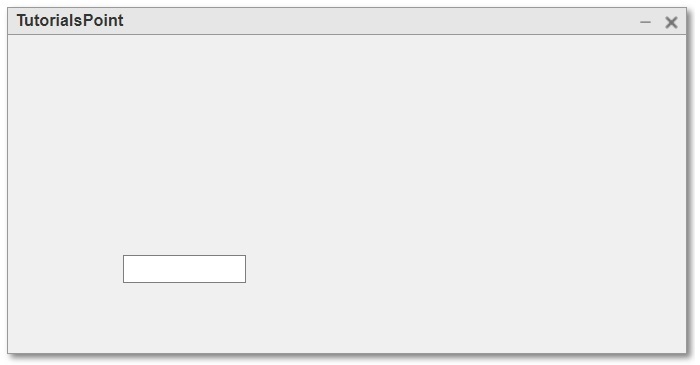
e = uieditfield(parent);
示例
以下 MATLAB 程式描述了此函式的程式碼實現
% Create a figure as parent container
fig = uifigure('Name', 'TutorialsPoint');

% Create the EditField contain within the parent
e = uieditfield(fig);
輸出
在指定的父容器內建立具有指定樣式的 EditField 元件
'uieditfield' 函式的以下語法用於在指定的父容器內建立具有指定樣式的 EditField 元件。
e = uieditfield(parent, style);
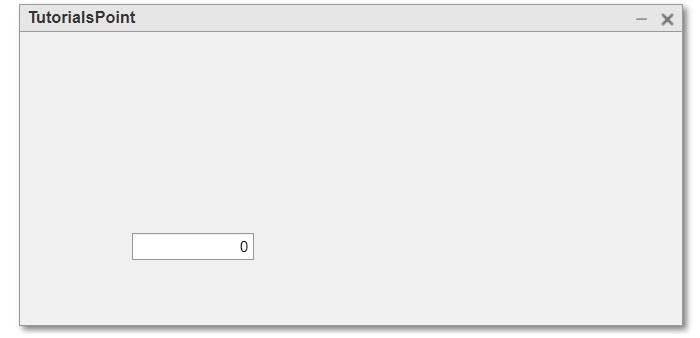
示例
以下 MATLAB 程式描述了此函式的程式碼實現
% Create a figure as parent container
fig = uifigure('Name', 'TutorialsPoint');

% Create a numeric edit field
en = uieditfield(fig, 'numeric');
輸出
建立具有指定屬性的 EditField 元件
'uieditfield' 函式的以下語法用於建立具有指定屬性的 EditField 元件。
e = uieditfield(---, Name, Value,…);
此處,名稱-值對用於指定 EditField 元件的屬性。
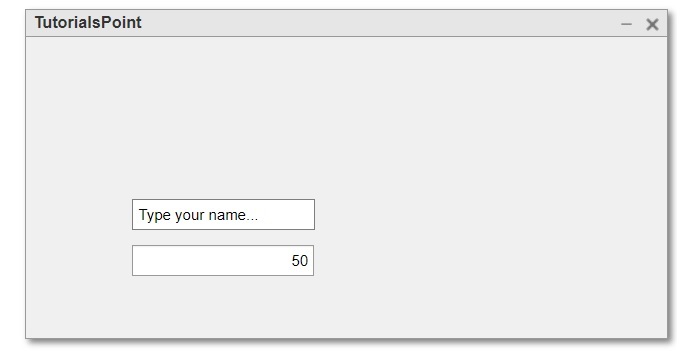
以下示例演示了此函式的程式碼實現。
示例
% MATLAB program to create EditField components with specific properties
% Create a parent container
fig = uifigure('Name', 'TutorialsPoint');

% Create a numeric EditField
en = uieditfield(fig, 'numeric', 'Value', 50, 'Position', [100, 100, 150, 25]);

% Create a text EditField
et = uieditfield(fig, 'Value', 'Type your name...', 'Position', [100, 150, 150, 25]);
輸出
結論
這都是關於在 MATLAB 中建立 EditField 元件。總之,EditField 元件是 MATLAB 應用程式中用於允許使用者輸入和編輯文字和數字的 GUI 元件。在本教程中,我解釋了在 MATLAB 應用程式中建立 EditField 元件的不同方法。

73 次瀏覽
