
- 趨勢類別
 Data Structure(資料結構)
 Networking(網路)
 RDBMS(關係型資料庫)
 Operating System(作業系統)
 Java(Java 語言)
 MS Excel(Microsoft Excel)
 iOS(移動作業系統)
 HTML(超文字標記語言)
 CSS(層疊樣式表)
 Android(安卓系統)
 Python(Python 語言)
 C Programming(C 語言程式設計)
 C++(C++ 語言)
 C#(C# 語言)
 MongoDB(MongoDB 資料庫)
 MySQL(MySQL 資料庫)
 Javascript(JavaScript 語言)
 PHP(PHP 語言)
 Physics(物理學)
 Chemistry(化學)
 Biology(生物學)
 Mathematics(數學)
 English(英語)
 Economics(經濟學)
 Psychology(心理學)
 Social Studies(社會科學)
 Fashion Studies(時尚學)
 Legal Studies(法律研究)
如何在 Tkinter 中找出畫布項的大小?
如要查詢畫布項的最小高度和寬度,我們可以使用 Canvas 的邊框屬性。基本上,邊框屬性使畫布項能夠返回畫布內的位置。在 bbox(item) 方法中,每個項最初定義了該項的最小和最大寬度和高度。
示例
#Import required libraries
from tkinter import *
#Create an instance of tkinter frame
win= Tk()
#Define the geometry of the window
win.geometry("750x250")
#Initialize a Canvas
canvas= Canvas(win, width= 600, height= 200)
#Add a text inside the Canvas
text= canvas.create_text(300,20, text= "This is a New Line Text", font=16,anchor= "n")
canvas.pack()
#Finding the width and height of canvas Items
bounds= canvas.bbox(text)
width= bounds[3]-bounds[0]
height= bounds[3]- bounds[1]
print(width)
print(height)

win.mainloop()
輸出
執行以上程式碼,會顯示出一個包含畫布項(文字)的視窗。它會在終端中列印該項的大小。
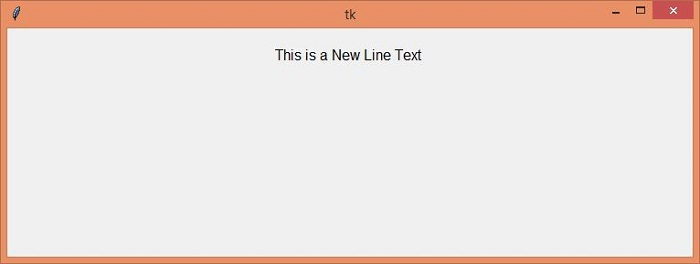
畫布項的大小為:
-154
23

更新時間:2021 年 5 月 3 日
2K+ 瀏覽次數

廣告