
 資料結構
資料結構 網路
網路 RDBMS
RDBMS 作業系統
作業系統 Java
Java MS Excel
 iOS
iOS HTML
HTML CSS
CSS Android
 Python
 C 程式設計
 C++
C++ C#
C# MongoDB
 MySQL
MySQL Javascript
 PHP
PHP 物理
物理 化學
化學 生物
生物 數學
數學 英語
英語 經濟學
經濟學 心理學
心理學 社會學
社會學 時尚學
時尚學 法律學
法律學如何在 Tkinter 中將回車鍵繫結到一個函式?
按下一個鍵並用該鍵處理一些操作是一個可以透過一個按鈕觸發的事件。我們可以在 tkinter 應用程式中使用繫結方法繫結鍵事件。
無論何時觸發該鍵,它將呼叫一個處理程式,該處理程式將引發該鍵事件的特定操作。
如果我們想用bind 函式觸發回車鍵,我們將使用bind('<Key>', Handler)方法。對於回車鍵,我們使用bind('<Return>', Handler) 函式。
示例
#Import the tkinter library
from tkinter import *

#Create an instance of tkinter frame
win = Tk()

#Set the geometry
win.geometry("650x250")

def handler(e):
   label= Label(win, text= "You Pressed Enter")
   label.pack()

#Create a Label
Label(win, text= "Press Enter on the Keyboard", font= ('Helvetica bold', 14)).pack(pady=20)

#Bind the Enter Key to Call an event
win.bind('<Return>',handler)

win.mainloop()
輸出
它將顯示以下視窗——
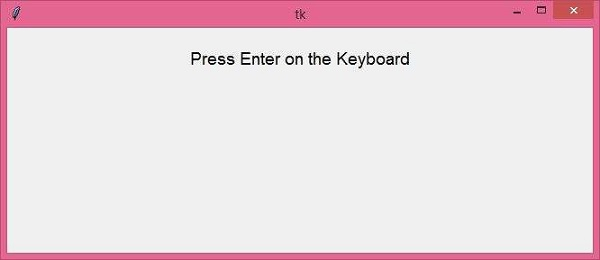
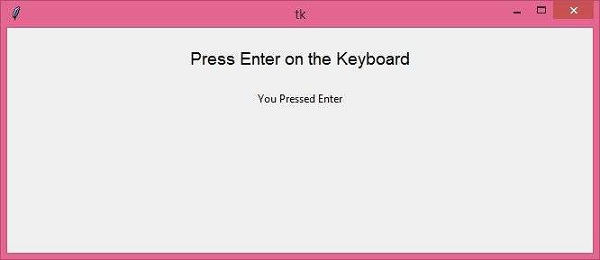
現在,如果我們在鍵盤上按“Enter”,它將顯示“你按了 Enter”。

更新日期:2021-03-27
7 千+ 瀏覽量

廣告