
 資料結構
資料結構 網路
網路 關係資料庫管理系統
 作業系統
作業系統 Java
Java MS Excel
 iOS
iOS HTML
HTML CSS
CSS Android
 Python
 C 程式設計
 C++
C++ C#
C# MongoDB
 MySQL
MySQL Javascript
 PHP
PHP 物理學
物理學 化學
化學 生物學
生物學 數學
數學 英語
英語 經濟學
經濟學 心理學
心理學 社會學
社會學 服裝設計
服裝設計 法律研究
法律研究在 Tkinter 中點選按鈕和按下 Enter 鍵時呼叫相同函式
Tkinter 工具包庫中提供了各種內建函式、部件和方法,您可以使用它們來構建強大且功能強大的桌面應用程式。Tkinter 中的 **Button** 部件幫助使用者建立按鈕,並藉助其函式執行不同的操作。您還可以使用 **bind("button", callback)** 方法將按鈕繫結到執行某些特定事件或回撥。
示例
考慮以下示例。建立一個函式,每當使用者按下 **<Enter>** 鍵時,該函式會在螢幕上列印一條訊息。要將 **<Enter>** 鍵與函式繫結,可以使用 **bind("<Return>", callback)** 方法。
# Import the required libraries
from tkinter import *

# Create an instance of tkinter frame or window
win = Tk()

# Set the size of the window
win.geometry("700x350")

# Define a function to print the message
def print_msg():
   Label(win, text="Hello World!", font=('11')).pack()

# Create a button widget and bind with the given function
win.bind("<Return>", lambda e: print_msg())

button = Button(win, text="Click Me", command=print_msg)
button.pack()

win.mainloop()
輸出
執行以上程式碼將顯示一個包含按鈕的視窗。點選按鈕將在主視窗中顯示包含文字的 Label 部件。
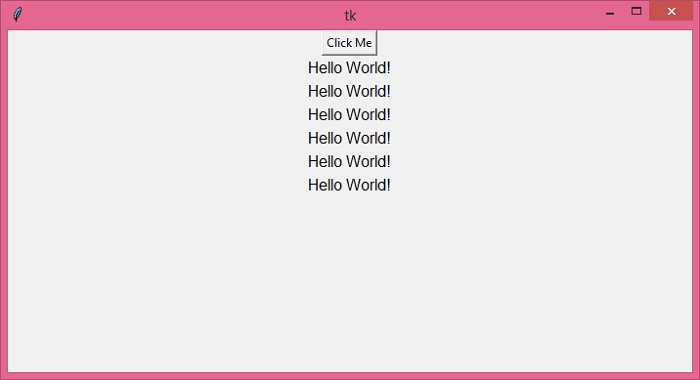
按下 **<Enter>** 鍵也會產生相同的結果。因此,我們透過點選按鈕以及按下 **<Enter>** 鍵來呼叫相同的函式。

更新於: 2021-12-16
711 次瀏覽

廣告